
Lieferung heute & morgen

Qualitätsgarantie

Willkommens-Angebote freischalten: KOSTENLOSE Lieferung | Bis zu 80 % RABATT | Kostenlose 30-Tage-JoyPlus-Testphase
App herunterladen
Choosing the right PC accessories for the workplace can make or break productivity. Yet, the market is flooded with products whose marketing promises often fall short in practice. Many professionals and IT departments invest in equipment that later proves to be unreliable, uncomfortable, or incompatible. This guide will help you identify common pitfalls and make an informed decision for durable and functional Logitech Business accessories.
Before making a purchase, you should be aware of the three most common problems that arise with subpar accessories:
To avoid the problems mentioned above, you should pay attention to specific technical features. These parameters are critical for performance, comfort, and longevity.
The choice of connection technology is fundamental. While standard Bluetooth is sufficient for many applications, a specialized wireless technology like Logi Bolt offers significant advantages in demanding business environments. Logi Bolt is based on the global Bluetooth Low Energy wireless standard but includes additional security protocols and is engineered to provide a stable, low-latency, and reliable connection even in congested wireless environments. Look for devices that support both Logi Bolt and Bluetooth to get maximum flexibility and security. Modern USB-C accessories also simplify connections to the latest laptops and docking stations.
True ergonomics is based on adapting the device to human physiology. For an ergonomic mouse, vertical designs like those in the Logitech MX Series are an excellent option, as they hold the hand in a more natural "handshake" position, which can reduce muscle strain in the forearm. For a wireless keyboard, split and curved layouts promote a more relaxed posture for the wrists and shoulders. Look for features like padded palm rests and adjustable tilt angles that allow for individual customisation.
A smooth workflow is essential for professional users. A multi-device keyboard or mouse that can switch between multiple devices at the touch of a button is a key feature. Equally important is the mouse's sensor technology. High-resolution sensors with values up to 8000 DPI, as found in the Logitech MX Series, allow for precise control with minimal hand movement. Darkfield technology ensures that the mouse functions reliably even on challenging surfaces like glass.
Based on the criteria above, we have compiled a selection of products tailored to specific professional requirements.
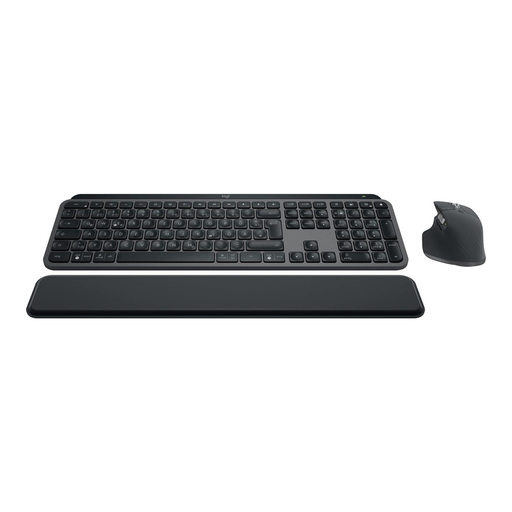
Why This Fits Their Persona: Ideal for developers, designers, and analysts who require maximum precision, customisation, and a seamless workflow across multiple devices. The combination of the precise MX Master 3S mouse and the comfortable MX Keys S keyboard covers all demanding use cases.
Solves all three core problems: The Logi Bolt connection ensures stability, the ergonomic shape of the mouse and the concave keys of the keyboard provide genuine comfort, and the Easy-Switch technology enables smooth multi-device use.
MX Master 3S: 8K DPI Darkfield sensor for tracking on glass and MagSpeed scroll wheel. MX Keys S: Smart key illumination and keys spherically dished for your fingertips.
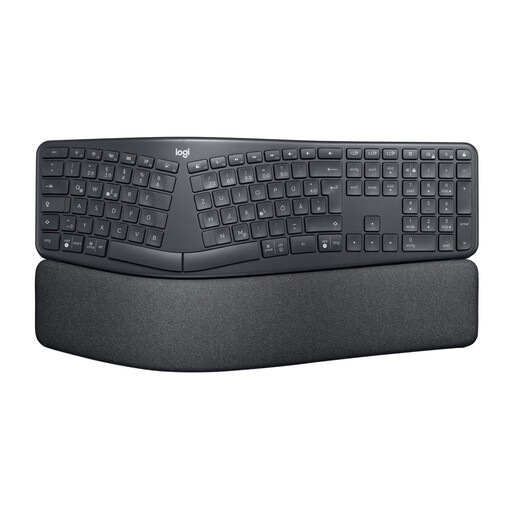
Why This Fits Their Persona: Perfect for individuals who spend long hours at their desk and want to proactively prevent posture-related issues. The design is engineered to minimise strain on the wrists, arms, and shoulders.
Directly addresses the "false ergonomics" pitfall. The curved, split keyframe and cushioned palm rest provide a demonstrably improved posture. According to Logitech, the design reduces wrist bending by 25%.
The design promotes a natural typing posture. The adjustable feet allow for height customisation for both sitting and standing work.
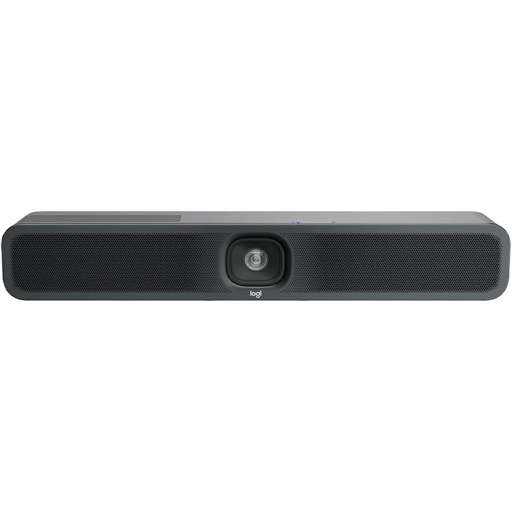
Why This Fits Their Persona: A solution for companies looking to equip small meeting spaces (huddle rooms) with professional video conferencing technology. The all-in-one design significantly simplifies installation and operation.
Bypasses compatibility issues as it is certified for leading platforms like Zoom, Microsoft Teams, and Google Meet. The integrated design avoids the hassle of sourcing and installing a separate camera, microphone, and speaker.
Combines 4K Ultra HD video, microphones, and speakers in one compact device. Integrated AI features like auto-framing and noise suppression ensure high-quality video and audio.
We have compiled a complete, up-to-date list of products that fully meet these strict selection criteria and UK safety regulations.
Logi Bolt is a newer wireless technology designed for enhanced security (Security Mode 1, Security Level 4) and performance in congested office environments. The older Unifying Receiver, while compatible with many devices, does not offer the same level of encryption and interference resistance. Logi Bolt devices are not compatible with Unifying receivers, and vice versa.
Battery life varies by model and usage. Many products in the Logitech MX Series offer up to 70 days of use for mice and up to 10 months for keyboards (with backlighting turned off) on a full charge. Models with replaceable batteries, like the quiet mouse Signature M650, can last up to 24 months.
Most devices work via plug-and-play once connected via Bluetooth or the Logi Bolt receiver. However, to unlock the full range of features, such as customising buttons, creating app-specific profiles, or managing multi-device connections, installing the Logi Options+ software is recommended. For centralised management in enterprises, Logitech also offers the Logitech Sync software.