
Lieferung heute & morgen

Qualitätsgarantie

Willkommens-Angebote freischalten: KOSTENLOSE Lieferung | Bis zu 80 % RABATT | Kostenlose 30-Tage-JoyPlus-Testphase
App herunterladen
When searching for a professional gaming mouse like the Logitech G PRO X SUPERLIGHT 2, the goal is clear: you want a tool that maximises your in-game performance. However, the market is flooded with marketing buzzwords and inflated specifications that often create more confusion than clarity. Many ambitious gamers invest in features that offer no tangible advantage in practice.
This guide will help you identify the critical factors. We'll highlight the most common pitfalls when buying a pro gaming mouse and show you what truly matters, so you can make an informed decision and avoid falling for empty marketing promises.
Before you make a decision, it's important to understand common misconceptions that often lead to purchase regret.
To make the right choice, focus on the technical features that have a direct impact on your performance.
For the fast, repeatable movements required in FPS titles, a gaming mouse 60g or lighter is an established standard. The low weight reduces inertia, enabling faster reactions and corrections. The Logitech G PRO X SUPERLIGHT 2 achieves this 60-gram weight while maintaining a stable, symmetrical shape suitable for various grip types (Palm, Claw, Fingertip). Ensure the mouse's shape fits your hand size and preferred grip to guarantee long-term comfort.
The heart of any pro gaming mouse is its sensor. The Logitech HERO 2 sensor in the SUPERLIGHT 2 is an example of modern sensor technology. What's crucial here isn't just the maximum DPI value, but the sensor's ability to process movements without unwanted corrections. Look for specifications like:
The polling rate, measured in Hertz (Hz), indicates how often the mouse reports its position to the computer. While 1000 Hz has long been the standard, the Logitech G PRO X SUPERLIGHT 2 offers 8K polling rate mouse capability (with 2000 Hz as the default). This results in a visibly smoother cursor movement on high-refresh-rate monitors (240 Hz and above).
The mouse switches are just as important. The SUPERLIGHT 2 uses LIGHTFORCE hybrid switches, which combine the speed and tactile feel of mechanical switches with the durability and reliability of optical ones. This ensures precise and rapid click actuation.
Instead of crowning a single "best" mouse, we have matched products to specific user profiles.
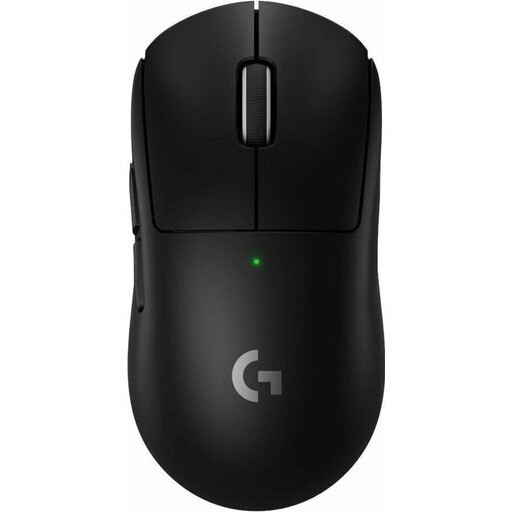
Why This Fits Their Persona: Ideal for gamers seeking the maximum technological advantage. The combination of a 60g weight, the precise HERO 2 sensor, and the new hybrid switches delivers top-tier performance.
You invest in meaningful upgrades like USB-C, a higher polling rate, and more durable switches that have a direct impact on gameplay, rather than useless DPI numbers.
HERO 2 Sensor for 1:1 tracking; LIGHTFORCE Hybrid Switches for precision and durability; 60g lightweight design.
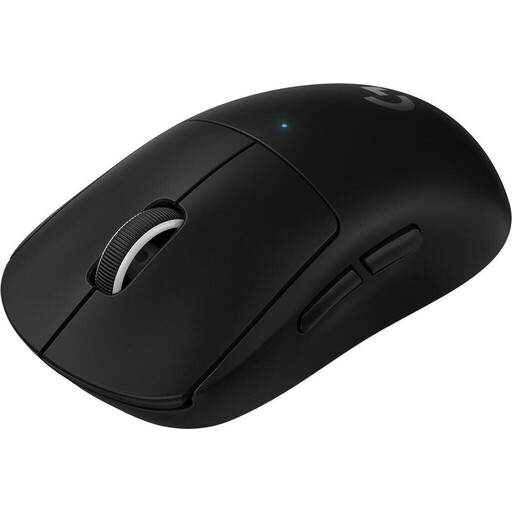
Why This Fits Their Persona: For gamers who want proven, ultralight performance but don't necessarily need the very latest features. It offers 95% of the successor's performance at a often more attractive price.
It focuses on the core features that make the biggest difference: a weight of under 63g and a top-class sensor. It forgoes the premium for an 8K polling rate, which not everyone needs.
Under 63g weight for effortless movements; HERO 25K Sensor for proven precision; excellent price-to-performance ratio.
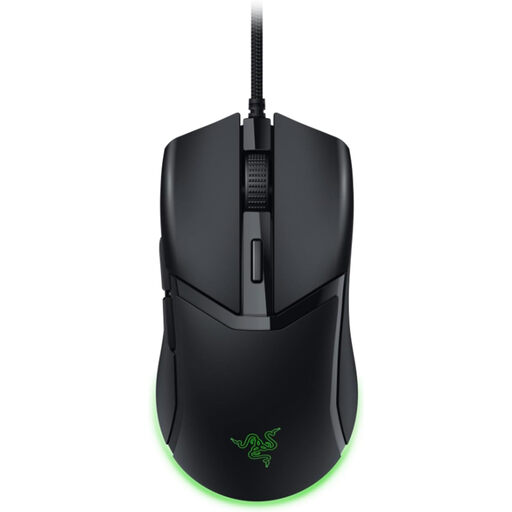
Why This Fits Their Persona: For gamers who prefer a wired connection for absolute signal stability and aim for the lowest possible weight. No worries about battery life or connection drops.
It bypasses the complexity and premium price of wireless technology, focusing on one goal: minimal latency and weight through a direct, stable wired connection.
Extremely light at 57g; 3rd Gen Razer Optical Switches for instantaneous click response; no battery dependency.
We have compiled a complete, real-time list of products that fully meet these strict selection criteria and safety standards.
For most gamers, the difference between 1000 Hz and a higher rate like 8000 Hz is subtle. The advantage becomes most noticeable for competitive players using monitors with very high refresh rates (e.g., 240 Hz, 360 Hz, or higher). The higher polling rate results in a visibly smoother and more precise cursor movement because the position data is updated more frequently. This can provide a decisive edge in fast-paced gaming situations. However, it's important to note that a higher polling rate also consumes more CPU resources.
According to Logitech G, the SUPERLIGHT 2 offers a battery life of up to 95 hours with constant motion. This figure is a good benchmark, but it can vary in practice. The actual battery life depends on factors like the set polling rate—a higher rate consumes more power. However, thanks to its USB-C port, the mouse recharges quickly.
The decision to upgrade depends on your individual priorities. The SUPERLIGHT 2 offers clear technical advancements:
If you already own a PRO X SUPERLIGHT and are satisfied with its performance, an upgrade is not strictly necessary. However, if you are seeking the latest technology for a potential competitive edge or if your old model is showing signs of wear, the SUPERLIGHT 2 is a worthwhile evolution.