
Lieferung heute & morgen

Qualitätsgarantie

Willkommens-Angebote freischalten: KOSTENLOSE Lieferung | Bis zu 80 % RABATT | Kostenlose 30-Tage-JoyPlus-Testphase
App herunterladen
A wireless gaming mouse needs to offer more than a high DPI figure on the box when it comes to competitive gaming. A stable wireless signal, suitable weight, reliable power supply and a shape that matches your grip are all crucial. The Logitech G PRO X SUPERLIGHT 2 Wireless Gaming Mouse is aimed at PC and Mac users looking for a lightweight mouse with a precise sensor and a high polling rate.
It is worth taking a close look at the technical specifications before buying. Some marketing claims may sound impressive, but reveal little in everyday use when important details are missing.
A gaming mouse with 44,000 DPI may offer a wide adjustment range. However, that does not automatically mean everyone plays at this sensitivity or that it delivers more precise control. Consistent tracking, well-tuned sensor performance and the ability to configure DPI profiles sensibly are more important.
According to the product specifications, the Logitech G PRO X SUPERLIGHT 2 uses the HERO 2 sensor with up to 44,000 DPI, over 888 IPS, and no smoothing, acceleration or filtering. These figures describe the sensor’s technical limits, not a recommended in-game setting.
A gaming mouse with an 8K polling rate sends up to 8,000 position reports per second. This reduces the calculated interval between reports to 0.125 milliseconds. However, the practical benefit depends on the game, monitor, processor, frame rate and software.
According to the product description, the Logitech G PRO X SUPERLIGHT 2 supports a polling rate of up to 8,000 Hz. A lower setting may be more suitable for less powerful systems. You should also check whether the USB receiver can be connected directly and securely to the computer.
A 60 g gaming mouse can make fast movements easier, but it still needs to suit your hand size and grip style. According to the specifications, the Logitech G PRO X SUPERLIGHT 2 measures 125 × 63.5 × 40 millimetres. Its body is designed for lightweight, symmetrical use by right-handed players.
Before buying, users should also consider the number of buttons: this model has five programmable buttons. If you need numerous macros or several side buttons, a larger mouse may be a better fit.
At 60 grams, the Logitech G PRO X SUPERLIGHT 2 belongs to the lightweight gaming mouse category. According to the product description, its PTFE mouse feet are made without additional material additives. However, the mousepad surface, dust and the condition of the feet also affect smooth gliding.
If you are looking for a significantly lighter alternative, there are models weighing 53 or 54 grams, for example. However, lower weight usually also means changes to the shape, balance and features.
The HERO 2 sensor covers a range of 100 to 44,000 DPI. The technical specifications also state maximum acceleration of over 88 G and a speed of over 888 IPS. A considerably smaller DPI range is sufficient for most games. Buyers should therefore focus on whether their preferred setting can be configured finely enough and whether the software saves profiles.
The Logitech G PRO X SUPERLIGHT 2 uses LIGHTSPEED Wireless through a USB receiver and can be charged via USB-C. The stated battery life is up to 95 hours with continuous motion. Actual battery life may depend on factors including the polling rate, usage and energy-saving functions.
According to the product specifications, the model is compatible with POWERPLAY. POWERPLAY accessories should be considered separately and should not automatically be assumed to be included in the box. According to the description, the package includes the mouse, LIGHTSPEED adapter, USB-C charging cable, receiver extension and optional grip tape, among other items.
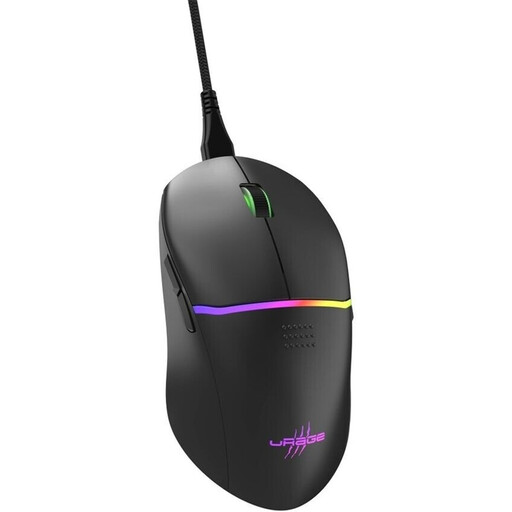
Why this product suits this profile: This wired mouse is easy to set up, requires no battery management and is designed for users who need several programmable buttons.
The connection is not affected by the battery level. The technical specifications state a 1,000 Hz polling rate, 8,000 DPI and nine buttons.
TTC Gold switches with a stated lifespan of 50 million clicks, PTFE glide surfaces and a detachable cable.
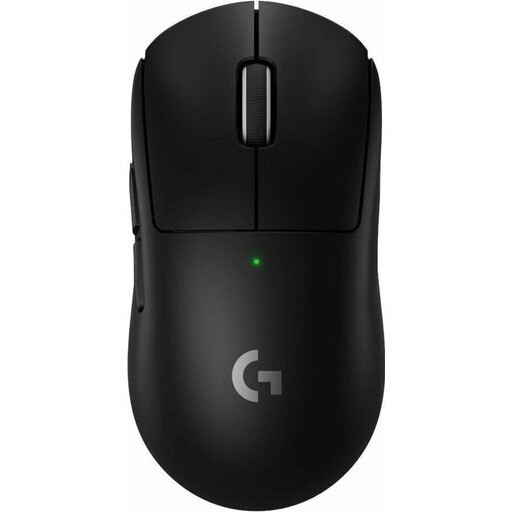
Why this product suits this profile: For competitive gaming, the focus is on low weight, LIGHTSPEED Wireless, USB-C and a HERO 2 sensor with a wide adjustment range.
The product data clearly states the weight, polling rate, battery life and sensor limits. This makes it easier to compare the specifications with your own requirements before buying.
60 g weight, polling rate of up to 8,000 Hz, battery life of up to 95 hours, USB-C and five programmable buttons.
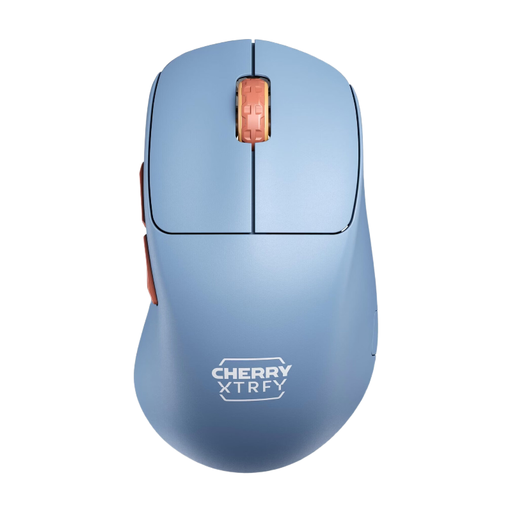
Why this product suits this profile: This mouse is designed for right-handed users who prefer a low front profile, light weight and long use without frequent recharging.
The specifications clearly distinguish between 2.4 GHz wireless, polling rate and battery life. The polling rate can be set up to 1,000 Hz and should not be confused with 8K.
53 g weight, PixArt 3395 sensor, USB-C charging and stated battery life of up to 90 hours at 1,000 Hz.
We have put together a complete, regularly updated list of products that fully meet these strict selection criteria and the safety regulations applicable in the EU.
For a wireless connection, connect the LIGHTSPEED USB receiver to the computer. According to the product description, the manufacturer recommends using Logitech G HUB software to adjust DPI values and button assignments. On a PC, the system requirements specify Windows 10 or later and a USB 2.0 port. The product data also states compatibility with PC and Mac; before buying, users should check G HUB support for their particular operating system.
For a stable connection, do not leave the receiver loosely connected to a USB hub. The supplied extension can help position the receiver closer to the mouse. Use the supplied USB-C cable for charging. Avoid liquids, extreme temperatures and opening the housing yourself.
According to the stated technical specifications, the mouse supports up to 8,000 Hz. In wired mode, the product description specifies up to 1,000 Hz. The higher polling rate should only be used when the game, system and desired frame rate can make effective use of it.
The stated battery life is up to 95 hours with continuous motion. Actual battery life may vary depending on the polling rate, usage and energy-saving mode. The battery is charged via USB-C.
The product specifications list PC and Mac as compatible platforms. For configuration via Logitech G HUB, Mac users should check current software support and the available features for their specific operating system version.