
Lieferung heute & morgen

Qualitätsgarantie

Willkommens-Angebote freischalten: KOSTENLOSE Lieferung | Bis zu 80 % RABATT | Kostenlose 30-Tage-JoyPlus-Testphase
App herunterladen
A Logitech keyboard can serve you reliably for many years in a home office, workplace or at your personal desk. The key is choosing a layout, connection and design that suit how you actually use it. Mistakes are often caused not by the brand, but by overlooked details: the wrong keyboard layout, a wireless solution without a compatible connection or an ergonomic design that takes up too much space on your desk.
This buying guide explains which technical details matter and which Logitech models are suitable for different types of user.
If you work in Germany, look for a German QWERTZ layout. The positions of the Y and Z keys, as well as special characters, differ from the US QWERTY layout. Even when a product name includes the word “German”, you should check the technical specifications as well. This is particularly important with international listings, where product images and the actual keyboard layout may differ.
A wireless Logitech keyboard may connect via Bluetooth, a 2.4 GHz receiver or both. Bluetooth is suitable for laptops, tablets and smartphones, while a USB receiver can often provide straightforward set-up with desktop PCs. Before buying, check whether the device you plan to use has a free USB port and which operating systems are supported.
Models with replaceable AA or AAA batteries do not need to be recharged. Keyboards with backlighting and a built-in battery, on the other hand, need to be charged regularly via USB-C. Claims such as “up to” depend on usage, brightness settings and the connection method. For a realistic assessment, it is therefore worth checking the conditions behind the manufacturer’s stated figures.
A full-size model with a number pad is practical for spreadsheets, accounting and office software, but it takes up more space. Compact keyboards leave more room for your mouse and are ideal for smaller work surfaces. When it comes to key mechanisms, there are usually three options:
A mechanical Logitech keyboard is therefore not automatically suitable for every office. In shared spaces, you should take the noise level into account.
Bluetooth keyboards can be paired directly with compatible devices. A Logi Bolt or Nano USB receiver can be an alternative for computers. Some models support switching between up to three devices. This is useful if you use, for example, a work PC, personal laptop and tablet side by side.
An ergonomic keyboard can enable a different hand position through split or curved key layouts, a palm rest and adjustable feet. However, its dimensions and the time needed to get used to it are also important. The Logitech ERGO K860, for example, is considerably wider and heavier than a flat slim keyboard. A padded palm rest should only be chosen if it suits the height of your desk and your seating position.
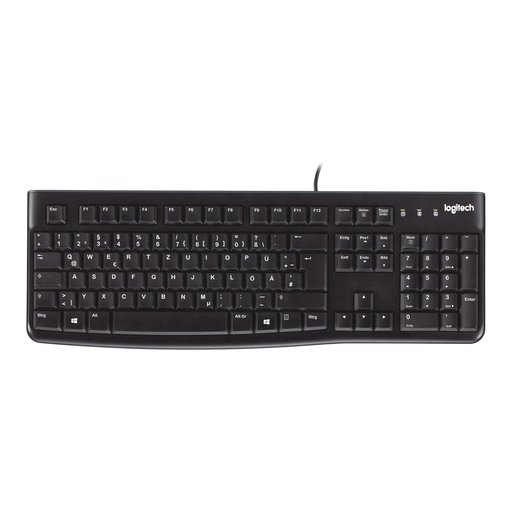
Why this product suits this profile: This wired keyboard features a German QWERTZ layout, USB plug-and-play and a classic full-size design for PC or laptop use.
The fixed USB connection requires no batteries and avoids potential Bluetooth pairing issues. The specified German layout reduces the risk of accidentally buying an international version.
USB connection, number pad, height-adjustable feet and spill-resistant design according to the product description.
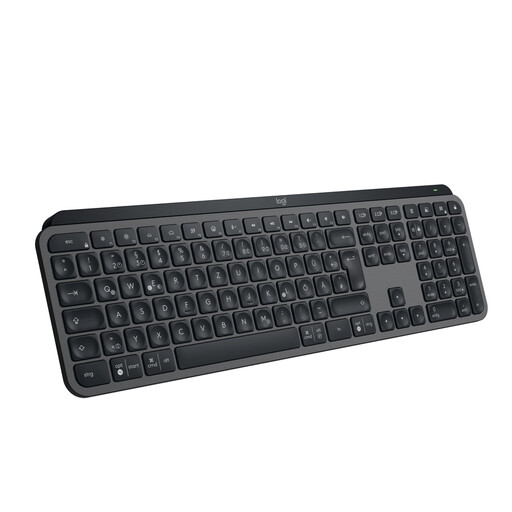
Why this product suits this profile: This low-profile model combines a German QWERTZ layout, smart backlighting, a USB-C rechargeable battery and switching between up to three devices.
The combination of Bluetooth and a Logi Bolt receiver gives you two connection options. Battery life is stated separately for use with and without backlighting.
Spherically shaped keys, automatic backlighting, USB-C charging and multi-device support.
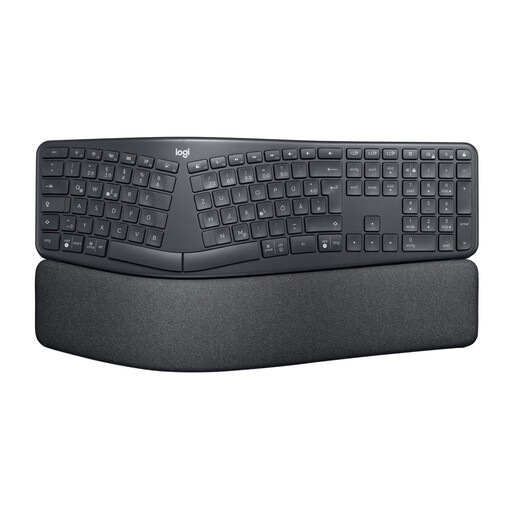
Why this product suits this profile: The split, curved key layout, padded palm rest and adjustable feet are designed for people who spend long periods typing.
The design makes its ergonomic alignment easy to understand in practical terms. Its dimensions of approximately 456 × 233 millimetres are also specified, so you can plan for the required desk space in advance.
Bluetooth and USB receiver, split full-size layout, three tilt settings and an integrated palm rest.
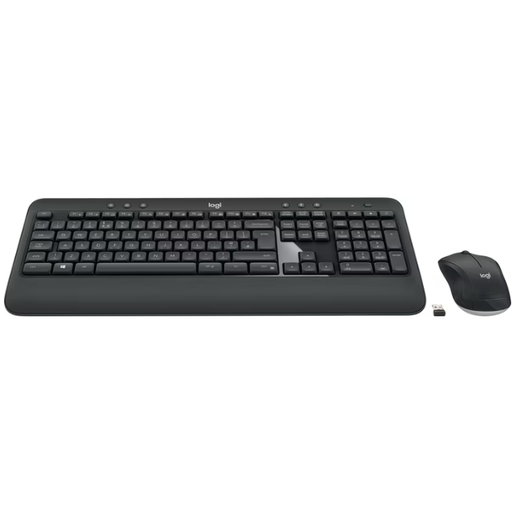
Why this product suits this profile: This wireless keyboard and mouse set combines a German full-size layout with a number pad and palm rest, using a single Unifying USB receiver.
The keyboard and mouse are designed to work together as a set and connect through one receiver. The stated battery life of up to 36 months for the keyboard and up to 18 months for the mouse means fewer battery changes.
2.4 GHz connection, number pad, optical mouse, spill-resistant keyboard design and plug-and-play set-up.
We have put together a complete, regularly updated list of products that fully meet these strict selection criteria and the safety regulations applicable in the EU.
A Logitech keyboard and mouse set is practical if you want to replace both devices at the same time. For businesses, however, a wired solution such as the Logitech K280e or K120 can simplify management, as no batteries or wireless pairing are required. If you want to work as quietly as possible, look for specific information about noise reduction. The Logitech MK295 is listed as featuring SilentTouch technology for both the keyboard and mouse. It is still important to check the layout of the version actually on offer, as US QWERTY variants are also available.
With a Bluetooth keyboard, you should also check whether the device you intend to use supports Bluetooth Low Energy. When using several operating systems, additional features may require software such as Logi Options+, while basic input will often work without any extra programme.
Several models are available with a German QWERTZ layout, including the Logitech K120, MK540, ERGO K860, MX Keys S and MX Mechanical. Before buying, check the product description and variant, as some series are also offered in a US QWERTY version.
For Bluetooth, switch on the keyboard and select it in the Bluetooth settings on your computer, tablet or smartphone. With a Logitech wireless keyboard that uses a USB receiver, plug the receiver into a free USB port. The exact procedure may vary depending on the model and connection method.
Battery life depends on the model, battery type, usage and backlighting. According to product specifications, devices with AAA or AA batteries can last from several months to several years. With rechargeable models such as the MX Keys S, activating the backlighting reduces battery life compared with using the keyboard without illumination.