
Lieferung heute & morgen

Qualitätsgarantie

Willkommens-Angebote freischalten: KOSTENLOSE Lieferung | Bis zu 80 % RABATT | Kostenlose 30-Tage-JoyPlus-Testphase
App herunterladen
The search for a reliable keyboard and mouse combo for the office or home office often leads to an overwhelming number of choices. Many products promise high performance, but their weaknesses quickly become apparent in practice. To make an informed decision, it's crucial to understand the common pitfalls frequently found in budget-friendly or over-hyped sets.
A wireless workspace promises a clean setup and flexibility, but it can quickly become a source of frustration. The most common problems include:
To avoid these issues, you should check a few core technical specifications before buying. These features determine the reliability and comfort you'll experience in your daily work.
The foundation of any wireless keyboard and mouse is the radio connection. Most models use the 2.4 GHz frequency, where the quality of the transmitter and receiver module is critical. A proven technology is the Logitech Unifying receiver. This tiny USB dongle can connect up to six compatible Logitech devices simultaneously. Its advantage lies in a stable, encrypted connection specifically optimised for interference-free performance in office environments crowded with other wireless networks. Unlike a pure Bluetooth connection, which depends on the quality of the module built into your computer, a dedicated receiver often provides a more reliable plug-and-play solution.
A long battery life is a crucial factor for a low-maintenance wireless keyboard for office use. Pay attention to the manufacturer's specifications and the type of batteries required (e.g., AA or AAA). Models like the Logitech MK540 Advanced Wireless Keyboard Mouse Combo are designed for energy efficiency, achieving a battery life of up to 36 months for the keyboard and 18 months for the mouse, according to Logitech. This significantly minimises maintenance. Practical features like on/off switches on both devices and an automatic power-saving mode further help to maximise runtime.
For long workdays, comfort and a robust build are essential. A full-size keyboard with a German QWERTZ layout and a number pad facilitates a familiar typing experience. An integrated keyboard with a palm rest supports the wrists and can help prevent fatigue. Another practical feature is a spill-resistant keyboard. While not fully waterproof, it can survive minor accidents with coffee or water unscathed, ensuring a longer lifespan for the device.
Based on these objective criteria, we have identified several models suited for different user profiles and requirements.
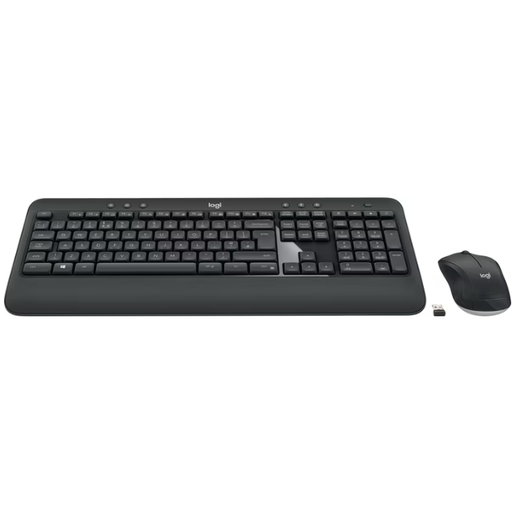
Why This Fits Their Persona: Ideal for users seeking a straightforward, comfortable, and durable solution for daily office work. The combo offers a familiar typing experience and requires minimal maintenance.
The Logitech Unifying receiver ensures a stable connection. The long battery life is field-tested, and the integrated palm rest directly addresses the ergonomic aspect.
Full-size keyboard with a palm rest and number pad. Spill-resistant design and a very long battery life.
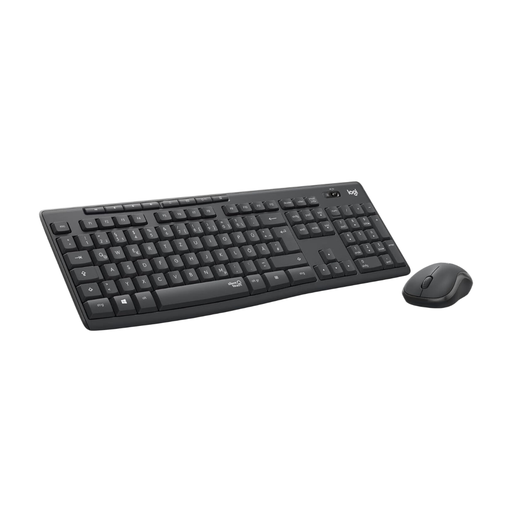
Why This Fits Their Persona: Perfect for users in a shared workspace who value a quiet environment. This combo significantly reduces typing and clicking noises without compromising on functionality.
Also uses a stable 2.4 GHz wireless connection and offers a comparably long battery life. The SilentTouch technology is a clear differentiator from loud, budget keyboards.
Over 90% noise reduction, according to Logitech, thanks to SilentTouch technology. Full-size keyboard with 8 hotkeys and long battery life.
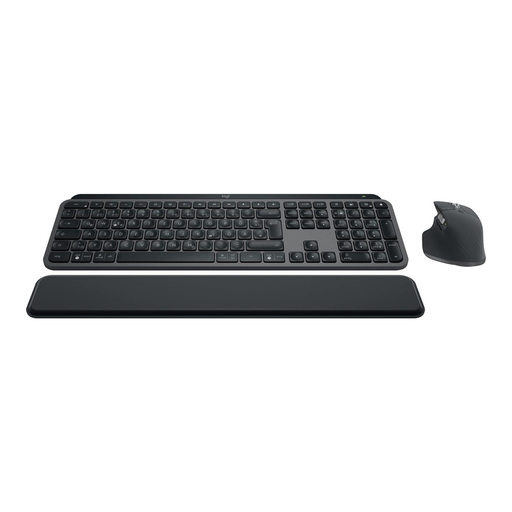
Why This Fits Their Persona: For power users who seamlessly switch between multiple devices (e.g., a PC and a laptop) and value premium materials, a precise typing feel, and advanced features.
The connection via Logi Bolt or Bluetooth is designed for professional demands. Rechargeable batteries via USB-C eliminate the hassle of battery replacement. The ergonomics are top-notch.
Smart key illumination, multi-device capability for up to 3 devices, high-quality build, and the high-performance MX Master 3S mouse with an 8000 DPI sensor.
We have compiled a complete, up-to-date list of products that fully meet these rigorous selection criteria and safety standards.
Setup is straightforward. Plug the included Logitech Unifying USB receiver into an available USB port on your computer. Insert the batteries into the keyboard and mouse and turn both devices on. The connection is typically established automatically (plug-and-play) without requiring any software installation.
The Logitech Unifying receiver uses a dedicated 2.4 GHz wireless connection that is optimised for a stable, low-latency link between the receiver and the devices. This is often more reliable in environments with significant wireless interference. Bluetooth establishes a direct connection to the computer and doesn't require a USB port, but it can be more susceptible to interference and requires a pairing process.
Logitech states a battery life of up to 36 months for the keyboard and up to 18 months for the mouse. These figures are based on average office usage. The actual lifespan will depend on your individual usage intensity. However, thanks to its energy-efficient design, the combo is built for very low-maintenance operation over an extended period.