
Lieferung heute & morgen

Qualitätsgarantie

Willkommens-Angebote freischalten: KOSTENLOSE Lieferung | Bis zu 80 % RABATT | Kostenlose 30-Tage-JoyPlus-Testphase
App herunterladen
A computer mouse is one of the most essential tools in any digital workspace. An unreliable or uncomfortable mouse can not only hinder productivity but also lead to physical discomfort. The market offers a vast selection, from simple, everyday models and specialised ergonomic mice to professional-grade devices for the most demanding users.
This guide is designed to help you navigate the options. We will introduce a selection of Logitech mice for various applications and explain the key criteria to help you find the perfect model for your needs—whether for the office, university, creative projects, or home use.
To make an informed decision, it's helpful to understand a few technical fundamentals and design aspects. The following points highlight the most important distinguishing features.
Most modern mice are wireless, but the technology behind them differs.
Many Logitech models offer both connection options, providing maximum flexibility.
The shape of the mouse has a direct impact on comfort during extended use.
Depending on your activities, certain features can be decisive.
Based on the criteria above, we have compiled a selection of models that cater to different requirements.
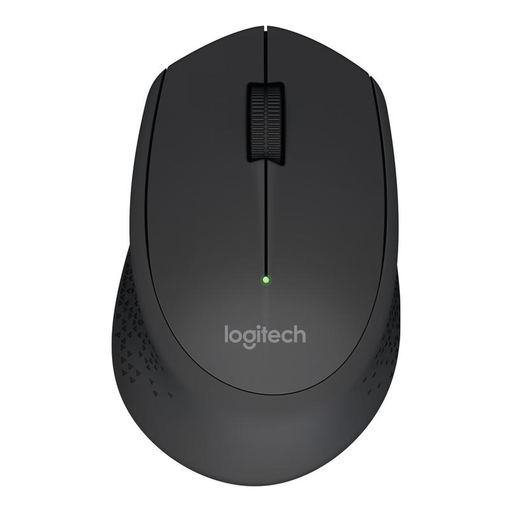
Why this model stands out: The Logitech M280 is a straightforward and reliable wireless mouse for everyday tasks. It focuses on the essentials: a stable connection, a comfortable shape, and an exceptionally long battery life. Installation is simple plug-and-play via the included nano USB receiver.
Objective Features:
Who is this model for? Users looking for an affordable, durable, and ready-to-use wireless mouse for standard office applications, web browsing, or a home office setup.
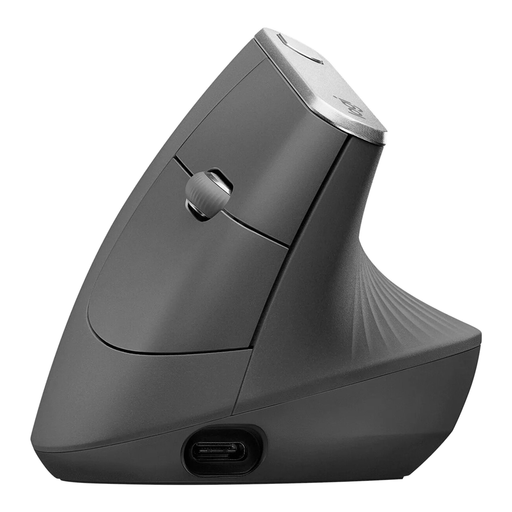
Why this model stands out: The MX Vertical is an advanced ergonomic mouse designed around a natural hand posture. The unique 57-degree angle positions the wrist to help reduce forearm muscle activity. It combines this ergonomic form with professional features like a precision sensor and multi-device connectivity.
Objective Features:
Who is this model for? Professionals and creatives who spend long hours at the computer and prioritise a comfortable hand posture to prevent fatigue. Ideal for users who work across multiple devices (e.g., a PC and a laptop) simultaneously.
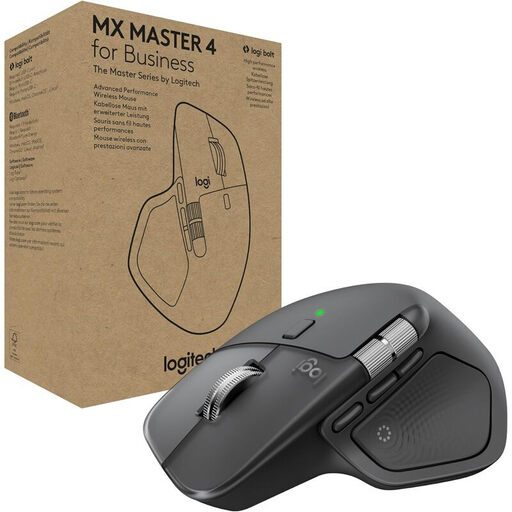
Why this model stands out: The MX Master 4 is a professional mouse engineered for maximum productivity and precision. Its Darkfield sensor tracks on virtually any surface, even glass. The electromagnetic MagSpeed scroll wheel allows for hyper-fast or line-by-line scrolling. The business variant offers an encrypted and exceptionally stable connection for enterprise environments with the Logi Bolt receiver.
Objective Features:
Who is this model for? Power users, developers, designers, and anyone who demands the highest standards of precision, customisation, and efficiency. Its durable materials and secure connection also make it an excellent choice for corporate deployment.
If the models presented here don't perfectly match your requirements, or if you need specific accessories like a replacement receiver, you can find a broader selection of wireless solutions and compatible accessories in our category.
Discover our range of USB receivers and accessories.
An RF wireless mouse uses a dedicated USB receiver to establish a direct and often more stable connection to the computer. A Bluetooth mouse connects wirelessly to the computer's built-in Bluetooth chip, which means it doesn't occupy a USB port. Many Logitech mice support both technologies.
For an RF wireless mouse, plug the USB receiver into a free port on your computer. The mouse is usually detected automatically and is ready to use immediately. For a Bluetooth mouse, activate pairing mode on the mouse and select it in your computer's Bluetooth settings to establish the connection.
An ergonomic mouse, particularly a vertical mouse, is designed to promote a more natural hand and wrist posture. This "handshake position" can reduce muscle strain compared to a conventional mouse. Many users report increased comfort during long periods of use. However, it is not a medical device. For persistent or severe discomfort, you should always seek the advice of a medical professional.