
Lieferung heute & morgen

Qualitätsgarantie

Willkommens-Angebote freischalten: KOSTENLOSE Lieferung | Bis zu 80 % RABATT | Kostenlose 30-Tage-JoyPlus-Testphase
App herunterladen
A Logitech mouse can serve you reliably for years in the office, home office, on the go or when gaming. However, the brand name alone isn't everything. Often, the wrong size, an unsuitable connection or misinterpreted technical specifications lead to a purchase you regret.
Before you buy, you should therefore consider how and where you'll use the mouse. A compact Logitech Bluetooth mouse might be ideal for a mobile workstation, while a Logitech MX Master or Logitech G mouse meets different requirements.
A high sensor resolution isn't automatically an advantage. For word processing, spreadsheets and web browsing, moderate settings are usually sufficient. High DPI values are mainly relevant if you want to move the cursor quickly across large monitors or use finely tuned profiles when gaming.
So pay attention to adjustable sensitivity, not just the maximum DPI number.
A wireless Logitech mouse can communicate via Bluetooth, a 2.4 GHz USB receiver or a proprietary radio technology. Bluetooth saves a USB port, but requires a compatible device and a stable pairing. A USB receiver is often straightforward, but may need an adapter for tablets or modern laptops.
Check before you buy:
With a mouse that has a long battery life, different ongoing costs arise. Models with AA batteries need replacements, while rechargeable variants need regular charging via USB-C. Claims like "up to 18 months" or "up to 70 days" depend on usage, settings and power-saving features.
For ongoing costs, battery type, charging port and standby mode are therefore more important than an isolated marketing claim.
A Logitech Bluetooth mouse is suitable for laptops, tablets and workstations with few ports. Devices like the Logitech MX Master 3S Bluetooth Edition can, according to product specifications, be paired with up to three devices. This makes switching between your work computer, laptop and tablet much easier.
A wireless mouse with a nano receiver, on the other hand, usually works straight away after plugging it in. This is practical for office PCs and shared workstations. For gaming, low latency and a stable wireless connection are more important. Logitech G models with LIGHTSPEED are aimed at users who value fast reactions and customisable buttons.
An ergonomic mouse should suit your hand size and preferred grip. Compact, symmetrical models like the Logitech M240 Silent or M185 can be suitable for small to medium hands and for use on the go. Right-handed users often benefit from a more contoured shape with a thumb rest.
Vertical models or trackball mice change the way you move significantly. They aren't an automatic solution for discomfort, but can be interesting for users who need a different hand position or have limited desk space. For longer working hours, you should also plan regular breaks.
A quiet mouse makes sense in open-plan offices, libraries or when working in the evening. With models featuring SilentTouch or Quiet Click, claims about noise reduction refer to the respective manufacturer's product description. The click feel can still differ from a conventional mouse.
For spreadsheets, long documents and programming projects, a precise scroll wheel is useful. Gaming mice often offer additional buttons, profiles and software customisation. However, these features also increase the configuration effort and aren't essential for simple office tasks.
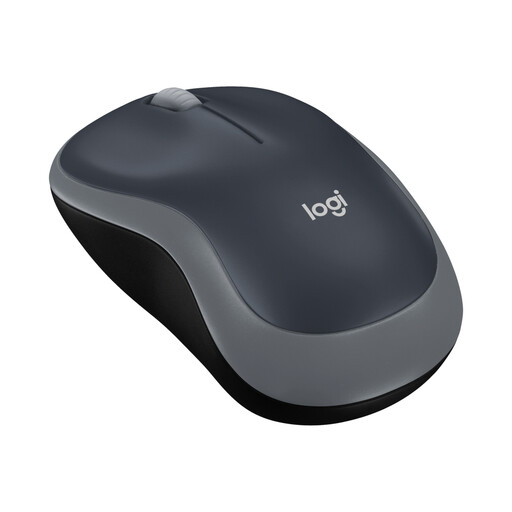
Why this product fits the profile: The M185 is a compact wireless mouse for basic tasks on a PC or laptop. The nano USB receiver enables a simple connection without any additional configuration menu.
You don't need a high DPI number or additional gaming software for typical office tasks. Power is supplied by a single AA battery.
Optical sensor with 1,000 DPI, symmetrical shape, range of up to 10 metres and, according to product specifications, up to twelve months of battery life.
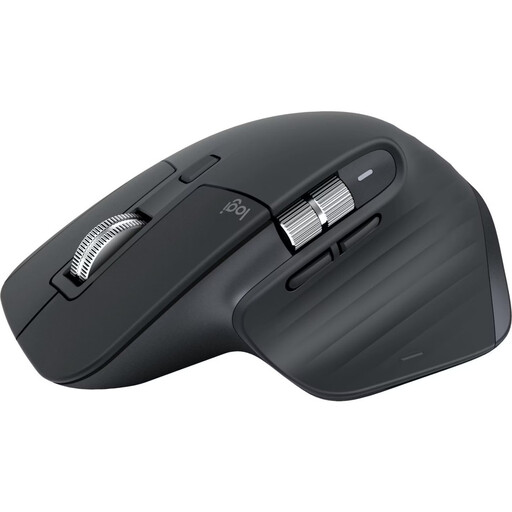
Why this product fits the profile: This right-handed mouse is designed for longer work sessions, multi-device workstations and extensive documents.
The Bluetooth connection doesn't need a USB receiver. The size and shape should be checked against your own hand grip before buying.
Darkfield sensor with up to 8,000 DPI, MagSpeed scroll wheel, seven programmable buttons and, according to product specifications, up to 70 days of battery life.
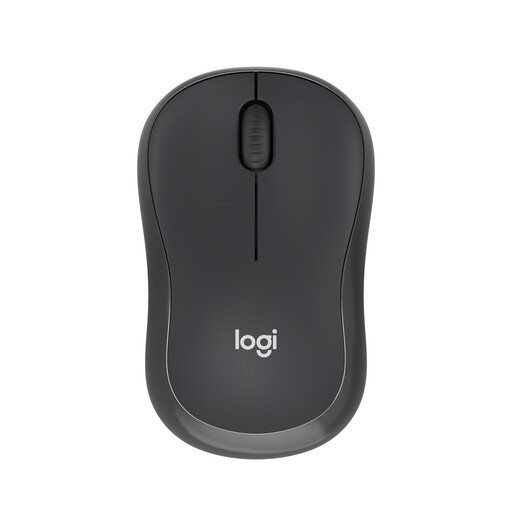
Why this product fits the profile: The compact, ambidextrous shape and Bluetooth pairing suit mobile workstations, shared offices and occasional use with a tablet.
You don't need to reserve a USB port for a receiver. The noise reduction claims should be understood as manufacturer information and don't replace your own listening impression.
Bluetooth range of up to 10 metres, three buttons, optical sensor and, according to product specifications, up to 18 months of battery life.
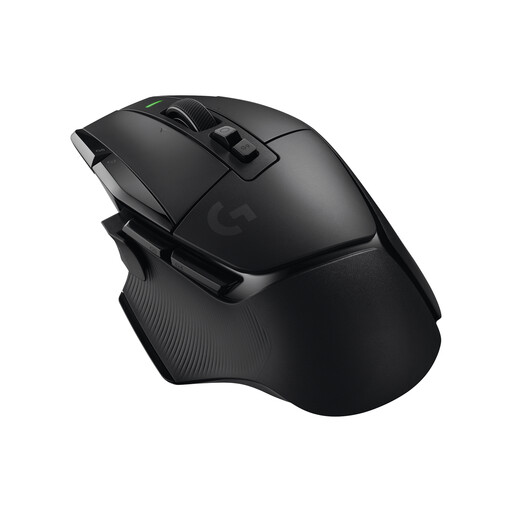
Why this product fits the profile: This Logitech gaming mouse is aimed at players who need programmable buttons, profiles and a LIGHTSPEED wireless connection.
The features are clearly designed for gaming. If you only handle emails and spreadsheets, you may be paying for functions that remain unused in daily life.
HERO 25K sensor, 13 programmable controls, USB-C charging, LIGHTSPEED and, according to product specifications, up to 140 hours of battery life.
We've put together a complete, regularly updated list of products that fully meet these strict selection criteria and the safety regulations in force in the EU.
For the office and home office, a quiet mouse, a suitable hand shape and a straightforward connection are particularly important. The M240 Silent offers Bluetooth and a compact, ambidextrous shape. For long work sessions with multiple devices, models from the MX Master series are worth considering.
Activate Bluetooth on your computer or tablet, turn on the mouse and hold down the connection button as instructed. Then select the model name shown in the Bluetooth settings. For multiple devices, use the respective Easy-Switch channel, provided the model supports this function.
The lifespan depends on the build quality, switches, battery, rechargeable battery and daily wear and tear. With battery-powered models, you should treat the stated runtimes as "up to" values. Rechargeable mice are charged via USB-C; their battery life depends on usage and wireless mode, among other factors. Dispose of used batteries and defective devices according to local recycling guidelines.