
Lieferung heute & morgen

Qualitätsgarantie

Willkommens-Angebote freischalten: KOSTENLOSE Lieferung | Bis zu 80 % RABATT | Kostenlose 30-Tage-JoyPlus-Testphase
App herunterladen
A Logitech mouse can serve you reliably for years in the office, home office or at university. The key is finding a model that matches how you actually use it. Most buying mistakes aren't down to a lack of features, but to overlooked details: a Bluetooth mouse isn't automatically compatible with every device, an ergonomic mouse won't suit every hand size, and the stated battery life depends on your usage habits.
As Joybuy's Product Recommendation Officer, I'll give you a clear, objective breakdown of the most important features and show you which models suit different needs.
A wireless Logitech mouse can connect via Bluetooth, a 2.4 GHz USB receiver, or both. If your laptop has no free USB-A port, a classic wireless mouse with a nano receiver might be impractical. On the other hand, Bluetooth requires a compatible device interface and sometimes needs re-pairing after switching devices.
Before you buy, check the following:
A small mouse works well for mobile workstations and smaller hands. For larger hands, however, a compact model can force your hand into an awkward, curved position. A mouse designed for larger hands, such as the Logitech M650 L or the Logitech M190, has a bigger casing instead.
Your dominant hand also matters: an ambidextrous mouse works for both left- and right-handed users, but usually offers less pronounced thumb rests. Right-handed users can benefit from a more contoured shape. A vertical or upright mouse changes your hand position even further. You'll find more models in the upright mouse category.
Battery life figures are usually based on specific usage scenarios. Frequently switching between devices, intensive lighting or short idle periods can all affect power consumption. With battery-powered models, it's also worth checking whether an AA battery is used and whether the receiver can be stored inside the mouse casing.
For office and home office use, Logitech models typically quote battery lives of 12 to 24 months. The Logitech M705 is advertised with up to three years. With a rechargeable mouse like the MX Master 4, you won't need to change batteries, but you will need to charge it regularly via USB-C.
Bluetooth is ideal for tablets, many laptops and devices with few free ports. A USB receiver offers simple plug-and-play setup. Models with both options give you more flexibility, especially if you switch between a desktop PC, notebook and tablet.
The Logitech Pebble Mouse 2 can be connected via Bluetooth or RF Wireless according to the product specifications, and can manage up to three devices. The Logitech M220 Silent, on the other hand, uses a 2.4 GHz USB nano receiver.
A quiet mouse makes sense in libraries, open-plan offices or when working late at home. The SilentTouch technology in the Logitech M220 Silent and Logitech Signature M650 L is claimed to reduce click noise by up to 90 per cent compared with conventional mice. This figure describes the click level under the manufacturer's defined test conditions; the scroll wheel and your desk surface can affect the perceived noise level.
Look out for:
A high DPI rating isn't automatically an advantage for word processing. For office applications, controlled movement and a comfortable shape are usually more important than an exceptionally high sensor value.
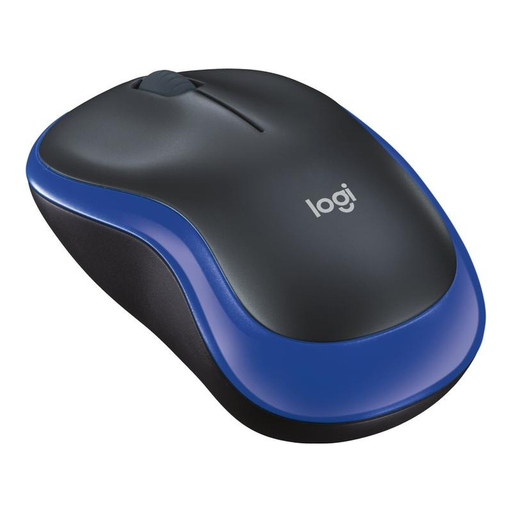
Why this product suits the profile: This compact, ambidextrous mouse is designed for users who want a straightforward wireless mouse for their PC, Mac or laptop.
Plug in the USB nano receiver and the connection is established without complicated setup. The compact shape is designed for small to medium-sized hands.
Optical sensor, 10-metre wireless range and stated battery life of up to one year.
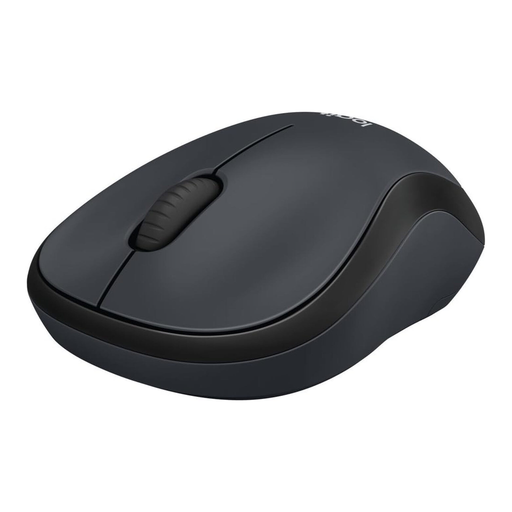
Why this product suits the profile: This quiet mouse is ideal for offices, libraries and working in shared spaces.
SilentTouch reduces click noise by over 90 per cent according to the product specification. The receiver is stored inside the battery compartment when the mouse is on the move.
Ambidextrous design, 2.4 GHz connection and stated battery life of up to 18 months.
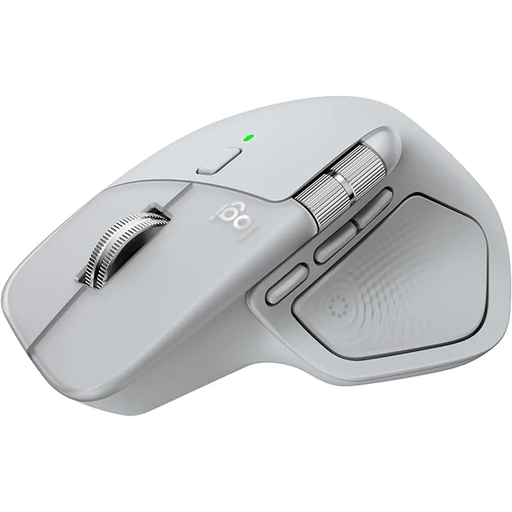
Why this product suits the profile: For extensive office and creative tasks, you get multiple controls, multi-device operation and USB-C charging.
Connection is possible via Bluetooth or Logi Bolt USB-C receiver. The stated battery life is up to 70 days; a USB-C charging cable is not included according to the product specifications.
8,000 DPI Darkfield sensor, MagSpeed scroll wheel, up to three connected devices and seven controls.
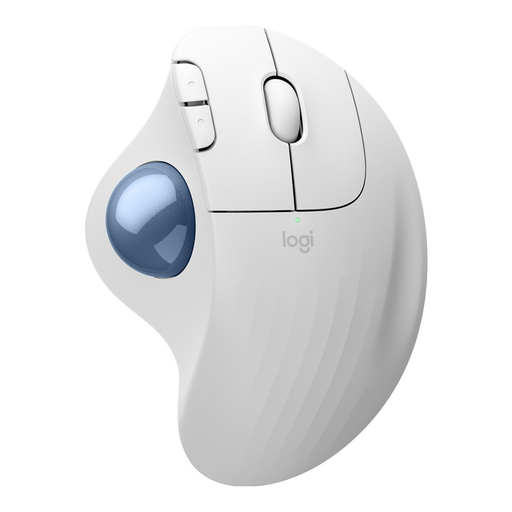
Why this product suits the profile: The trackball takes up hardly any space next to your keyboard and is ideal for small desks or frequent precision work using your thumb.
Instead of moving the whole mouse, you control the cursor via the trackball. Bluetooth and Logi Bolt receiver offer two connection options.
Stated battery life of up to 18 months, three customisable buttons and space-saving trackball operation.
We've put together a complete, regularly updated list of products that fully meet these strict selection criteria and the safety regulations in force in the EU.
For office and home office use, a reliable connection, quiet clicks and long battery life are important. The Logitech M220 Silent is designed for quiet clicks and simple USB connection. For larger hands, the Logitech M650 L with its contoured shape and side buttons is a good option.
That depends on your device. Bluetooth saves a USB port and works well with many notebooks and tablets. A USB receiver is quick to set up with compatible computers and can be a practical solution for stationary workstations. Models with both connection types give you more choice when switching between devices.
The figures vary by model. The Logitech M185 is stated to last up to one year, the M220 Silent and ERGO M575S up to 18 months, and the M650 L up to 24 months. The actual battery life depends on factors including usage, battery quality and power-saving features. Please check the battery type and dispose of used batteries in accordance with local regulations.