
Lieferung heute & morgen

Qualitätsgarantie

Willkommens-Angebote freischalten: KOSTENLOSE Lieferung | Bis zu 80 % RABATT | Kostenlose 30-Tage-JoyPlus-Testphase
App herunterladen
A Logitech mouse can make everyday work easier, save space when you are working on the go or be designed for fast input during gaming. However, the model names vary considerably. An affordable wireless mouse is not automatically suitable for long working days, while a feature-packed gaming mouse may bring unnecessary functions and costs to the office.
Before buying, you should therefore look beyond the brand name or a high DPI figure. Hand size, connection type, button layout, noise level, power supply and your intended use are the key factors.
DPI describes the sensor’s sensitivity, not its quality. Moderate settings are usually sufficient for office applications. Higher values can be useful for gaming, provided they suit the sensor, software and your personal playing style. A Logitech gaming mouse with 44,000 DPI is therefore not the right choice for everyone.
A wireless Logitech mouse can connect via Bluetooth, a 2.4 GHz USB receiver or both options. Bluetooth keeps a USB port free, but requires a compatible device. A USB receiver often provides quick plug-and-play setup, but takes up a port. You should also check whether your laptop only has USB-C ports and whether you may need an adapter.
An ergonomic mouse needs to suit your hand size and preferred grip. A model designed for large right-handed users may be impractical for smaller hands. Left-handed users should look for symmetrical or specifically left-handed models. A vertical design also requires some adjustment, so choose one based on its dimensions, button positions and how it feels in your hand.
For a tidy home office, a Bluetooth mouse is a good choice if your computer, tablet or smartphone supports the standard. According to the product details, the Logitech M240 Silent connects without a dongle and can be used within a range of up to ten metres.
A USB receiver is practical when quick setup and a consistent wireless connection are priorities. The Logitech B330 Silent Plus uses a nano USB receiver. Models such as the MX Master 3S for Business combine Bluetooth with Logi Bolt and allow you to switch between up to three devices.
With a quiet mouse, you should distinguish between click noise and scroll-wheel noise. According to the manufacturer, the SilentTouch technology used in the M240, M650 and B330 reduces click noise by up to 90 per cent. This does not mean that the mouse is completely silent. Even so, this design can be useful in libraries, shared offices or when working at night.
A mouse with long battery life can reduce ongoing maintenance, but it will either need regular battery replacement or a charging cable. For AA-powered models, the product details state up to 18 months for the M240 and up to 24 months for the Signature M650, for example. Rechargeable models such as the MX Master 3S and MX Anywhere 3S are specified as lasting up to 70 days per charge.
Actual battery life depends on factors including usage, power-saving mode, wireless standard and software settings. With lithium batteries, you should also ensure safe charging conditions and dispose of them properly.
For longer working sessions, technical specifications are not the only things that matter. Check the following:
A mouse for office and gaming may be worth considering if you want a model with flexible settings. However, if you mainly work with documents, quiet clicking, comfortable scrolling and a reliable connection will often be more useful than extremely high sensor specifications.
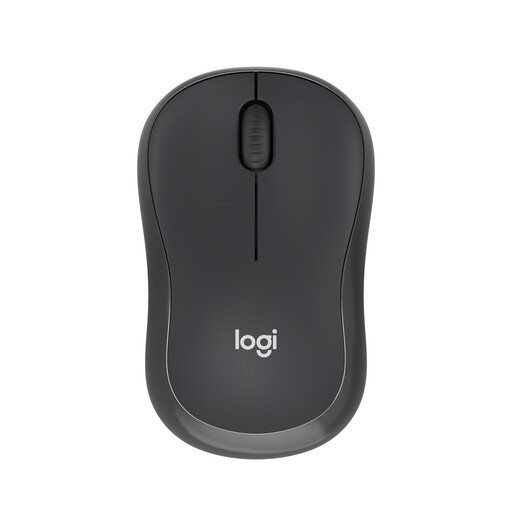
Why this product suits this profile: This compact Bluetooth mouse is suitable for everyday office tasks, working on the go and devices with limited USB space.
You do not need a USB receiver. According to the manufacturer, the SilentTouch design reduces click noise by up to 90 per cent.
Bluetooth, ambidextrous design, 73.8 g weight and up to 18 months of battery life according to the product details.
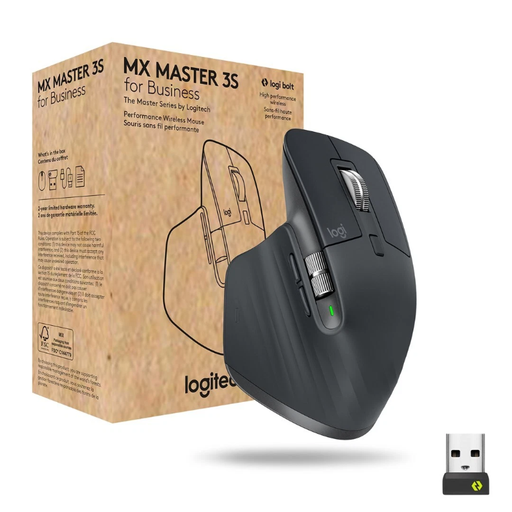
Why this product suits this profile: For professionals who use several devices and work with lengthy documents, this model offers multiple connection options and a versatile scroll system.
The selection is not based on DPI alone: it also takes into account an 8,000 DPI Darkfield sensor, seven programmable buttons and multi-device support.
Bluetooth and Logi Bolt, MagSpeed scroll wheel, USB-C charging and up to 70 days of battery life according to the product details.
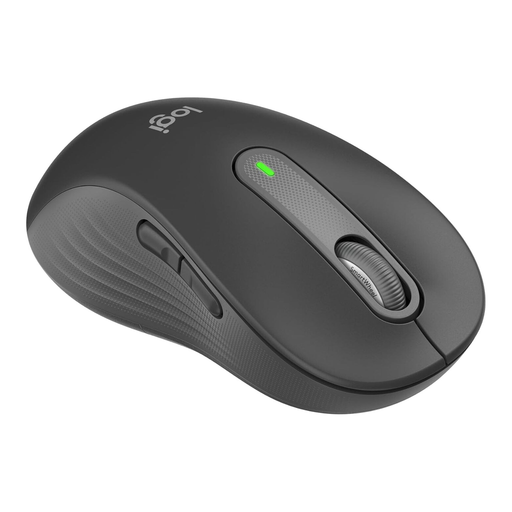
Why this product suits this profile: Designed for larger left hands, this model is aimed at users looking for a comfortable shape and quiet operation during longer sessions.
The left-handed design helps prevent buyers from accidentally choosing a right-handed model with an unsuitable button position.
Bluetooth and Logi Bolt, SmartWheel, customisable side buttons and up to 24 months of use with one AA battery according to the product details.
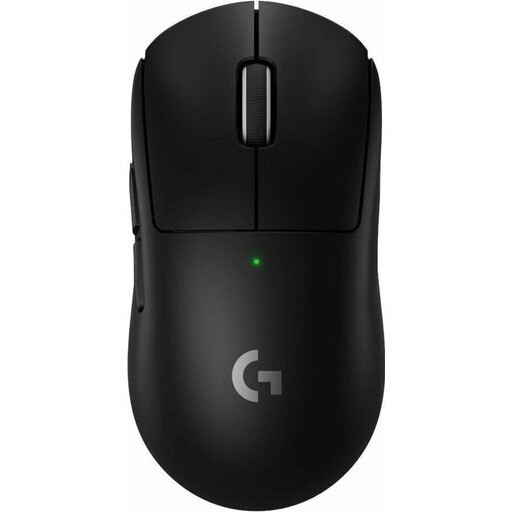
Why this product suits this profile: This model is aimed at gamers who prioritise low weight, high polling rates and rechargeable power.
The selection provides specific figures rather than broad performance claims: 60 g weight, HERO 2 sensor, up to 44,000 DPI and an 8,000 Hz polling rate according to the product details.
LIGHTSPEED wireless, five programmable buttons, USB-C charging and up to 95 hours of battery life according to the product details.
We have put together a complete, regularly updated list of products that fully meet these strict selection criteria and the safety regulations applicable in the EU.
For a home office, a reliable connection, comfortable shape and low click noise are important. Depending on the version, the M240 Silent, B330 Silent Plus and Signature M650 combine quiet operation with longer battery life. If you have large hands or are left-handed, you should check the relevant shape variant.
Neither connection type is fundamentally better for every user. Bluetooth keeps a USB port free and is suitable for compatible laptops and tablets. A USB receiver can simplify setup on desktop PCs. If you use several devices, models with Bluetooth and Logi Bolt offer additional flexibility.
Its lifespan depends on the switches, rechargeable battery or disposable battery, transport and care. For the models mentioned, the manufacturers’ power specifications range from around 18 months to three years for battery-powered models; rechargeable versions are specified as lasting up to 70 or 95 hours per charge in some cases. Using the mouse in a dry, low-dust environment and handling batteries properly can help maintain reliable everyday performance.