
Lieferung heute & morgen

Qualitätsgarantie

Willkommens-Angebote freischalten: KOSTENLOSE Lieferung | Bis zu 80 % RABATT | Kostenlose 30-Tage-JoyPlus-Testphase
App herunterladen
For professionals like software developers, designers, and analysts, a mouse is more than just a pointing device—it's a core tool for productivity and comfort. Long workdays at the computer can lead to fatigue or discomfort if your equipment isn't up to par. A high-quality, ergonomic mouse can make a tangible difference. This article provides a factual overview of the Logitech MX Master 4 and presents relevant alternatives to help you choose the right model for your specific needs.
The decision for a mouse should be based on objective criteria tailored to your daily workflow. Here are some key aspects to consider.
An ergonomic mouse is shaped to support the natural posture of your hand and wrist. This can help reduce strain during hours of use. Standard-sized models like the MX Master series are designed for a stationary workstation and offer comprehensive support for the hand. In contrast, more compact mice like the MX Anywhere series are better suited for mobile use or for users with smaller hands.
In the modern work environment, switching between different devices—such as a desktop PC, a laptop, and a tablet—is commonplace. A multi-device mouse allows for a seamless transition at the touch of a button. Pay attention to the connection options: a professional wireless mouse typically offers a connection via Bluetooth or a dedicated USB receiver (like the Logi Bolt). The latter can ensure a more stable and secure connection in office environments with many wireless networks. For Apple users, an optimised Bluetooth mouse for MacBook and iPadOS is advantageous.
The sensor resolution, measured in DPI (Dots Per Inch), determines the mouse's sensitivity. A high-resolution sensor (e.g., 8,000 DPI) enables precise control on high-resolution monitors and even works on difficult surfaces like glass. Features like an electromagnetic scroll wheel (MagSpeed mouse) allow you to navigate through documents either extremely fast or with line-by-line precision, depending on your needs. Programmable buttons and a quiet-click mouse are other features that can enhance workflow in focused environments.
Based on the criteria mentioned above, we have compiled a selection of models suitable for different professional use cases.
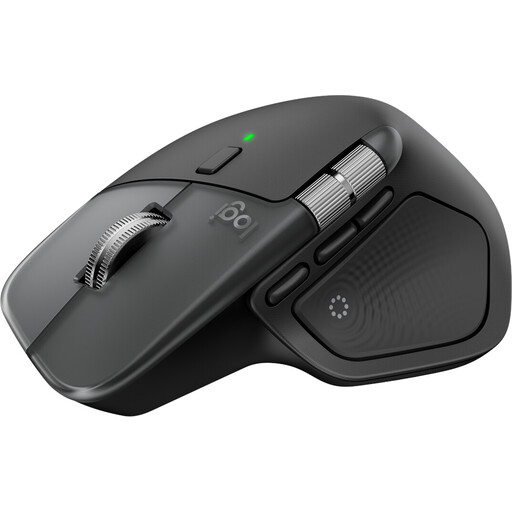
Why It Stands Out The MX Master 4 for Mac is specifically tailored to the Apple ecosystem. With its Space Black colour scheme and seamless compatibility with macOS and iPadOS, it integrates perfectly into a Mac environment. The mouse offers haptic feedback that makes actions and notifications tangible, as well as a customisable "Actions Ring" for application-specific shortcuts.
Pros
Who It's For? This model is the top choice for creative professionals, developers, and power users who work exclusively or primarily with Mac and iPad devices and are looking for a perfectly integrated, high-performance mouse.
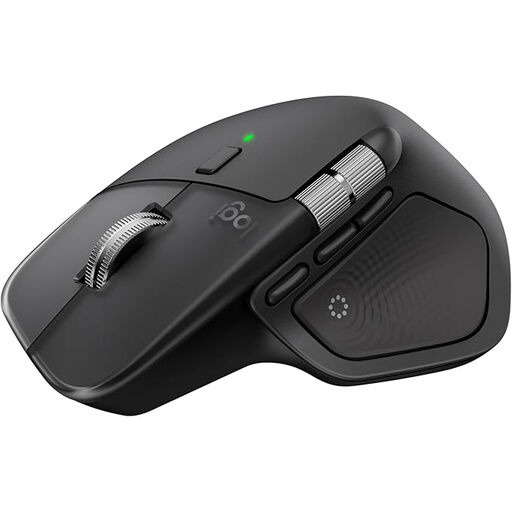
Why It Stands Out The standard version of the Logitech MX Master 4 is the versatile flagship for cross-platform work environments. It shares the core technologies with the Mac version, including haptic feedback and the 8K sensor, but is optimised for Windows, macOS, Linux, and other operating systems. It comes with a Logi Bolt USB-C receiver for a secure and stable connection.
Pros
Who It's For? Ideal for professionals in mixed-IT environments or Windows users who need an uncompromising, ergonomic, and highly customisable mouse for maximum productivity.
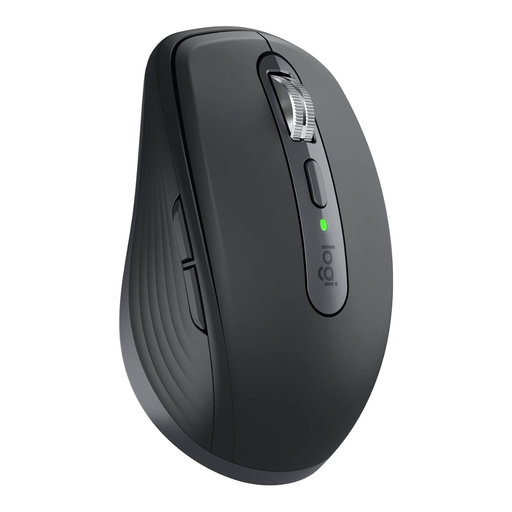
Why It Stands Out The MX Anywhere 3S is the compact alternative for mobile professionals and users who frequently switch workspaces. Despite its small footprint, it offers many of the premium features of the Master series, such as the 8,000 DPI sensor and the MagSpeed scroll wheel. The "for Business" variant places an additional focus on secure connections through the Logi Bolt receiver.
Pros
Who It's For? Perfect for business travellers, consultants, and anyone working in a hybrid model who needs a powerful yet portable mouse that makes no compromises on precision and security.
The models presented cover a wide range of professional requirements. However, if you are looking for a mouse with a different button configuration or specific features, other alternatives are available.
Explore our selection of programmable mice with side buttons to find the right model for your individual workflows.
1. What is the difference between the Logitech MX Master 4 and the MX Master 4 for Mac? The core functional technologies like the sensor, ergonomics, and scroll wheel are identical. The main differences lie in the colour scheme (Space Black for the Mac version), the optimisation of the firmware for macOS and iPadOS, and the package contents. The standard version comes with a Logi Bolt receiver, which is not always included with the Mac version (depending on the retailer), as the Bluetooth connection is prioritised for Apple devices.
2. Is the Logitech MX Master 4 suitable for gaming? The MX Master 4 is designed as a productivity mouse. Its strengths lie in ergonomics, software customisation, and precise tracking for work applications. For competitive gaming, dedicated gaming mice are often the better choice, as they typically offer higher polling rates and a design geared towards fast, twitchy movements. However, the MX Master 4 is sufficient for casual gaming.
3. How does the multi-device function of the MX Master 4 work? The mouse can be paired with up to three devices simultaneously. You can manually switch between devices using a button on the underside of the mouse (Easy-Switch). Additionally, the Logi Options+ software enables the "Flow" feature. This allows you to move the mouse cursor seamlessly from one screen to another, even if they are running different operating systems. It is even possible to copy and paste text, images, and files between computers.