
Lieferung heute & morgen

Qualitätsgarantie

Willkommens-Angebote freischalten: KOSTENLOSE Lieferung | Bis zu 80 % RABATT | Kostenlose 30-Tage-JoyPlus-Testphase
App herunterladen
The search for a suitable professional mouse can quickly become overwhelming. Manufacturers advertise high DPI counts and ergonomic promises, but not every model lives up to its claims in a daily workflow. For users who spend many hours at the computer every day, precision, comfort, and reliable connectivity are crucial. This guide will help you avoid common purchasing pitfalls and identify the features that truly matter for a productive work environment.
Before deciding on a model, it's helpful to be aware of common marketing traps that often lead to poor purchasing decisions.
To make an informed decision, you should focus on a few, but critical, technical features.
The most important component of a professional mouse is its sensor. Models like the Logitech MX Master 3S Bluetooth Mouse use a Darkfield sensor specifically designed to work precisely on virtually any surface—even glass. This is a decisive advantage for users who don't always have a mousepad on hand, whether in a conference room, a café, or at a glass desk at home. The ability to adjust the tracking speed up to 8,000 DPI also provides the necessary flexibility for high-resolution monitors without sacrificing control.
For professional users who switch between multiple devices—such as a desktop PC, a laptop, and a tablet—a multi-device mouse is essential. Look for models that allow for easy switching at the touch of a button. A direct Bluetooth Low Energy connection is the gold standard here. It makes a separate USB receiver obsolete, which not only frees up a valuable port on devices like a MacBook but also eliminates the risk of a lost dongle. A Logitech mouse without a dongle is therefore a practical solution for a clean and flexible workspace.
True comfort only becomes apparent after hours of use. A well-designed ergonomic mouse supports the natural posture of the hand and wrist. In addition to its shape, extra functional elements are crucial:
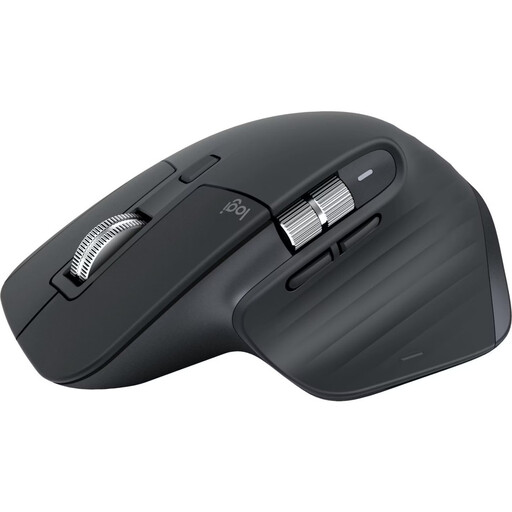
Why This Fits Their Persona: Ideal for users who switch seamlessly between a laptop, PC, and tablet. The direct Bluetooth connection makes dongles obsolete, which is especially beneficial for users of MacBooks or ultrabooks with limited ports.
Solves the connectivity dead-end with a stable, multi-device Bluetooth connection for up to three devices. The focus is on the high-quality sensor, not just the raw DPI number.
8K DPI Darkfield Sensor: Tracks reliably on glass. Quiet Clicks: Significantly reduces click noise, ideal for quiet work environments.
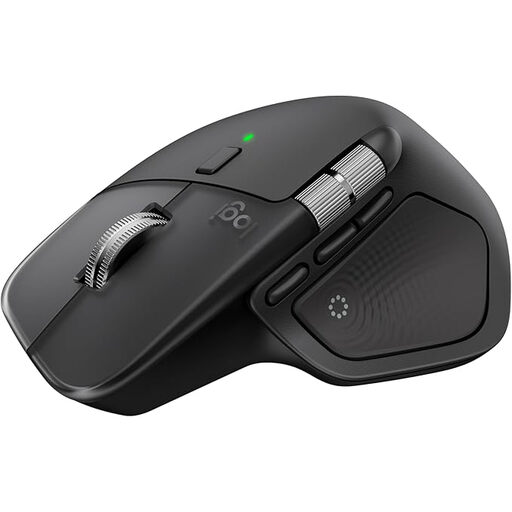
Why This Fits Their Persona: For users who always seek the latest technology. The MX Master 4 offers all the benefits of the 3S and enhances them with innovative haptic feedback for an even more interactive control experience.
Delivers true innovation instead of just higher numbers. The haptic feedback and Actions Ring are functional enhancements that boost productivity, rather than just being marketing buzzwords.
Haptic Feedback: Provides tactile responses for actions and notifications. Actions Ring: A context-sensitive overlay that displays relevant shortcuts directly at the cursor.
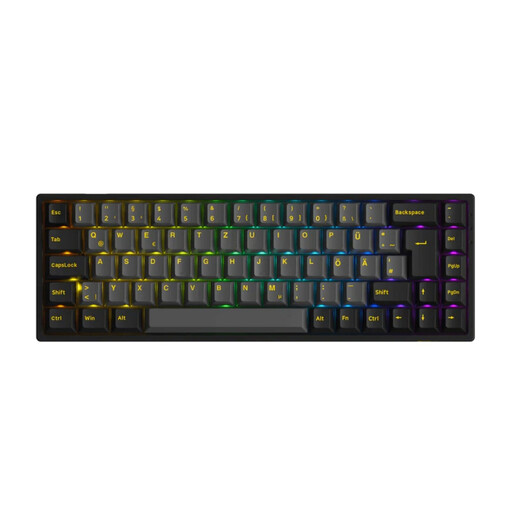
Why This Fits Their Persona: For users looking to complete their professional setup. A high-quality mechanical keyboard is the perfect complement to a precision mouse for a tactile and efficient work experience.
Focuses on a high-quality typing experience and flexible connectivity (Bluetooth, 2.4G, USB-C) instead of superfluous gimmicks. The compact 65% layout saves desk space.
Tri-Mode Connectivity: Maximum flexibility for any setup. Hot-Swappable Switches: Allows for customising switches without soldering for a personalised typing feel.
We have compiled a complete, up-to-date list of products that fully meet these strict selection criteria and German safety regulations.
1. How long does the battery of the Logitech MX Master 3S last with daily use? According to the manufacturer, the battery of the MX Master 3S lasts up to 70 days on a full charge. A quick charge of just one minute via the USB-C port provides enough power for up to three hours of use.
2. Can the Logitech MX Master 3S be used while charging? Yes, the mouse can be connected via the included USB-C cable and continue to be used like a wired mouse while charging. This ensures there is no downtime.
3. Is the Logi Options+ software required to use the mouse? No, the basic functions of the mouse (pointing, clicking, scrolling) work out of the box via the Bluetooth connection. However, to program the buttons, adjust DPI settings, create application-specific profiles, and use the Flow feature for multi-device control, installing the free Logi Options+ software is necessary.