
Lieferung heute & morgen

Qualitätsgarantie

Willkommens-Angebote freischalten: KOSTENLOSE Lieferung | Bis zu 80 % RABATT | Kostenlose 30-Tage-JoyPlus-Testphase
App herunterladen
As a Joybuy Product Recommendation Officer, I analyse product information daily to offer you objective and practical guidance. When searching for a professional mouse like the Logitech MX, you'll quickly encounter a flood of technical specs and marketing jargon. But not every advertised feature is equally relevant to every user.
Many users invest in a premium model only to find it doesn't suit their workflow. The most common pitfalls are:
To avoid buyer's remorse, it's crucial to match your personal requirements with the right technical specifications.
Instead of getting swayed by individual specs, you should evaluate three core aspects that directly impact your daily work.
A truly ergonomic mouse is designed for a specific grip and use case to reduce wrist and forearm strain.
For professionals who switch between a laptop, desktop PC, and tablet, a seamless multi-device mouse is essential.
Productivity doesn't just depend on raw sensor resolution, but also on smart features that speed up your workflow.
Based on these criteria, we have identified models that are particularly well-suited for different professional needs.
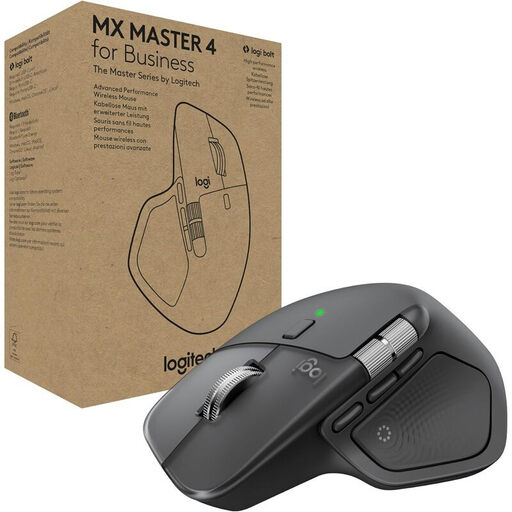
Why This Fits Their Persona: Ideal for power users, developers, and creatives who want to elevate their workflow with customisable actions and haptic feedback.
The focus isn't just on high DPI, but on application-specific features like the Actions Ring and haptic feedback that provide real added value.
MagSpeed scroll wheel and the secure Logi Bolt USB-C receiver for a stable, encrypted connection in demanding environments.

Why This Fits Their Persona: Perfect for office workers, editors, or analysts who spend long hours at their desks and want to proactively prevent posture problems or wrist pain.
It delivers on the vague promise of ergonomics with a clear, functional design. The 57° angle isn't a marketing gimmick but a core design feature for pressure relief.
Promotes a natural handshake position to reduce muscle strain. Still offers multi-device connectivity via Bluetooth and a USB receiver.
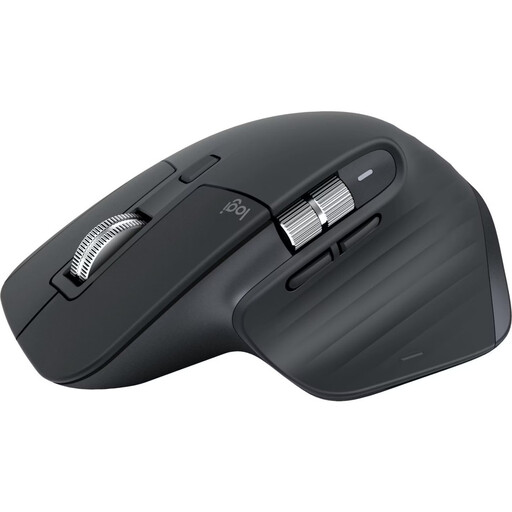
Why This Fits Their Persona: Designed for users who primarily work with modern laptops (e.g., MacBook) or tablets and are looking for a high-performance mouse without the need for a USB receiver.
Solves the connectivity problem for devices with few ports by relying entirely on a direct Bluetooth connection, freeing up a valuable USB port.
Combines the proven features of the MX Master 3S—8K DPI sensor, quiet clicks, and MagSpeed scroll wheel—with pure Bluetooth connectivity for up to 3 devices.
We have compiled a complete, real-time updated list of products that fully meet these strict selection criteria and safety regulations.
Most MX models feature an "Easy-Switch" button, usually located on the underside of the mouse. To pair a new device, press and hold the button until the LED blinks rapidly. Then, select the mouse in the Bluetooth settings of your computer or tablet. To switch between already paired devices, just give the button a short press.
For most office applications on Full HD or 4K monitors, such a high DPI count is not strictly necessary. However, the practical advantage of an 8K DPI sensor is its ability to track precisely on almost any surface, including glass. This gives you flexibility when working in different locations. The sensitivity can be adjusted to your needs at any time via the Logi Options+ software.
Bluetooth is a universal standard that enables a direct connection without an additional receiver. This is space-saving and convenient. The Logi Bolt receiver, on the other hand, uses a proprietary Logitech protocol designed for an especially secure (FIPS-compliant encrypted) and interference-free connection in environments with many wireless networks. For security-critical business environments or if you experience connectivity issues with Bluetooth, Logi Bolt is often the more reliable choice.