
Lieferung heute & morgen

Qualitätsgarantie

Willkommens-Angebote freischalten: KOSTENLOSE Lieferung | Bis zu 80 % RABATT | Kostenlose 30-Tage-JoyPlus-Testphase
App herunterladen
Finding the right keyboard for your office or home office can be a complex task. A clean desk free of cable clutter, seamless switching between a laptop, PC, and tablet, and a comfortable typing experience are key requirements for productive work. A Logitech wireless keyboard is a natural choice for many users, but the wide range of models with different specialities—from ergonomic to mechanical—requires careful selection.
This guide is designed to provide you with direction. We will introduce various types of Logitech wireless keyboards and explain which features are relevant for your specific use cases. This will enable you to make an informed decision based on objective criteria.
Before you decide on a model, you should consider a few fundamental characteristics that significantly impact comfort and efficiency.
The typing feel is primarily determined by the technology built beneath the keys.
Anyone who types for many hours a day should look for an ergonomic design.
Modern workflows demand flexibility.
Based on the criteria mentioned, we have compiled a selection of models that cover different requirements.
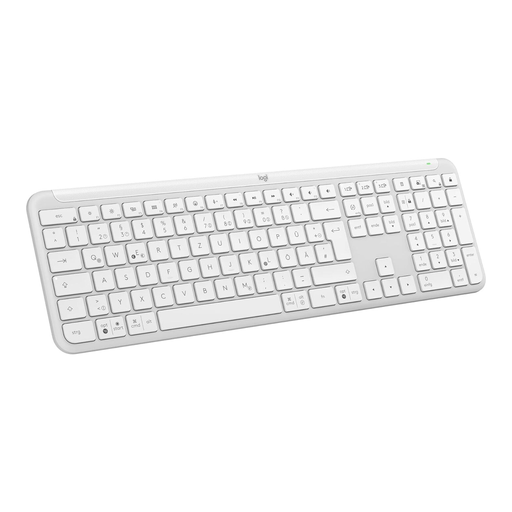
Why It Stands Out: The Signature Slim K950 is a versatile and slim wireless keyboard that combines a quiet, laptop-style typing feel with robust multi-device functionality. It is a straightforward all-rounder for the modern workplace.
Objective Features:
Who It's For: Office and home office users who need a reliable, quiet, and uncomplicated keyboard for everyday tasks and regularly switch between different devices.
To the Logitech Signature Slim K950

Why It Stands Out: The Logitech MX Mechanical combines the precise feel of a mechanical keyboard with a low-profile design and smart features. It is aimed at professional users who value typing precision and efficiency.
Objective Features:
Who It's For: Developers, creatives, and power users who need the tactile feedback of a mechanical keyboard for precise work but prefer a quieter and more professional aesthetic than that of gaming keyboards.
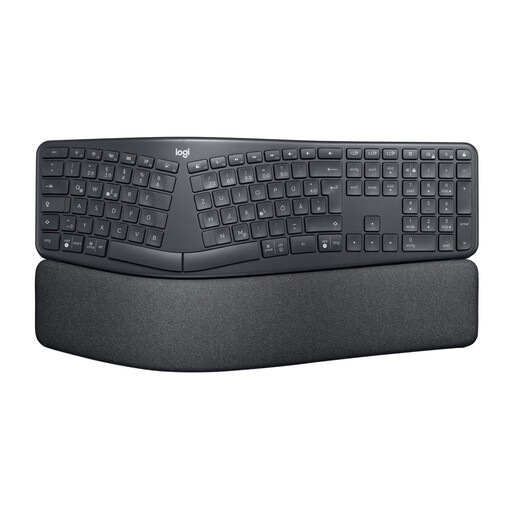
Why It Stands Out: The Logitech ERGO K860 is a keyboard designed uncompromisingly for ergonomics. Its split, curved design aims to improve posture and reduce muscle strain during long typing sessions.
Objective Features:
Who It's For: Users who type for many hours daily and want to actively improve their posture to prevent strain in their wrists, arms, and shoulders.
The selection of keyboards is vast, and requirements are individual. If the models presented here do not exactly meet your needs, you can find other options in our broader category that may be a better fit for your work style.
Discover more qwertz keyboard models in our range.
Most Logitech multi-device keyboards have dedicated "Easy-Switch" keys. To pair a device, press and hold one of these keys until the LED blinks rapidly. Then, activate Bluetooth on your computer, tablet, or smartphone and select the keyboard from the device list. Alternatively, you can use the Logi Bolt receiver. Switching between paired devices is done by briefly pressing the respective Easy-Switch key.
Yes, models like the Logitech MX Mechanical are equipped with "Tactile Quiet" switches. These provide the tactile feedback of mechanical keys but generate significantly less clicking noise than traditional mechanical keyboards. This makes them well-suited for use in shared office spaces or noise-sensitive environments.
Yes, the majority of current Logitech wireless keyboards are cross-platform compatible. They work with both Windows and macOS. Many models feature key labels for both systems (e.g., "Alt/Option" and "Start/Cmd"). Furthermore, the key layouts can be further customised for the respective operating system using the Logi Options+ software.