
Lieferung heute & morgen

Qualitätsgarantie
App herunterladen
Kategorien
Choosing the right Logitech wireless mouse requires an analysis of specific technical parameters and functional needs. Factors such as connectivity, ergonomics, noise level, and compatibility are crucial in determining a model's suitability for professional or personal use. This article examines the technical features of various Logitech wireless mice to provide a basis for an informed decision.
The decision for a specific model should be based on objective criteria tailored to the individual use case.
The type of wireless connection impacts stability, security, and compatibility.
The physical shape of the mouse is a critical factor for comfort during extended use. Logitech offers models optimised for different hand sizes.
For use in offices, libraries, or a home office, a quiet mouse is a significant advantage. Logitech's proprietary SilentTouch technology reduces click noise by over 90% compared to standard mice, according to the manufacturer. This creates a distraction-free work environment.
Modern mice offer more than just pointing and clicking.
Based on the criteria above, we present a selection of models with different specialisations.
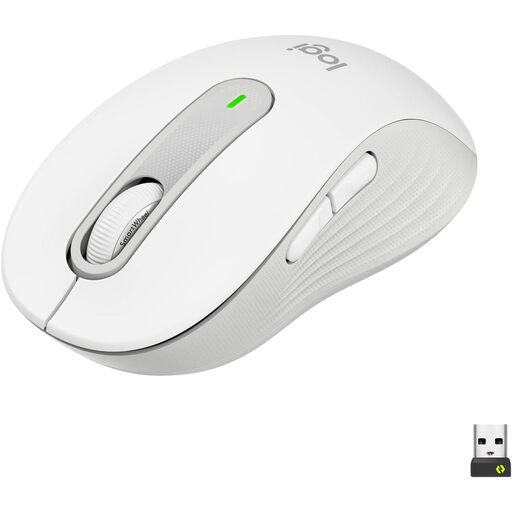
Why We Recommend It: The Signature M650 L for Business is designed for professional use. It focuses on security through its encrypted Logi Bolt connection and ergonomics for users with large hands. The combination of SmartWheel technology and quiet clicks supports productive work in demanding office environments.
Advantages:
Who It's For: This model is suitable for professional users and IT departments that value a secure, stable connection and an ergonomic mouse for long workdays.
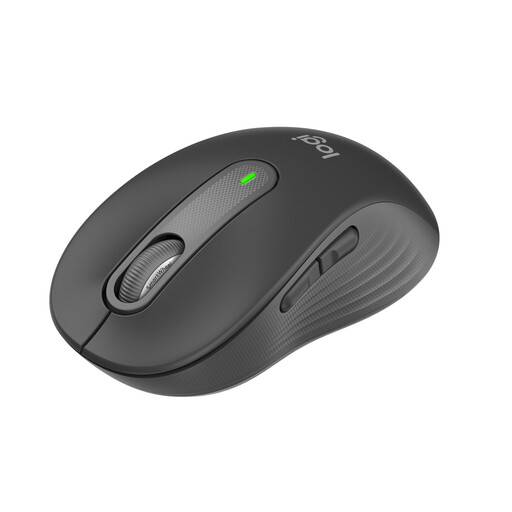
Why We Recommend It: The standard version of the Signature M650 is tailored for users with small to medium-sized hands. It offers the same core features as the L model, including SilentTouch, SmartWheel, and dual connectivity. The contoured shape with a soft thumb area and rubberised side grips ensures comfort.
Advantages:
Who It's For: Ideal for professionals in the office or home office, students, and general users seeking a versatile, quiet, and comfortable office wireless mouse.
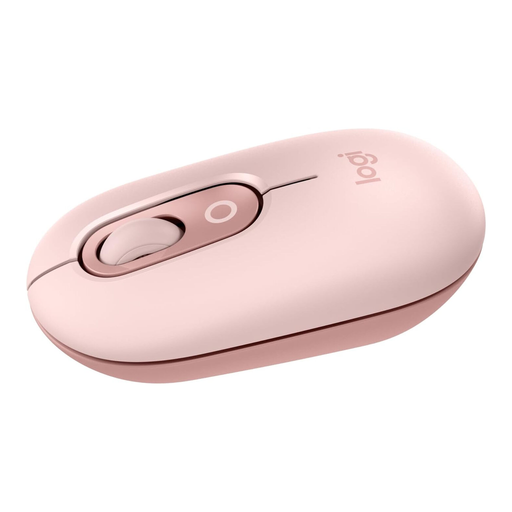
Why We Recommend It: The Logitech POP Mouse stands out with its compact design and multi-device capability. It can be paired with up to three devices simultaneously, with switching done at the touch of a button. This makes it a flexible solution for users who move between a laptop, tablet, and PC. Its design is modern and built for mobility.
Advantages:
Who It's For: This model is aimed at users who need a stylish, portable mouse for use across multiple devices, such as students, creatives, or individuals who frequently commute between different workstations.
An efficient workspace is defined by the interplay of precise input devices. Alongside a mouse tailored to individual needs, the choice of keyboard is equally important. For users seeking seamless integration and enhanced functionality, a smart keyboard is a logical addition.
1. What is the difference between Logitech Unifying and Logi Bolt? Logi Bolt is Logitech's newer connection standard. It is based on Bluetooth Low Energy and offers enhanced security with a fully encrypted signal mode. Logi Bolt is not backward compatible with Unifying receivers or products. Unifying is the older standard, which also uses a 2.4 GHz connection but employs different security protocols.
2. How do I connect a Logitech Bluetooth mouse to my Mac? Enable Bluetooth on your Mac (System Settings > Bluetooth). Put the Logitech mouse into pairing mode, usually by long-pressing a button on its underside until an LED blinks rapidly. The mouse should then appear in the list of available devices on your Mac. Select it to establish the connection.
3. Which Logitech mouse is the quietest? Models designated as "Silent" or those equipped with SilentTouch technology are designed for minimal noise output. These include, for example, the Logitech Signature M650 series and the Logitech POP Mouse, which, according to the manufacturer, offer a noise reduction of over 90% compared to standard Logitech mice.