
Lieferung heute & morgen

Qualitätsgarantie

Willkommens-Angebote freischalten: KOSTENLOSE Lieferung | Bis zu 80 % RABATT | Kostenlose 30-Tage-JoyPlus-Testphase
App herunterladen
A cluttered desk tangled in cables can disrupt your focus, while an unreliable mouse hinders productivity. A high-quality Logitech wireless mouse offers a solution by providing freedom of movement and precise control without the cable clutter. However, the range of options is vast, and choosing the right model depends on your individual needs.
This guide is designed to help you understand the technical features and make an informed decision. We will introduce various models tailored to different user profiles—from the home user to the mobile business professional.
To find the right wireless mouse for your laptop or desktop PC, a few technical aspects are crucial. The following points will give you some guidance.
The connection type is a central criterion. Logitech primarily offers two technologies:
For daily use over many hours, comfort is essential. An ergonomic mouse is shaped to support the natural posture of your hand and wrist. Pay attention to the following features:
The sensor determines how accurately the mouse tracks your movements and on which surfaces it works.
Based on the criteria mentioned, we have compiled a selection of Logitech models for various use cases.
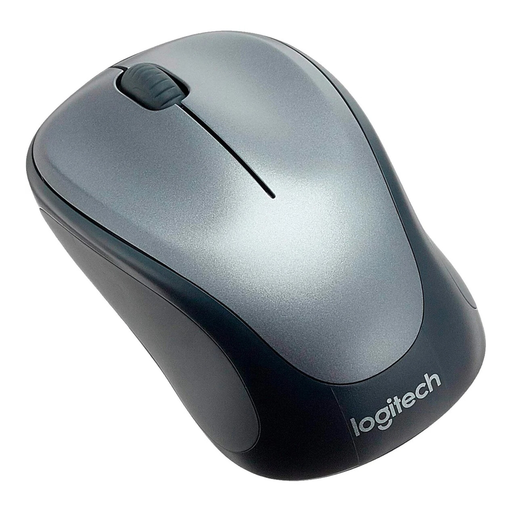
Logitech M235 Wireless Mouse, 2.4 GHz with USB Receiver
Why it stands out: The Logitech M235 is a straightforward and reliable workhorse. It focuses on essential functions and provides a stable wireless connection via a 2.4 GHz USB receiver. Its symmetrical design makes it equally comfortable for both left- and right-handed users.
Pros:
Who it's for: This model is an excellent choice for students, home users, and anyone looking for a budget-conscious yet dependable wireless mouse for a laptop or PC for everyday tasks.
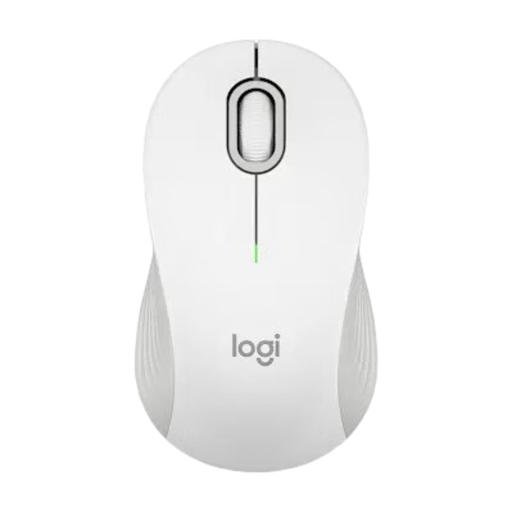
Logitech Signature M550 Wireless Bluetooth Mouse
Why it stands out: The Signature M550 is a versatile office mouse that combines comfort and productivity. Its standout feature is the SmartWheel, which automatically switches between line-by-line precision and hyper-fast scrolling. Dual connectivity via Bluetooth or the Logi Bolt USB receiver offers maximum flexibility.
Pros:
Who it's for: Ideal for office professionals and remote workers who need a flexible, comfortable, and feature-rich mouse for daily use and value efficient scrolling.
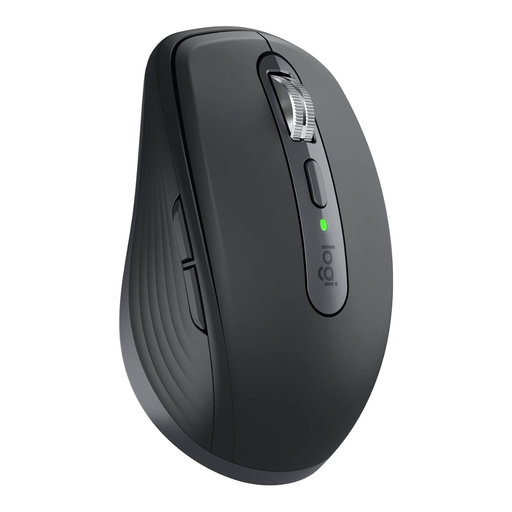
Logitech MX Anywhere 3S for Business, Wireless Mouse, 8000 DPI
Why it stands out: The MX Anywhere 3S is a compact powerhouse for demanding users and mobile professionals. With its Darkfield sensor that works on virtually any surface—even glass—and the ability to connect to up to three devices simultaneously, it sets a new standard for performance and versatility. The Quiet Click technology also makes it an exceptionally quiet mouse.
Pros:
Who it's for: Perfect for business professionals, creatives, and anyone who frequently works on the go or needs a high-precision, versatile mouse that works with multiple devices and on any surface. If you want to buy a Logitech mouse that meets the highest standards, this is an excellent model.
If these models don't exactly meet your requirements or you want to complete your workspace with matching peripherals, it's worth exploring other categories. For example, discover our selection of ergonomic Office Keyboards to optimise your setup.
1. What is the difference between Logitech Unifying and Logi Bolt? Both are wireless technologies from Logitech that use a USB receiver. Logi Bolt is the newer technology and is based on Bluetooth Low Energy. It offers enhanced security (Security Mode 1, Security Level 4) and a more stable connection in environments with many wireless signals. Logi Bolt receivers are not compatible with Unifying products, and vice versa.
2. How do I connect a Logitech wireless mouse without a receiver? If you own a Bluetooth mouse from Logitech, you can pair it directly with your computer without using the USB receiver. Put the mouse into pairing mode (usually by long-pressing a button on the bottom) and select it in your computer's Bluetooth settings.
3. Can you connect a Logitech mouse to multiple devices? Yes, many advanced Logitech models, like the MX Anywhere 3S, are designed as a multi-device mouse. They feature an "Easy-Switch" button that allows you to seamlessly switch between up to three paired devices (e.g., a laptop, tablet, and desktop PC).