
Lieferung heute & morgen

Qualitätsgarantie

Willkommens-Angebote freischalten: KOSTENLOSE Lieferung | Bis zu 80 % RABATT | Kostenlose 30-Tage-JoyPlus-Testphase
App herunterladen
Using a reliable wireless computer mouse declutters your desk and offers greater flexibility, whether in the office, at home, or on the go. However, the search for the right Logitech wireless mouse can quickly become overwhelming given the vast number of models and features. Each model is tailored to different needs—from ergonomics and quiet operation to special productivity features.
This article serves as your guide. We'll introduce objective criteria to help you choose and present a selection of Logitech wireless mice for various user profiles.
To make an informed decision, several technical and ergonomic aspects should be considered. These factors determine how well the mouse fits your work style and physical needs.
An ergonomic mouse is crucial for preventing fatigue and discomfort in your hand and wrist during long periods of use. Pay attention to the shape and size of the mouse. Logitech offers models for different hand sizes, including compact designs for small hands or for use on the go. A contoured shape that supports the natural posture of your hand and rubberised grips can significantly increase comfort.
Logitech wireless mice primarily use two connection technologies:
Modern wireless mice offer more than just pointing and clicking. Features like a silent mouse with noise-reduced clicks are beneficial in quiet environments such as libraries or offices. Scroll wheels with customisable modes (precise ratcheting or hyper-fast scrolling) can speed up navigation in long documents or web pages. Furthermore, programmable buttons allow you to assign shortcuts, optimising your workflows.
Here is a selection of models tailored to different needs and use cases.
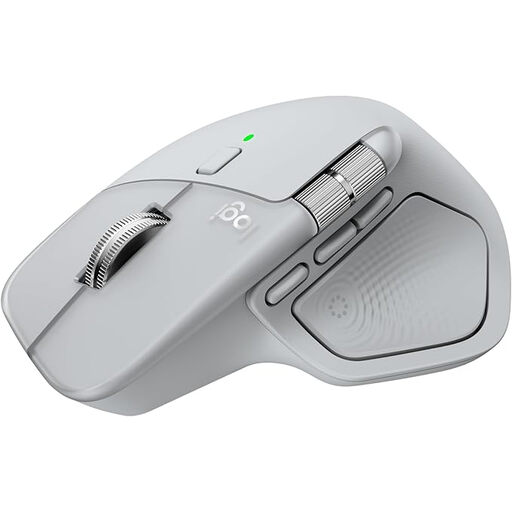
What sets it apart: The MX Master 4 is designed for maximum productivity and precision. According to the manufacturer, its MagSpeed scroll wheel allows you to scroll 1,000 lines per second. The haptic feedback provides tangible responses to your actions. The 8K DPI sensor works even on glass surfaces (4 mm minimum thickness) and offers high tracking accuracy.
Advantages:
Who it's for: This model is aimed at professionals, creatives, and developers who need a high-precision, versatile, and customisable tool for demanding tasks.
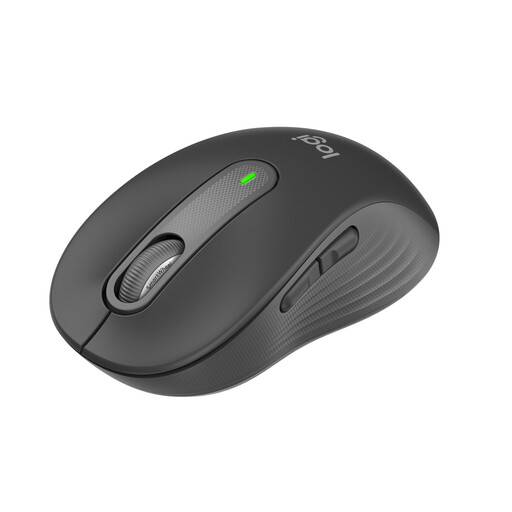
What sets it apart: The Signature M650 is designed as a comfortable all-round mouse for daily use. It is specifically shaped for small to medium-sized hands. According to Logitech, its SilentTouch technology reduces click noise by up to 90%, making it a very silent mouse. The SmartWheel scroll wheel automatically switches between precise and high-speed scrolling.
Advantages:
Who it's for: Ideal for users in the office or home office, as well as for students looking for a comfortable, quiet, and reliable wireless mouse for everyday tasks.
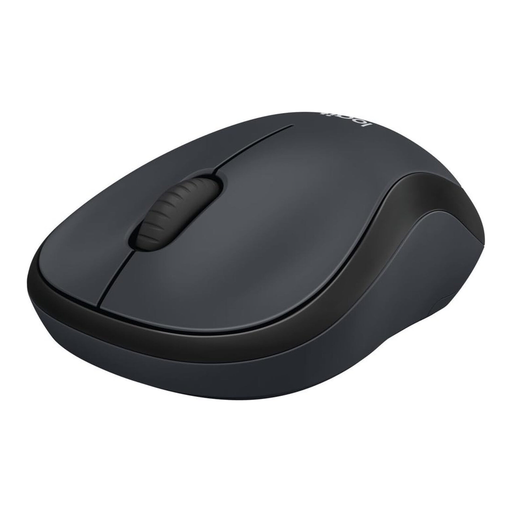
What sets it apart: The Logitech M220 SILENT focuses on the essentials: quiet and straightforward operation. With over 90% noise reduction on clicks (according to the manufacturer), it is designed for environments where silence is key. Its compact and ambidextrous design also makes it highly portable.
Advantages:
Who it's for: A great choice for users who frequently work in libraries, open-plan offices, or public spaces. It is also a suitable option for those who want to buy a Logitech mouse that is simple, reliable, and affordable.
The selection of wireless mice is vast and covers many other specific requirements. If the models presented here don't exactly match what you're looking for, you may find a suitable alternative in our broader selection.
Discover our full range of computer accessories and mice
Connection is typically done in one of two ways. For a Bluetooth mouse, enable Bluetooth on your computer or tablet, put the mouse into pairing mode, and select it from the device list. For models with a USB receiver (e.g., Logi Bolt or Unifying), plug the receiver into a free USB port, turn on the mouse, and the connection will be established automatically.
Most modern Logitech wireless mice are fully compatible with macOS. Models like the MX Master series even offer special customisations and gesture controls for Mac users via the Logi Options+ software. It is recommended to check the product description for compatibility with your specific macOS version.
Bluetooth is a universal standard that allows for a direct connection without an additional receiver. Logi Bolt is a wireless technology developed by Logitech that uses a dedicated USB receiver. It is optimised for a more secure and stable connection in environments with high wireless interference (e.g., offices with many Wi-Fi networks and Bluetooth devices).