
Lieferung heute & morgen

Qualitätsgarantie
App herunterladen
Kategorien
Choosing the right Logitech wireless mouse for your workspace is a decision that should be based on objective criteria. Factors such as sensor precision, connectivity options, ergonomic design, and battery life are crucial for productivity and user comfort in the office or home office. This article analyses the technical specifications of relevant models to provide an informed basis for purchasing a wireless mouse.
When selecting a PC mouse or a laptop mouse for professional use, several technical parameters must be considered.
The sensor technology determines the mouse's precision and surface compatibility.
The type of wireless connection affects stability, security, and compatibility.
The shape of the mouse has a direct impact on comfort during extended use.
The power supply is a practical consideration in daily work.
Based on the technical criteria above, we present three models that cover different requirement profiles in a professional setting.
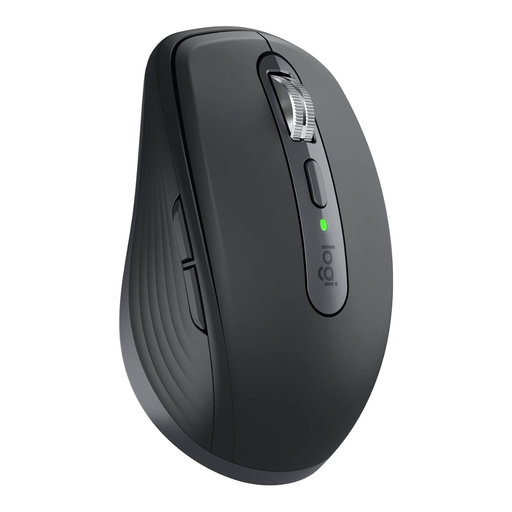
Why we recommend this product: The MX Anywhere 3S for Business is designed for mobile professionals and users who work in various locations. Its strength lies in the combination of a high-precision 8000 DPI Darkfield sensor, which works on virtually any surface, and secure Logi Bolt connectivity. The electromagnetic MagSpeed scroll wheel and quiet clicks support focused work.
Advantages:
Who it's for: This model is ideal for professionals in hybrid or field roles who need a high-performance, portable, and security-focused laptop mouse for their various devices.
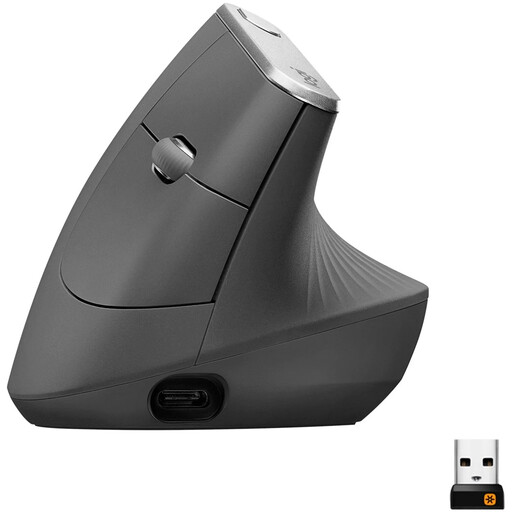
Why we recommend this product: The Logitech MX Vertical is a specialised ergonomic mouse designed to reduce muscle strain. Its vertical 57-degree angle promotes a natural handshake posture. Combined with a precise 4000 DPI sensor and multi-device capabilities, it is a functional solution for long days at the desk.
Advantages:
Who it's for: Users who work long hours at a PC and prioritise an ergonomic posture to prevent wrist and forearm strain. Ideal for office workers, designers, and programmers.
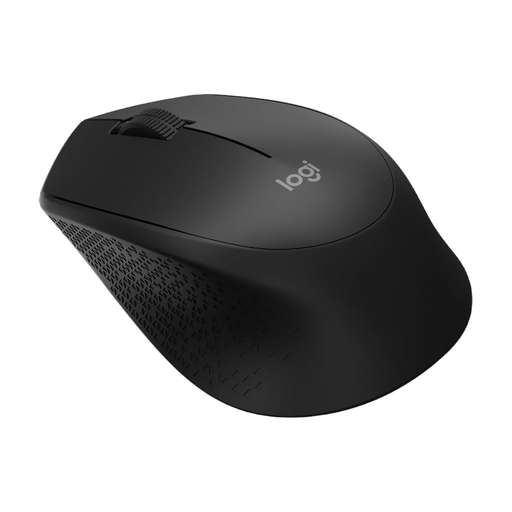
Why we recommend this product: The Logitech M280 is a pragmatic and reliable office mouse that focuses on core functionality. It offers long battery life, simple plug-and-play installation, and a comfortable, contoured shape for right-handed users. Its value lies in its straightforward and durable performance for everyday office tasks.
Advantages:
Who it's for: Budget-conscious users, companies needing to equip a large number of workstations, or anyone looking for a simple, reliable, and durable PC mouse without advanced features.
While a high-quality mouse is crucial for direct interaction, the overall performance of a workspace also depends on the stability of all its connections. For specialised setups requiring interference-free signal transmission for monitors or other peripherals, choosing the right cables can be a key factor. Our product range also includes a selection of RF cables designed for robust and shielded connections.
1. How do I connect a Logitech wireless mouse to my computer? Connection is typically established in one of two ways: either via Bluetooth, by putting the mouse into pairing mode and finding it in your computer's Bluetooth settings, or by plugging the included USB receiver (e.g., Logi Bolt or Unifying) into a free USB port. The connection is then usually established automatically (Plug and Play).
2. Which Logitech mouse is suitable for small hands? Models with a compact design, such as the Logitech MX Anywhere 3S, are often a good fit for users with smaller hands. Its dimensions (100.5 × 65 × 34.4 mm) make it easy to handle and transport.
3. What does the DPI specification on a mouse mean? DPI stands for "Dots Per Inch" and is a measure of the mouse sensor's sensitivity. A higher DPI value means the on-screen cursor travels a greater distance when you physically move the mouse only a short way. This is useful for fast navigation on high-resolution screens.