
Lieferung heute & morgen

Qualitätsgarantie

Willkommens-Angebote freischalten: KOSTENLOSE Lieferung | Bis zu 80 % RABATT | Kostenlose 30-Tage-JoyPlus-Testphase
App herunterladen
A Logitech mouse can be used for long periods at work, on the go or while gaming. However, the wide range of models does not automatically make it easy to choose the right one. Products are often selected based on individual specifications, even though hand size, connectivity and the intended use are more important factors.
A high resolution such as 25,600 or 44,000 DPI may sound impressive at first. For office work, image editing and everyday navigation, however, much lower settings are often sufficient. What matters is whether the sensitivity can be adjusted sensibly and whether the sensor works reliably on the surface you use.
With a Logitech gaming mouse, polling rate, tracking speed and weight are also important. A high polling rate can enable position data to be transmitted more frequently, but depending on the setting it can also increase power consumption and the demands placed on your computer.
A wireless Logitech mouse can communicate via Bluetooth, a 2.4 GHz USB receiver or both. Bluetooth saves a USB port and is suitable for many laptops and tablets. A receiver, on the other hand, can enable a direct connection on compatible devices without Bluetooth pairing.
Before buying, check the following:
An ergonomic mouse is not automatically suitable for every hand. Compact models can be practical for travelling, while larger hands need more support. Left-handed users should look for a symmetrical shape or a model specifically designed for left-handed use.
Click noise is another practical consideration. A quiet mouse with SilentTouch technology can be more comfortable to use in shared offices, libraries or when working in the evening. The noise-reduction specification comes from the manufacturer’s product information and should not be interpreted as complete silence.
Bluetooth mice can usually be connected without a dongle, but require a compatible device. Models with LIGHTSPEED use a USB receiver and are primarily aimed at gaming systems. At workstations with several devices, Easy-Switch or multi-device functions are useful.
Also check which operating systems are supported. Windows, macOS, ChromeOS, Linux, Android and iPadOS are supported to different extents depending on the model. Additional features such as button assignment, profiles or gesture control may require software such as Logitech G HUB or Logi Options+.
A rechargeable mouse reduces the need to buy batteries regularly, but it does need to be charged. For the models mentioned, the manufacturers’ stated battery life ranges from up to 70 days or several months to up to 140 hours for certain gaming models.
Mice with an AA battery can be particularly low-maintenance. The Logitech M240 Silent, for example, runs on an AA battery and is rated for up to 18 months according to the product information. Actual battery life depends on usage, surface and power-saving mode.
For office and home-office use, a comfortable hand rest, an easily accessible scroll wheel and, where applicable, programmable side buttons are important. For gaming, weight, wired or wireless operation, sensor resolution and polling rate may be more significant.
A mouse with lots of buttons is not necessarily more practical. Additional buttons are most worthwhile when they are actually used in games, creative software or recurring office tasks.
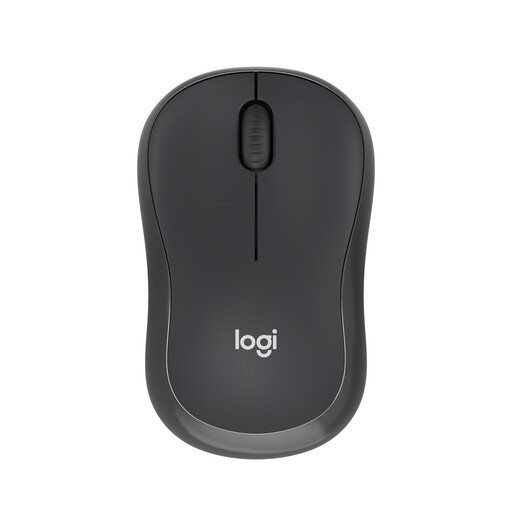
Why this product suits this profile: This compact Bluetooth mouse is suitable for everyday tasks, laptops and mobile workstations without an additional USB receiver.
The Bluetooth connection eliminates the need for a USB dongle. The ambidextrous design and compact size are sensible selection criteria for shared use and travelling.
Up to 18 months of battery life according to the product information, a range of 10 metres and a shape suitable for both left- and right-handed users.
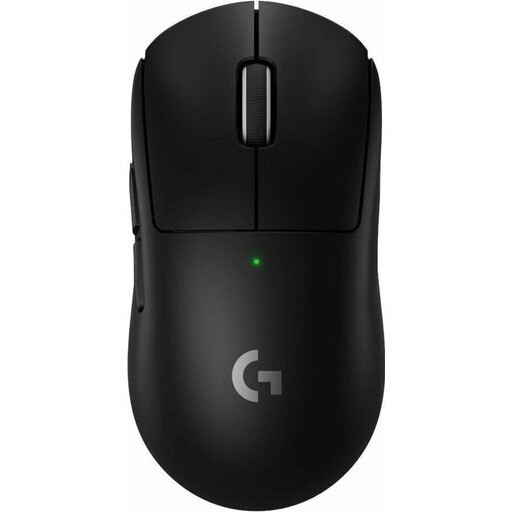
Why this product suits this profile: For PC and Mac gamers who prioritise low weight, USB-C charging and customisable gaming settings.
The choice is not based on DPI alone: this model combines a weight of 60 g, LIGHTSPEED wireless connectivity, USB-C and five programmable buttons.
HERO-2 sensor with up to 44,000 DPI, up to 8,000 Hz polling rate and up to 95 hours of battery life according to the product information.

Why this product suits this profile: The vertical design is aimed at users who prefer a different hand position during long office and home-office sessions.
The shape is clearly described as a vertical design with a 57-degree angle. This makes it easier to assess before buying whether it suits your preferred grip.
Bluetooth and USB receiver, support for up to three devices and a rechargeable battery with USB-C connection according to the product information.
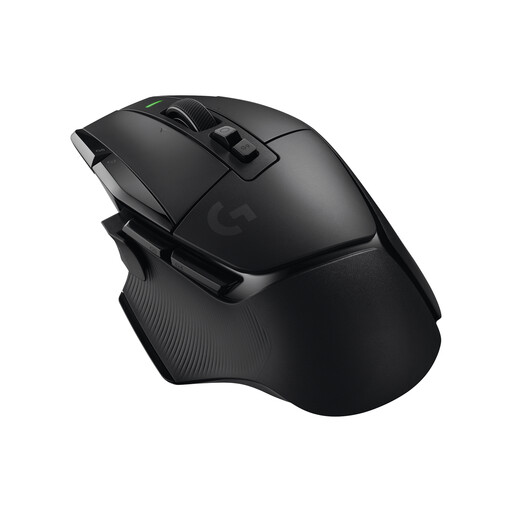
Why this product suits this profile: This right-handed model combines numerous programmable controls with wireless operation, making it suitable for users with changing requirements.
The number of buttons, the weight of 102 g and the right-handed shape are clearly specified. This lets you check in advance whether the mouse is too heavy or too large for your grip.
13 programmable buttons, HERO-25K sensor, USB-C and up to 140 hours of battery life according to the product description.
We have put together a complete, regularly updated list of products that fully meet these strict selection criteria and the safety regulations applicable in the EU.
Models with SilentTouch or Silent Click functions are designed to reduce click noise compared with conventional mice. The Logitech M240 Silent, M220 Silent and MX Anywhere 3S are suitable options. Also check that the shape, size and connectivity suit your workstation.
Neither connection type is universally preferable. Bluetooth is practical for laptops and tablets because no receiver is required. A 2.4 GHz receiver can provide a straightforward connection on compatible computers. For gaming, LIGHTSPEED models with a USB receiver are often chosen.
Battery life depends on the model, lighting, polling rate and usage. The gaming mice mentioned, for example, offer up to 95 or 140 hours. For office mice such as the MX Anywhere 3S, the product description states up to 70 days. These figures are provided by the manufacturer and may vary in everyday use.