What should you look for when buying?
Windows laptop
A good fit if: you use an existing Windows workflow or want to connect peripherals directly.
Consider: manufacturers’ details about ports and specifications don’t, by themselves, tell you how well a laptop performs in measured development tasks.
MacBook with macOS
A good fit if: your development tools run on macOS and you prefer a compact device.
Consider: check that your peripherals are compatible with the ports and see which charging accessories are included.
Start by deciding which programmes you’ll run at the same time and how you’ll check responsive layouts. Then compare the specifications of the exact models you’re considering.
| What you need |
What to check before buying |
Who should prioritise it? |
| Running several development tools at once |
List the programmes you’ll need to run together, then compare the RAM, SSD and operating system of the exact configuration. |
If I use code, a browser and, where needed, local services at the same time, I want a specification that suits my workflow. Around 36% of consumers prioritise running several development tools at once. |
| Checking layouts and screen space |
Compare screen size and resolution. If you’ll use an external monitor, check that it has a compatible port. |
If I want to see my editor and browser side by side, I look at the available screen space and how easily I can check different viewport widths. Around 29% of consumers put checking layouts first. |
| Portability and ports |
Check the weight, screen size and ports of the exact model, as well as its compatibility with your existing peripherals. |
If I work in different locations, I want to weigh up portability, screen space and the connections I need together. Around 21% of consumers prioritise working on the move. |
| Ongoing costs and support |
Compare what’s included, any extra accessories you may need and the support terms for the exact model. |
If what’s included and after-sales cover matter most to me, I check the accessories and support terms before deciding. Around 14% of consumers focus on ongoing costs and support. |
Laptops available at Joybuy
The selection includes Windows laptops for different needs, from running several development tools at once to screen space and ports, as well as a MacBook Air for development tools that run on macOS.
 No image available
Lenovo Yoga Slim 7i Aura Edition 14-inch, Core Ultra 7 355, 16 GB, 1 TB SSD
A Windows configuration for developing with several tools at once and working in different locations.
14-inch OLED display with 2880 × 1800 pixels; 16 GB RAM, 1 TB SSD and Windows 11 Evo.
Listed weight: 1.14 kg; German keyboard layout.
View at Joybuy
 No image available
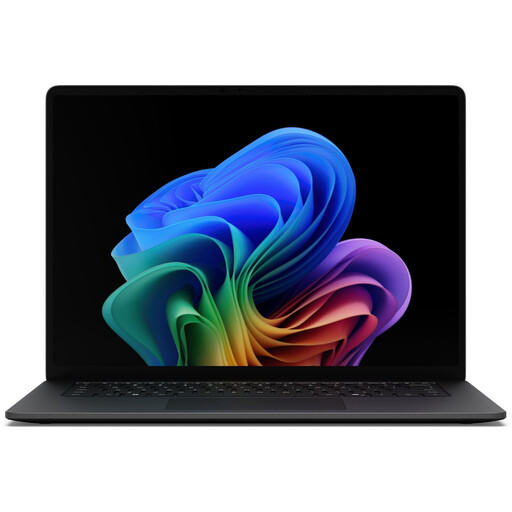
Microsoft Surface Laptop 8, Core Ultra 7, 16 GB, 512 GB SSD, Black
A Windows configuration for using code and a browser at the same time. Its larger built-in display may be useful if you want to view windows side by side.
15-inch touchscreen, 16 GB RAM, 512 GB SSD and Windows 11 Professional.
Listed weight: 1.67 kg.
View at Joybuy
 No image available
Lenovo ThinkBook 16 Gen 9, Core Ultra 5 325, 32 GB DDR5, 512 GB SSD
A Windows configuration for those who want to consider a larger screen and more listed RAM for their development workflow.
16-inch WUXGA display with 1920 × 1200 pixels, 32 GB RAM, 512 GB PCIe SSD and Windows 11 Pro.
Listed ports include HDMI 2.1, Thunderbolt 4 and USB 4.0. Listed weight: 1.7 kg.
View at Joybuy
 No image available
HP ProBook 4 G1a 16-inch, Ryzen 5 230, 16 GB DDR5, 512 GB SSD
A Windows configuration for development work with an external screen or wired peripherals.
16-inch WUXGA IPS display, 16 GB RAM, 512 GB SSD and Windows 11 Pro.
Listed ports include HDMI, RJ45, USB-A and USB-C. Listed weight: 1.75 kg; German keyboard.
View at Joybuy
 No image available
Apple 15-inch MacBook Air (M5, 2026), 16 GB, 512 GB SSD, Midnight
A macOS option if your development tools are compatible with the platform and you’d like more built-in screen space.
15.3-inch display, 10-core CPU, 10-core GPU, 16 GB unified memory and 512 GB SSD.
Two Thunderbolt 4 ports; German QWERTZ keyboard layout. Listed weight: 1.51 kg.
The product description states that no power adapter is included.
View at Joybuy
Frequently asked questions
Do I need a particularly large laptop screen for responsive layouts?
Not necessarily. Browser developer tools can simulate different viewport widths, as explained by MDN Web Docs. If you want to keep your editor and preview side by side, also compare the usable screen space or consider an external monitor.
Will Visual Studio Code’s hardware recommendation cover my entire development workflow?
No. Microsoft’s published recommendation applies to Visual Studio Code. If you also plan to use local containers or other development services, check their own requirements for your chosen operating system.
How should I check a lost property report after changing the layout?
Test the page at different browser widths and check that text, forms and images remain usable. MDN Web Docs explains responsive design for different screen sizes and resolutions.
Who can help if a laptop bought in Germany is faulty?
For a fault, statutory rights generally apply against the seller; a guarantee is voluntary and comes with its own terms. The Verbraucherzentrale explains that the statutory limitation period is generally two years. For sales contracts from 31 July 2026 onwards, it also describes additional rules on choosing between a repair and a replacement if a fault occurs.
What data protection issue should I consider when running a lost property website?
If the website processes personal data about people making reports or searching for items, the organisation responsible needs a lawful basis for doing so. When collecting data directly from the people concerned, you must also check the information requirements under Article 13 of the GDPR. The Federal Commissioner for Data Protection and Freedom of Information explains these requirements; choosing a particular laptop won’t meet them for you.


