
Lieferung heute & morgen

Qualitätsgarantie

Willkommens-Angebote freischalten: KOSTENLOSE Lieferung | Bis zu 80 % RABATT | Kostenlose 30-Tage-JoyPlus-Testphase
App herunterladen
A stable and fast internet connection is a prerequisite for many households and businesses. But what can you do when a DSL or fibre optic connection isn't available, or when you need a flexible solution for a temporary location? An LTE router with a SIM slot offers a practical and high-performance alternative. These devices use the mobile network to create a reliable Wi-Fi network—often just by inserting a SIM card.
This article serves as a guide. It explains which technical features you should look for when making your selection and presents a range of models for different use cases. The goal is to provide you with an objective basis for your decision, helping you find a suitable DSL alternative for your needs.
Selecting the right device depends on your individual requirements. The following points will help you better understand the technical specifications.
The speed of your mobile internet connection is largely determined by the router's supported LTE category. Common categories include:
The actual speed always depends on the network coverage and congestion of your mobile provider at your location.
The router's Wi-Fi standard determines how efficiently the internet signal is distributed to your end devices (smartphone, laptop, smart TV).
Additional features can significantly enhance the utility of an LTE router:
Here you will find a selection of devices that cover different needs—from a flexible mesh system to a classic router with advanced features.
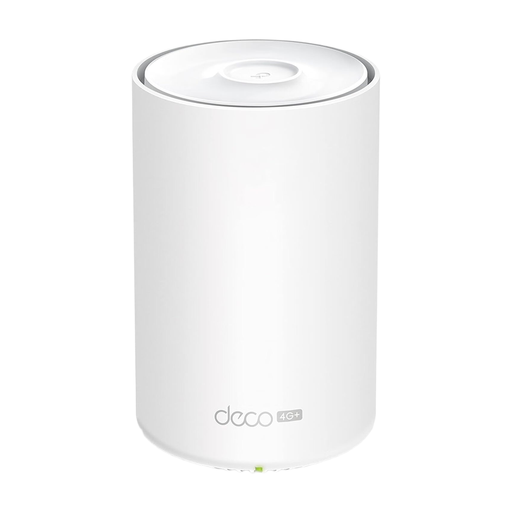
What sets it apart: The Deco X20-4G combines three modern technologies in one device: 4G+ LTE, Wi-Fi 6, and Mesh functionality. This combination makes it an extremely flexible solution for internet without a landline. Setup is straightforward via an app, and the system can be easily expanded with additional Deco units to ensure seamless Wi-Fi coverage throughout your home.
Advantages:
Who is it for: Users looking for a modern and future-proof solution for their home, especially in areas without a high-speed landline connection. Ideal for those who value easy installation and the ability to expand their Wi-Fi range.
View details for the TP-Link Deco X20-4G
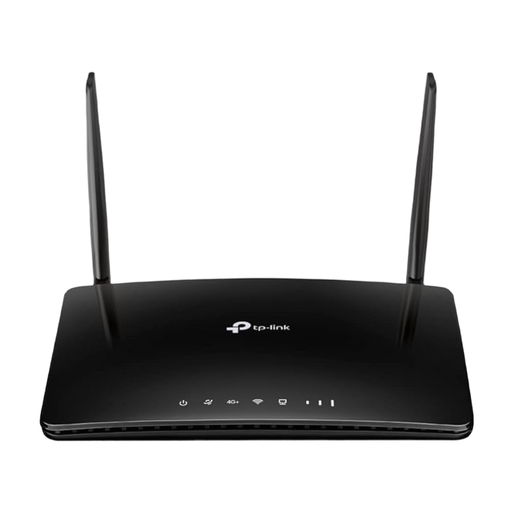
What sets it apart: The Archer MR500 is a solid 4G router with a SIM card that focuses on core functions. It supports 4G+ Cat6 for fast downloads and offers the ability to optimize reception thanks to two detachable external LTE antennas. Compatibility with TP-Link OneMesh also allows for the creation of a flexible mesh network.
Advantages:
Who is it for: Users seeking a reliable and straightforward mobile Wi-Fi router for home or the office. It is a good choice for locations with a fluctuating mobile signal, as the external antennas can help optimize reception.
View details for the TP-LINK Archer MR500
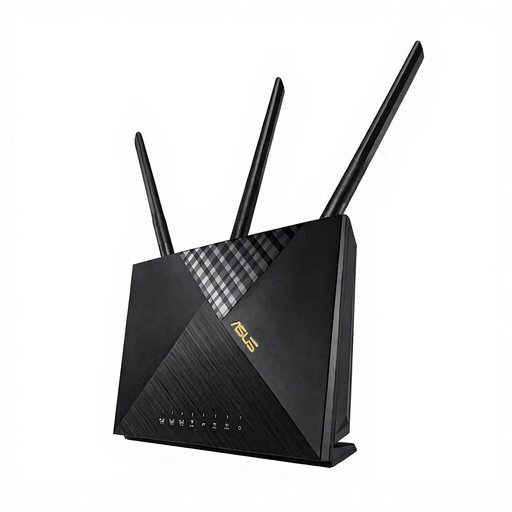
What sets it apart: The ASUS 4G-AX56 is aimed at users with higher demands for network security and management. In addition to LTE Cat6 and modern Wi-Fi 6, the device includes AiProtection, an integrated security solution that protects the network from external threats. Features like a customizable guest Wi-Fi portal also make it appealing for small businesses or freelancers.
Advantages:
Who is it for: Tech-savvy home users and small business owners who, in addition to a stable internet connection, value advanced security features and configuration options. A strong choice as a primary internet access point or as a fail-safe backup solution.
View details for the ASUS 4G-AX56
The models presented here cover common use cases. However, your requirements may be more specific, or you may want to compare other devices with different features.
Are your requirements more specific, or would you like to compare more models? Discover our entire selection of Gigabit routers to find the perfect solution for your network.
1. How does an LTE router with a SIM slot work? An LTE router works much like a smartphone. It contains a mobile modem that connects to a provider's 4G or 5G network via an inserted SIM card. The received internet signal is then broadcast as a wireless network (Wi-Fi) for your end devices via the integrated Wi-Fi router. This principle is often referred to as "plug-and-play Wi-Fi," as all that's needed is a power supply and a SIM card with a data plan.
2. Do I need a special data plan for a router for a SIM card? Typically, any mobile data plan suitable for smartphones or tablets can be used. However, it is important to ensure a sufficiently high data allowance, as data consumption at home (e.g., through streaming, updates, multiple devices) can increase quickly. Some mobile providers offer special data plans with large or unlimited data volumes that are optimized for use in a router.
3. Can I use an LTE router as backup internet? Yes, many LTE routers are designed for this purpose. They feature a function known as "WAN Failover" or backup internet. The router is connected to both the primary landline connection (e.g., DSL) and the mobile network. If the landline connection fails, the router automatically and seamlessly switches to the 4G connection. Once the primary connection is stable again, it switches back.