
Lieferung heute & morgen

Qualitätsgarantie

Willkommens-Angebote freischalten: KOSTENLOSE Lieferung | Bis zu 80 % RABATT | Kostenlose 30-Tage-JoyPlus-Testphase
App herunterladen
A smart Wi-Fi watering timer can automatically run watering schedules and let you control it through an app. For garden owners in Germany, that might sound straightforward. In practice, though, problems often arise because of incompatible connections, an unstable Wi-Fi signal or a casing that isn’t designed for long-term outdoor use.
This buying guide explains which technical details really matter when choosing a Wi-Fi watering timer, and which model best suits different needs.
A general description such as “suitable for outdoor use” tells you little about the level of protection. The IP rating is what matters. An IP65 watering timer is protected against dust and water jets from different directions. However, that doesn’t automatically mean it can be left submerged in water.
You should also check the seals, connection points and mounting position. In freezing conditions, protect or remove the watering timer as instructed in the manual.
A watering timer with a rain sensor can detect rainfall directly using a connected or built-in sensor. By contrast, the “Rain Delay” function may work through an app, weather data or a manual pause, depending on the product. These two solutions aren’t the same.
Before buying, check whether a physical rain sensor is actually included or whether the timer only offers a weather-based pause function.
Many devices only use 2.4 GHz Wi-Fi. If your router mainly broadcasts a 5 GHz network, you may have trouble setting up the timer. Walls, metal surfaces and outbuildings can also reduce the signal range.
Another common misconception is that app control always means you won’t need an additional bridge or hub. If you’re looking for a watering timer without a hub, check the product details carefully.
A watering timer must fit your tap. The WOOX R2603 and R2604 specify G3/4-BSP connections; a G1/2 adapter is included with each model. Even so, measure the thread on your outdoor tap before ordering.
The permitted water pressure is also important. The stated operating range for the WOOX model is 0.03 to 0.9 MPa. Depending on your garden’s plumbing, you may need pressure reducers, filters or additional valves.
If you need watering control for multiple zones, it’s also important to distinguish between:
Up to 20 watering schedules doesn’t automatically mean you can control 20 separate water lines.
A battery-powered watering timer is especially useful for taps without a nearby power supply. Actual battery life depends on how often it switches on, Wi-Fi use, temperature and battery quality. Figures such as “up to two years” should therefore be treated as manufacturer estimates under certain conditions.
Local storage of schedules is useful. It means automatic garden watering can continue during a temporary Wi-Fi outage. However, you’ll generally need a connection again to use remote control and weather features.
A watering timer with an app should offer at least manual control, fixed schedules and a pause function. For different beds, separate start times, run times and repeat intervals are useful.
According to the product details, the WOOX models support Alexa and Google Assistant. This means you can control garden watering with Alexa or garden watering with Google Assistant. Before setting up the timer, check your account, app compatibility and Wi-Fi network.
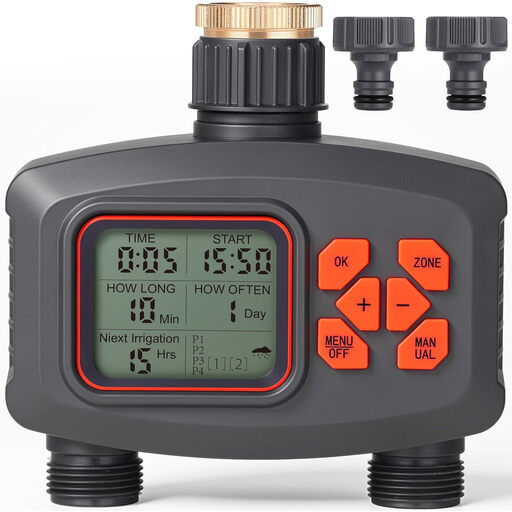
Why this product suits this profile: This timer doesn’t need an app and can be programmed directly on the device. It’s a straightforward solution for lawns, beds or two small garden areas.
The product details specify IP66, two outlets and a built-in filter. You don’t have to rely on vague claims about weather resistance.
Two independently programmable outlets, a Rain Delay function and connections for 1/2- and 3/4-inch taps.
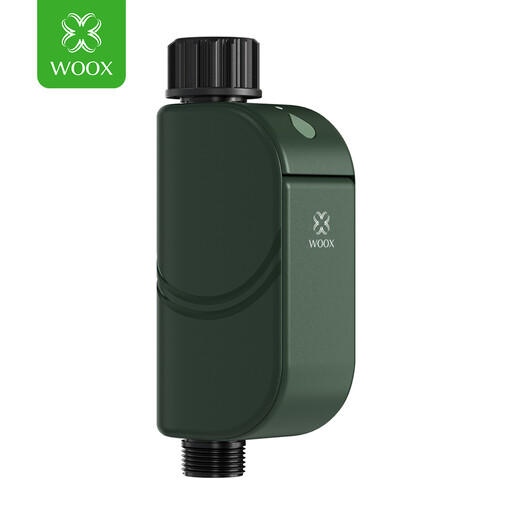
Why this product suits this profile: A good choice if you want to manage schedules in an app and connect the watering timer directly to 2.4 GHz Wi-Fi.
According to the product details, no additional hub is needed. Its IP65 rating, UV-resistant casing and local schedule storage are all clearly specified.
Up to 20 watering schedules, app control, Alexa and Google Assistant compatibility, and four AA batteries.
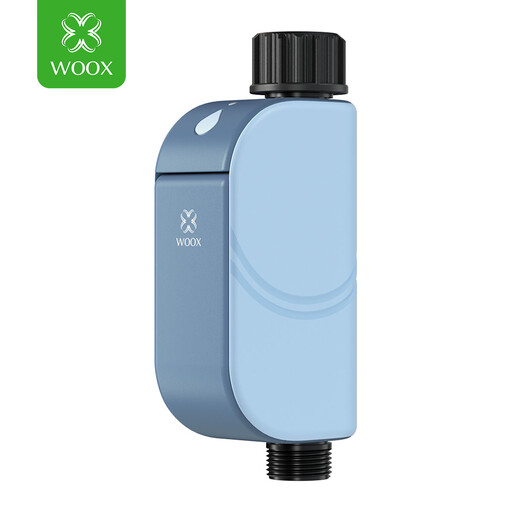
Why this product suits this profile: The blue version is designed for frequent use in greenhouses and beds, or where watering intervals change and you need several digital programmes.
The product details list offline schedules and a low-battery warning. This means your watering plan doesn’t depend entirely on a constant Wi-Fi connection.
Cycle-and-Soak mode, app-based weather forecasts, Rain Delay for up to 30 days and a stated IP65 rating.
Before fitting the timer, check the tap’s washer, thread and water pressure. Connect the timer using the correct adapter, then check for leaks. Don’t install the device in a hollow where water can collect.
These steps are recommended during setup:
If you simply need a basic garden watering timer, you may not need Wi-Fi or voice control. For other timer solutions, the automatic timer category may also be helpful.
We’ve put together a complete, regularly updated list of products that meet these strict selection criteria and fully comply with the safety regulations in force in the EU.
It depends on the model. According to the product details, schedules for the WOOX R2603 and R2604 are stored locally and can run during a temporary Wi-Fi outage. Remote access and app features that rely on weather data may be limited without a connection.
Battery life depends on how often the timer switches on, the wireless connection, outdoor temperature and battery quality. The WOOX models are stated to last up to two years with around ten operations per day. This is a manufacturer estimate, not a general guarantee for every installation.
Voice control can be handy for starting or stopping watering manually. For regular automatic garden watering, correctly set schedules, compatible connections and suitable outdoor protection remain more important.