Joybuy products for this setup
The Joybuy products below include individual gaming monitors for a row of displays, as well as ultrawide models for a wide single display.
 No image available
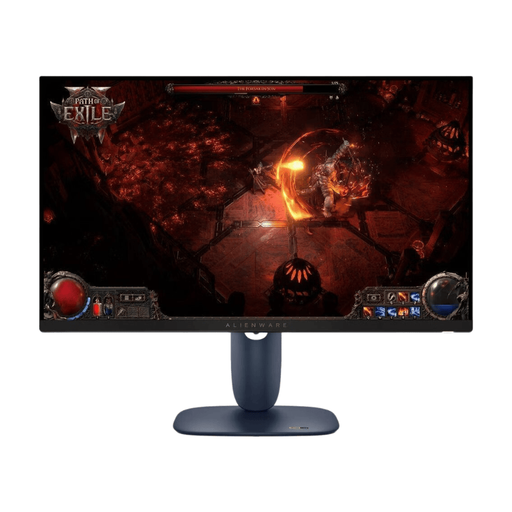
Dell Alienware AW2725DM, 27 inches, WQHD, IPS, 180 Hz
A single QHD IPS monitor to consider for a row of displays; check that your game and graphics card support the arrangement you want.
27 inches, 2560 × 1440 pixels, IPS, 16:9 and 180 Hz. Connections: DisplayPort 1.4 and two HDMI 2.1 ports. The stand supports height adjustment, tilt, swivel and pivot; VESA 100 × 100 mm.
Joybuy
 No image available
TCL 27P2A Pro, QHD, Mini LED, 320 Hz
This single 27-inch monitor is an option for a row of displays. Before buying, check that your PC supports the resolution and refresh rate you want in the connection mode you plan to use.
2560 × 1440 pixels, 320 Hz, HFS (IPS), VESA DisplayHDR 600 and 1 ms GTG, according to the product specifications. The stand is described as adjustable in multiple directions.
Joybuy
 No image available
INNOCN 2751S PLUS, 27 inches, QHD, Mini LED
For a row of displays, the stated QHD resolution and adjustable stand are worth considering; check that your PC supports the picture mode you want.
QHD, 275 Hz, IPS and 1152 Mini-LED zones. The stand supports height adjustment, tilt, swivel and pivot; PIP/PBP modes are also listed.
Joybuy
 No image available
Xiaomi G34WQi, 34 inches, UWQHD, 180 Hz
A wide single display that offers an alternative to a row of separate monitors, provided the simulation supports the 21:9 format.
3440 × 1440 pixels, 21:9, 180 Hz, VA panel and 1500R curvature. The product specifications also list FreeSync.
Joybuy
 No image available
CRUA 49 inches, DQHD, 32:9, 165 Hz
A wide single display for a continuous image, provided the game and graphics card support the format. The 49-inch screen needs plenty of uninterrupted desk space.
5120 × 1440 pixels, 32:9, 165 Hz and 1500R curvature. The specifications also list HDMI 2.1, DisplayPort 1.4, a height-adjustable stand and VESA mounting.
Joybuy
Frequently asked questions
Is extending the desktop across multiple monitors in Windows enough to make the game run across all of them?
Not necessarily. Windows lets you configure external displays individually; Eyefinity and Surround offer separate features for combining them into a single desktop. Check whether the specific game supports the wide resolution and the user interface layout you want.
How do I set up a row of displays to start with?
Connect the monitors and arrange them in Windows display settings. To create a single gaming display, you can then configure Eyefinity or Surround, if supported by your GPU and system, and check the resolution, display order and, if needed, bezel correction.
What should I bear in mind when using OLED for long sessions with fixed instruments?
MSI describes images left unchanged for a long time as a burn-in risk and recommends, among other things, avoiding static elements and unnecessarily high brightness; care features vary by model. Also check the warranty terms for the specific monitor rather than assuming all OLED models have the same cover.
How do I compare power consumption, and what rights do I have if a product is faulty?
Compare the EU energy labels and product data sheets for the models you’re actually considering; the European Commission explains that product information also includes HDR details. According to consumer information from the European Union, when you buy goods in the EU, you have a statutory claim against the seller for a relevant fault for at least two years. An additional manufacturer’s warranty doesn’t replace this right.
Can I put an old monitor in household waste in Germany?
No. The German Environment Agency explains that electrical and electronic waste must be collected separately, and lists recycling centres and suitable take-back points among the places where you can dispose of it.


