
Lieferung heute & morgen

Qualitätsgarantie

Willkommens-Angebote freischalten: KOSTENLOSE Lieferung | Bis zu 80 % RABATT | Kostenlose 30-Tage-JoyPlus-Testphase
App herunterladen
An M.2 NVMe SSD can equip a desktop PC, laptop or PlayStation 5 with significantly shorter loading and access times. However, a high figure on the packaging is not automatically a sufficient reason to buy. The right slot, capacity, heat dissipation and your actual usage are what really matter.
According to the product specification, a PCIe 5.0 SSD can reach more than 14,000 MB/s. However, if the motherboard only supports PCIe 4.0 or PCIe 3.0, the internal SSD will operate at the corresponding lower speed. Backwards compatibility can be useful, but it does not always justify the higher price.
A PCIe 4.0 SSD also needs a suitable PCIe Gen4 x4 slot if you want to achieve its stated performance. With laptops, the drive’s height, whether it is single-sided or double-sided, and the available cooling solution are also relevant.
Figures such as 7,400 MB/s read speed usually refer to sequential transfers under defined conditions. When launching applications, running the operating system or handling many small files, random IOPS, cache technology, the controller and the workload also play a role.
Write speed is particularly important for large video files. When gaming, however, the game engine, processor and DirectStorage support also affect loading times. A fast SSD can reduce waiting times, but it cannot replace a well-balanced system configuration.
NVMe drives generate heat under sustained load. Without sufficient airflow or an M.2 heatsink, performance may be reduced to prevent overheating. This applies especially to a PCIe 5.0 SSD.
When choosing capacity, users should not calculate only for their current needs. An NVMe SSD 1TB is suitable for an operating system, applications and a manageable game library. An NVMe SSD 2TB provides more room for modern games and creative projects. For extensive video files, backups and large game libraries, an NVMe SSD 4TB may be the sensible choice.
The motherboard manual should be checked before buying. For a laptop, you must also take account of the maximum permitted SSD height and the manufacturer’s maximum supported capacity.
The TBW (Terabytes Written) figure describes the amount of data the manufacturer states can be written. It is a comparative measure of endurance, not a guarantee of a specific service life. Anyone who renders large video projects every day or processes databases should compare TBW, warranty terms and write speed under sustained load.
Depending on the model, 3D TLC or 3D NAND is combined with different controllers and cache designs. A dynamic SLC cache can enable high write speeds for short periods. With very large transfers, however, the speed may drop once the cache area has been exhausted.
For an SSD for a gaming PC, the motherboard’s M.2 heatsink is sufficient for many PCIe 4.0 models. An SSD for video editing is subjected to greater strain during long write operations, so airflow, temperature monitoring and regular data backups are particularly important.
For an SSD for PS5, you must check the drive’s dimensions and use a compatible heatsink. The console formats a new drive before use. The relevant product description should explicitly state PS5 compatibility.
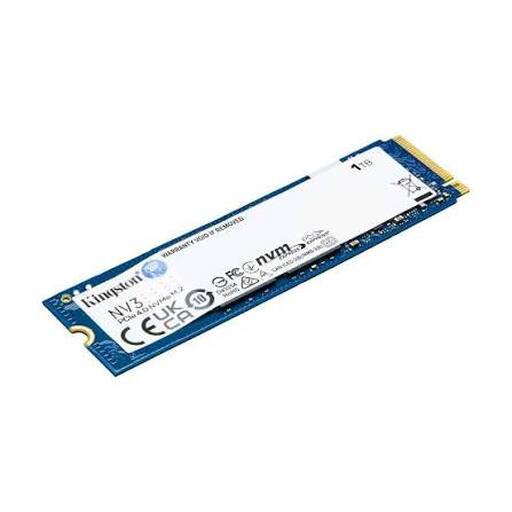
Why this product suits this profile: Its 1 TB capacity and PCIe Gen4 x4 interface make it suitable for upgrading a system with moderate storage needs. The stated speeds are up to 6,000 MB/s read and 4,000 MB/s write.
The clearly stated M.2 2280 form factor and PCIe 4.0 interface make it easier to check compatibility with your existing slot before buying.
1 TB capacity, PCIe Gen4 x4, NVMe and compact dimensions of 22 × 80 mm.

Why this product suits this profile: The 2 TB capacity, integrated heatsink and stated PCIe 4.0 speeds of up to 7,450 MB/s read and 6,900 MB/s write are well suited to performance-focused PC and console systems.
The heatsink helps manage heat build-up under load. Even so, you should check that the available space is sufficient for this height before installation.
2 TB storage, integrated heatsink and management via Samsung Magician.
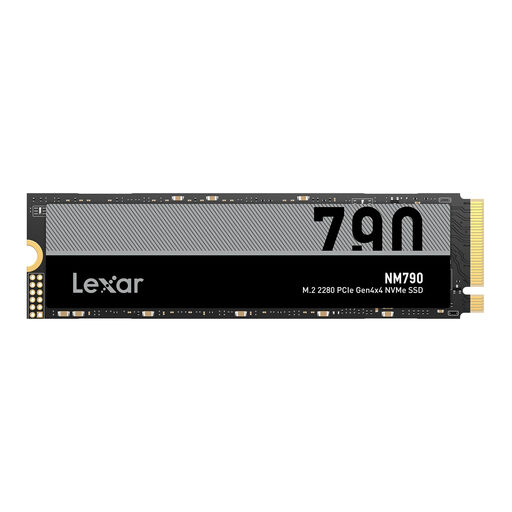
Why this product suits this profile: 4 TB is ideal for extensive game libraries, 4K video projects and large working files. The product specifications state speeds of up to 7,400 MB/s read and 6,500 MB/s write.
The large capacity reduces the need to constantly move games or project files. A suitable heatsink is required for use with the PS5.
4 TB storage, M.2 2280 and stated compatibility with PC, laptop and PS5.
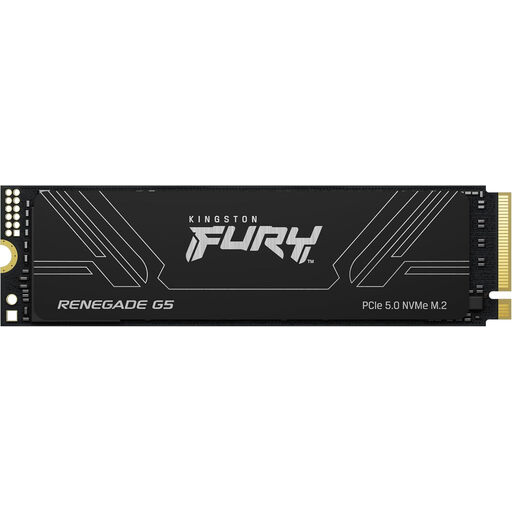
Why this product suits this profile: The PCIe Gen5 x4 interface and 4 TB capacity are designed for systems requiring high data rates for gaming, content creation and professional applications.
The stated Gen5 x4 interface makes checking platform compatibility straightforward. A suitable M.2 heatsink and sufficient airflow remain important because of the potential heat output.
According to the product specifications, up to 14,800 MB/s read, 14,000 MB/s write and 2,200,000 IOPS at 4 TB.
We have put together a complete, regularly updated list of products that fully meet these strict selection criteria and the safety regulations applicable in the EU.
Before installation, back up important data and shut down the computer completely. The SSD is usually inserted at an angle of around 30 degrees and then secured with the supplied screw or retaining bracket. Not every motherboard automatically provides the full PCIe bandwidth; the BIOS version, slot allocation and manual will provide the relevant information.
After installation, a new drive must be initialised and formatted in Windows. For the system partition, GPT is generally the appropriate choice on modern UEFI systems. Firmware and drive health can be monitored using the relevant management software. Regular backups remain essential, regardless of TBW or warranty figures.
No. M.2 initially describes the form factor. The slot may support SATA or PCIe, and with PCIe, the generation and number of lanes are relevant. You should check the device manual before buying.
There is no single fixed service life that applies in every case. It depends on the volume of data written, temperature, power supply and model. TBW, warranty terms and SMART values provide objective guidance. A separate backup is essential for important data.
Power consumption varies depending on the controller, NAND, capacity and usage. PCIe 5.0 models can generate more heat and consume more energy under heavy load than energy-efficient PCIe 4.0 drives. For a laptop, power consumption and temperature behaviour are therefore just as important as speed.