
Lieferung heute & morgen

Qualitätsgarantie

Willkommens-Angebote freischalten: KOSTENLOSE Lieferung | Bis zu 80 % RABATT | Kostenlose 30-Tage-JoyPlus-Testphase
App herunterladen
Long loading times when starting programs, stuttering games, or constantly full storage—these problems can significantly hinder your computer experience. A modern M.2 NVMe SSD is often the most effective solution to noticeably boost system performance. However, with a multitude of technical terms like PCIe generation, read speeds, and form factors, making the right choice can be complex.
This guide is designed to provide clarity. We'll explain the most important criteria and present a selection of models for various use cases, helping you make an informed decision for your next storage upgrade.
To find the right internal SSD, it's helpful to understand a few key technical aspects. The following points are crucial for your purchasing decision.
The PCIe (Peripheral Component Interconnect Express) interface determines the maximum transfer speed of your SSD. The most common generations are:
SSDs are backwards compatible. This means a PCIe 4.0 SSD will work in a PCIe 3.0 slot, but only at the speed of the older generation. To unlock its full potential, your motherboard must support the corresponding PCIe generation.
The storage capacity you need depends directly on your usage habits:
High-performance SSDs, especially PCIe 4.0 and 5.0 models, generate significant heat under load. If the temperature gets too high, the SSD may throttle its performance (thermal throttling) to prevent damage. An M.2 SSD with a heatsink effectively dissipates this heat and ensures consistently high performance. Many modern motherboards already have integrated M.2 heatsinks. If not, buying an SSD with a pre-installed heatsink or retrofitting a separate one is highly recommended.
Based on the criteria mentioned, we have compiled a selection of SSDs for different needs and budgets.
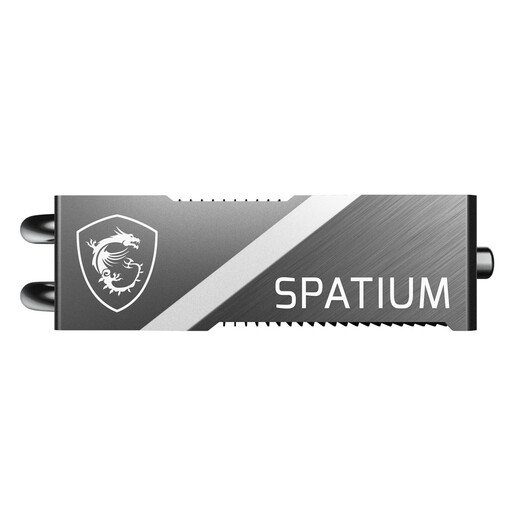
Why It Stands Out: The MSI SPATIUM M570 FROZR is designed for users who refuse to compromise on speed. With its PCIe 5.0 interface, it achieves read and write speeds nearly twice as high as the previous generation. The massive FROZR heatsink with integrated heatpipes ensures this performance remains stable even under sustained load, reducing temperatures by up to 20°C, according to the manufacturer.
Advantages:
Who It's For: Professional content creators working with 8K video footage, as well as PC enthusiasts and gamers seeking the fastest possible loading times and file transfers for their high-end systems.
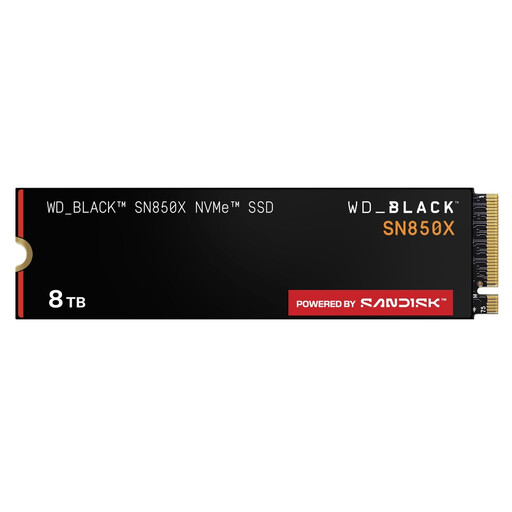
Why It Stands Out: The WD_BLACK SN850X combines proven PCIe 4.0 performance with a massive 8 TB of storage capacity. This makes it an excellent choice for users who want to store their entire game and media collection on a single, ultra-fast drive. Read speeds of up to 7,300 MB/s ensure minimal loading times in games and high responsiveness in demanding applications.
Advantages:
Who It's For: Hardcore gamers and digital media collectors looking for a future-proof storage solution with maximum capacity and high speed. It is also an excellent choice as a Gaming SSD for extensive game libraries.
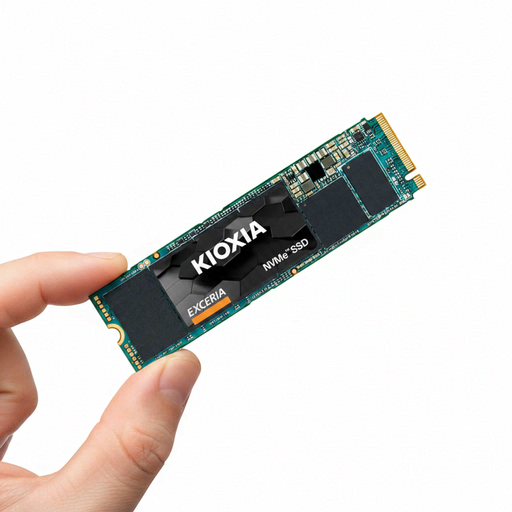
Why It Stands Out: The KIOXIA EXCERIA BASIC offers a cost-effective entry into the world of NVMe SSDs. With its PCIe 3.0 interface, it is significantly faster than traditional SATA SSDs and provides a noticeable upgrade for older laptops and desktop PCs. The slim M.2 2280 form factor allows for easy, cable-free installation.
Advantages:
Who It's For: Users looking for an affordable M.2 SSD for an SSD laptop upgrade or to enhance a desktop PC. It is ideal for accelerating a system that uses a traditional hard drive or a slow SATA SSD.
The models presented here cover common use cases. However, if you are looking for different storage capacities, external solutions, or specific models, you may find the right product in our broader selection of storage solutions.
? Discover more storage solutions in the Mobile Hard Drive category
H3: Does every M.2 NVMe SSD need a heatsink? Not necessarily. PCIe 3.0 SSDs for everyday use often manage without an additional cooler. However, for high-performance PCIe 4.0 SSD and PCIe 5.0 SSD models, an M.2 SSD with a heatsink is highly recommended to ensure consistent performance under load and to maximise the component's lifespan.
H3: What is the difference between an M.2 NVMe and an M.2 SATA SSD? Although both use the M.2 form factor, they use different protocols for data transfer. M.2 SATA is limited to about 600 MB/s as it uses the same technology as 2.5-inch SATA SSDs. M.2 NVMe was specifically designed for flash storage and communicates directly via the PCIe interface, enabling much higher speeds of several thousand MB/s.
H3: Can I use an M.2 SSD in a PlayStation 5? Yes, the PS5 can be expanded with an M.2 NVMe SSD. However, the console has specific requirements: it must be a PCIe 4.0 SSD with a read speed of at least 5,500 MB/s. Additionally, a heatsink is mandatory to prevent overheating. The dimensions of the SSD, including the heatsink, must not exceed the measurements specified by the manufacturer.