
Lieferung heute & morgen

Qualitätsgarantie

Willkommens-Angebote freischalten: KOSTENLOSE Lieferung | Bis zu 80 % RABATT | Kostenlose 30-Tage-JoyPlus-Testphase
App herunterladen
An M.2 NVMe SSD can make a PC, laptop or PlayStation 5 noticeably more responsive. Even so, searching for a fast SSD often leads to unsuitable purchases. High MB/s figures alone reveal little about whether a drive is right for your existing system, intended use and cooling setup.
A PCIe 5.0 SSD achieves significantly higher transfer rates than a PCIe 4.0 SSD when installed in a compatible motherboard. However, in a PCIe 4.0 or PCIe 3.0 slot, it runs at reduced performance. In some cases, the extra speed is barely noticeable in everyday use, such as when opening Office files or launching standard applications.
Before buying, therefore, check your motherboard or laptop manual. The key points are:
Figures such as 7,400 MB/s read speed generally refer to sequential transfers under specific conditions. When copying lots of small files, when storage is almost full or during lengthy write operations, actual performance may differ. A dynamic SLC cache can provide high write speeds for a short time; once it has been used, performance drops depending on the model and amount of data.
When choosing a drive, you should therefore also consider 4K IOPS, the stated TBW endurance rating and temperature management. If you regularly render videos, move large project files or manage extensive game libraries, give these figures more weight than a single peak-speed value.
An NVMe SSD 1 TB provides space for the operating system, programmes and a number of games. An NVMe SSD 2 TB is often more practical for an extensive game library or 4K video files. An NVMe SSD 4 TB reduces the need to move data frequently, but requires a larger budget.
PCIe 4.0 models, and particularly PCIe 5.0 models, generate heat under load. Without sufficient airflow, the SSD may temporarily reduce its speed. An SSD for PS5 also requires a suitable heatsink. The console only accepts drives that meet its technical requirements, including suitable dimensions and cooling.
An internal SSD is installed directly in the M.2 slot and uses the system’s PCIe connection. This is suitable for an SSD for PC, an SSD for laptop or an SSD for gaming with short loading times.
An external SSD, also known as a portable SSD, connects via USB. With a USB-C SSD, speed is determined not only by the drive, but also by the USB port and cable. According to the product specifications, the Samsung Portable SSD T7 reaches up to 1,050 MB/s read speed and 1,000 MB/s write speed via USB 3.2 Gen 2. Transfer rates are correspondingly lower when using a slower USB port.
Usable storage capacity is lower than the advertised nominal capacity due to formatting and system reserves. The TBW rating indicates how much data the manufacturer states can be written over the intended service life. It is a comparative figure, not a guarantee of a specific failure point.
Regular backups remain essential. An SSD is not a substitute for data backup, even though it has no moving parts.
Before installation, switch the device off completely and disconnect it from the mains. Do not touch the contacts and avoid electrostatic discharge. An SSD is usually inserted into the M.2 slot at an angle, pushed down and secured with a screw or mounting bracket. After installation, a new drive often needs to be initialised and formatted in Windows or another operating system.
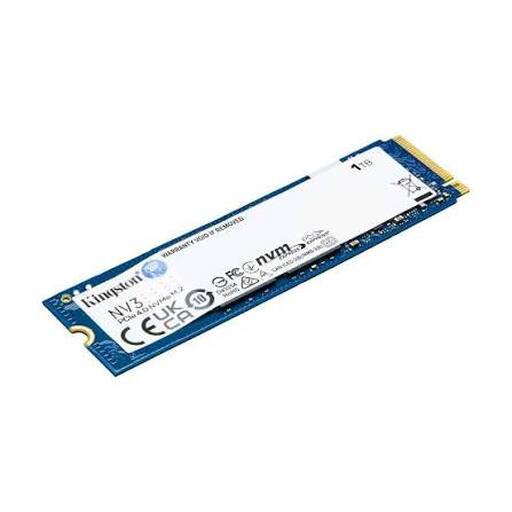
Why this product suits this profile: This 1 TB internal SSD is aimed at users who want to upgrade a compatible PCIe 4.0 PC or laptop without planning for particularly high capacity.
The stated 6,000 MB/s read speed applies to PCIe 4.0; compatibility with M.2 2280 and NVMe should still be checked before buying.
PCIe 4.0 x4, M.2 2280, 1 TB capacity and, according to the product specifications, up to 6,000 MB/s read speed and 4,000 MB/s write speed.

Why this product suits this profile: This 2 TB SSD with an integrated heatsink is an interesting option for PC and console users combining gaming, video editing and larger data collections.
The heatsink helps manage heat build-up during extended workloads. For use with a PS5, the console’s dimensions and approvals must also be checked.
PCIe 4.0, 2 TB capacity, integrated heatsink and, according to the product specifications, up to 7,450 MB/s read speed and 6,900 MB/s write speed.
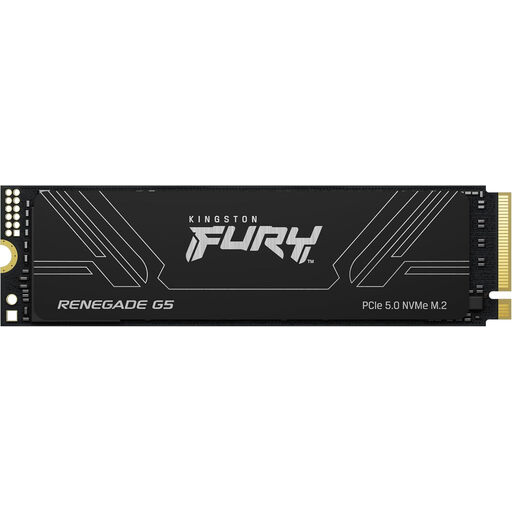
Why this product suits this profile: This drive is aimed at users with a PCIe 5.0 PC, extensive game libraries, large video projects or frequent write operations.
This choice takes the required PCIe 5.0 platform into account. Before installation, the motherboard, firmware and cooling solution should be properly matched.
4 TB, PCIe 5.0 x4, 3D TLC NAND and, according to the product specifications, up to 14,800 MB/s read speed and 14,000 MB/s write speed.
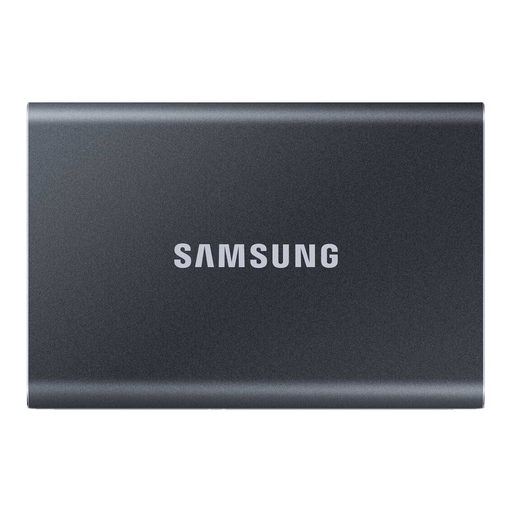
Why this product suits this profile: This portable SSD is ideal for users who want to move files between PCs, laptops, compatible mobile devices and games consoles.
USB-C and USB-A cables are included. However, actual speed still depends on the USB port and cable being used.
USB 3.2 Gen 2, up to 1,050 MB/s read speed, 1,000 MB/s write speed, aluminium enclosure and optional 256-bit AES hardware encryption according to the product specifications.
We have put together a complete, regularly updated list of products that fully meet these strict selection criteria and the safety regulations applicable in the EU.
No. The laptop needs a suitable M.2 slot with PCIe NVMe support. Form factor, single-sided or double-sided components and maximum drive height may also be important. You should check the device’s service manual before buying.
Service life depends on the NAND type, write volume, temperature and usage. Manufacturers often state TBW ratings and warranty conditions. Cool operation, up-to-date firmware and regular backups can help with practical use, but they cannot prevent a possible failure.
That depends on the system and workload. For large file transfers, professional video editing or modern workstations, the higher bandwidth can be relevant. For many gaming and office PCs, a PCIe 4.0 SSD offers a balanced combination of speed, compatibility and power consumption.