
Lieferung heute & morgen

Qualitätsgarantie

Willkommens-Angebote freischalten: KOSTENLOSE Lieferung | Bis zu 80 % RABATT | Kostenlose 30-Tage-JoyPlus-Testphase
App herunterladen
An M.2 NVMe SSD can make a PC, laptop or PlayStation 5 significantly faster when launching applications and accessing large files. However, an SSD with high MB/s figures is not automatically the right choice. The key factors are the slot, cooling, capacity and intended use.
Focusing only on the stated peak performance often means overlooking important details. The following criteria will help you put marketing claims into perspective and choose a suitable internal SSD for gaming, video editing, AI applications or everyday use.
According to its product specifications, a PCIe 5.0 SSD can achieve significantly higher sequential transfer rates than a PCIe 4.0 SSD. However, this only applies if the motherboard or laptop provides a suitable PCIe 5.0 M.2 slot. In a PCIe 4.0 or PCIe 3.0 system, the SSD operates using the generation supported by the system, with correspondingly lower data throughput.
Before buying, check the following in the manual:
An M.2 connector does not automatically mean that every NVMe SSD will work. Some older slots only support M.2 SATA drives.
Figures such as ‘7,400 MB/s read’ or ‘14,000 MB/s read’ generally refer to sequential peak values under specific conditions. In everyday use, speed depends on factors including file size, temperature, how full the drive is and cache usage.
During long file transfers, 4K video projects or AI datasets, temperature can become the limiting factor. An SSD with a heatsink or an M.2 heatsink on the motherboard can help control operating temperatures. This will not prevent every reduction in performance, but it does take account of the thermal requirements of powerful drives.
An NVMe SSD 1 TB is suitable for an operating system, applications and a modest games library. However, large games, raw video files and local AI models can fill the storage quickly. An NVMe SSD 2 TB offers more room for many users. An NVMe SSD 4 TB is worth considering if you regularly save large projects or want to avoid using multiple drives.
Bear in mind that the actual usable capacity is lower than the manufacturer’s stated figure due to formatting and system functions.
PCIe 4.0 SSDs offer a well-balanced combination of speed, heat generation and compatibility for many gaming PCs, laptops and consoles. PCIe 5.0 SSDs are aimed more at current PCs with a suitable motherboard and demanding workloads involving the transfer of large amounts of data.
The NVMe protocol is designed for fast communication over PCIe. Also look for the designation M.2 2280: the dimensions are typically 22 × 80 mm. This format is used in many desktop PCs and laptops, but should be checked against the specific device before installation.
Access times and random I/O performance are also relevant for system start-up and launching programmes. When choosing an SSD for gaming, loading times and support for modern features such as DirectStorage are also important. For an SSD used for video editing, consistent write performance and sufficient capacity are particularly valuable.
The figures stated by the manufacturer should therefore be understood as technical maximums, not guaranteed performance in every application.
The TBW (Terabytes Written) figure describes the amount of data the manufacturer specifies that the drive can write. It is a comparative value indicating the drive’s design specification, but is not an exact prediction of its individual lifespan. Regular backups remain essential, regardless of the TBW figure.
Also check the warranty terms, operating temperature and whether a heatsink is included. In a laptop, the height of the drive, including its cooling solution, must fit inside the chassis.
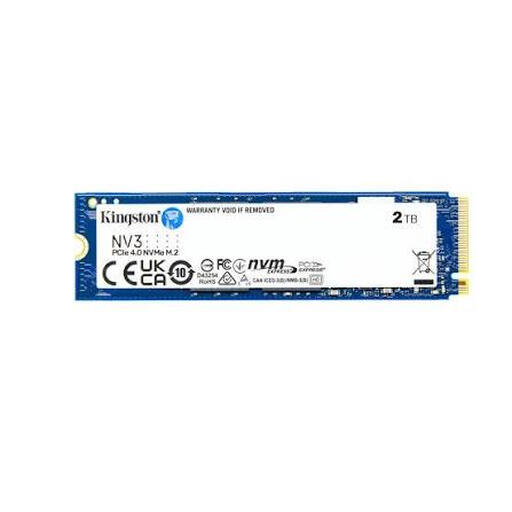
Why this product suits this profile: The 2 TB capacity provides room for the operating system, applications and games. The PCIe 4.0 x4 interface and M.2 2280 format are suitable for many compatible PCs and laptops.
The capacity reduces the risk of quickly running out of space with a 1 TB SSD. The stated read speed of 6,000 MB/s and write speed of 5,000 MB/s are specific technical figures rather than a vague speed claim.
2 TB storage, PCIe 4.0 x4, 3D NAND and 22 × 80 mm form factor.

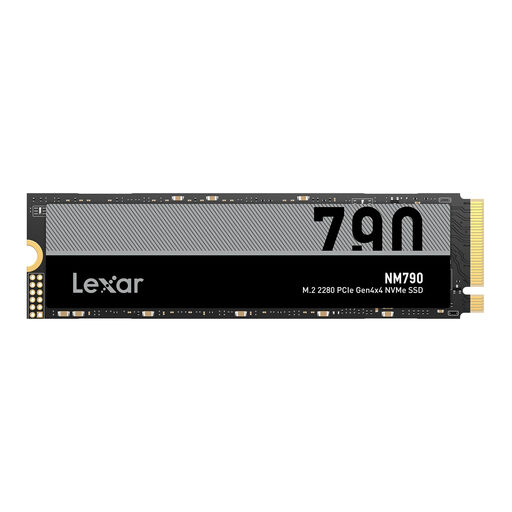
Why this product suits this profile: The integrated cooling and stated speeds of up to 7,450 MB/s read and 6,900 MB/s write will appeal to users who combine gaming, video work and data-intensive applications.
The heatsink is already integrated. This means you do not need to check separately whether an additional cooler is compatible with your PC or console chassis.
2 TB, PCIe 4.0 x4, M.2 2280 format and Dynamic Thermal Guard according to the product description.
Why this product suits this profile: 4 TB is suitable for large games libraries, video projects, data collections and local AI applications. The stated compatibility with PS5, PC and laptop still requires you to check the specific device model and cooling solution.
The high capacity reduces the risk of having to constantly move large projects elsewhere. According to the product information, a heatsink is required for the PS5; this should be factored in before buying.
4 TB, read speeds of up to 7,400 MB/s, write speeds of up to 6,500 MB/s and M.2 2280.
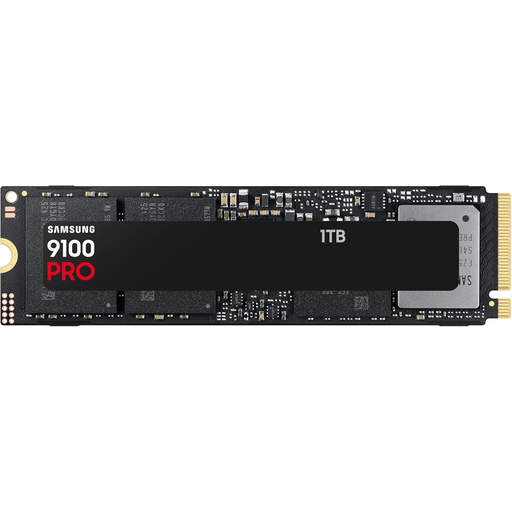
Why this product suits this profile: For a PC with PCIe 5.0 support, the product description states read speeds of up to 14,800 MB/s and write speeds of up to 13,400 MB/s.
This recommendation is explicitly tied to a compatible PCIe 5.0 system. Without a suitable slot, the potential additional performance should not be the reason to buy it.
PCIe 5.0, M.2 2280, 1 TB and drive management software according to the product specifications.
We have put together a complete, regularly updated list of products that fully meet these strict selection criteria and the safety regulations applicable in the EU.
The lifespan depends on the amount of data written, temperature, power supply and usage. Figures such as TBW and MTBF provide technical guidance. A separate backup remains essential for important documents, work files and media projects.
The PlayStation 5 requires a compatible NVMe SSD in the correct format and with a sufficient read speed. A heatsink is also often required. Before buying, check Sony’s current requirements and the cooler’s height. Not every PCIe 5.0 SSD is automatically the right choice for the console.
Powerful PCIe 5.0 models can generate more heat under heavy loads and consume more energy than efficient PCIe 4.0 models. For a laptop, an energy-efficient PCIe 4.0 SSD may therefore be the better choice, while a desktop PC with good cooling can make use of higher peak performance.