
Lieferung heute & morgen

Qualitätsgarantie

Willkommens-Angebote freischalten: KOSTENLOSE Lieferung | Bis zu 80 % RABATT | Kostenlose 30-Tage-JoyPlus-Testphase
App herunterladen
An M.2 NVMe SSD can make a PC, laptop or PlayStation 5 noticeably more responsive. However, the printed speed rating is not the only thing that matters when buying. The interface, form factor, temperature management and intended use all need to match.
Many poor purchasing decisions come down to three common pitfalls:
An internal SSD with NVMe communicates via PCI Express and requires a suitable M.2 slot. PCIe 3.0, PCIe 4.0 and PCIe 5.0 are generally backwards and forwards compatible, but the usable speed is determined by the slower component.
Check your motherboard or laptop manual before buying. The key factors are support for M.2 PCIe NVMe, the available PCIe generation and the number of PCIe lanes. An M.2 SATA slot is not automatically compatible with an NVMe SSD.
The common M.2 2280 SSD measures approximately 22 × 80 mm. This form factor fits many desktop PCs, notebooks and mini PCs, provided the installation space is designed for it. With laptops, the height, mounting point and whether the drive is single- or double-sided may also be relevant.
The PlayStation 5 has its own requirements: the SSD must fit into the expansion bay and will generally need to be fitted with a suitable SSD heatsink. Before installation, check the technical requirements for the relevant console revision.
When choosing capacity, do not only consider your current storage needs:
Also pay attention to the stated TBW value (Terabytes Written). This describes the write volume specified by the manufacturer under the relevant conditions. It is not an exact expiry point and does not replace regular backups. An SSD can also fail because of power problems or controller faults.
The following models cover different requirements for price, speed, capacity and cooling. Performance figures are provided by the manufacturers and may vary depending on the system, firmware, temperature and data workload.
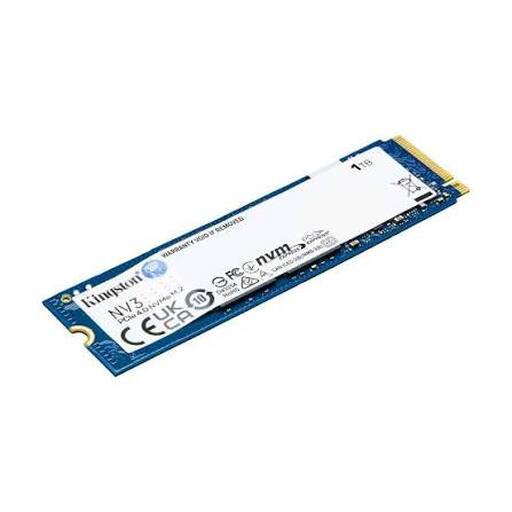
Why this product suits the profile: This PCIe 4.0 x4 NVMe SSD offers 1 TB of storage in the compact M.2 2280 form factor, making it suitable for compatible PCs and laptops.
The clearly stated PCIe 4.0 interface and 2280 format make it easier to check compatibility with your existing slot.
The manufacturer states read speeds of up to 6.000 MB/s and write speeds of up to 4.000 MB/s, with a weight of 5,7 g.

Why this product suits the profile: This PCIe 4.0 SSD combines 2 TB of storage with an integrated heatsink and is designed for PC, console and video applications.
The heatsink is already included with this model. This removes the need to select a separate cooler, provided the installation space offers sufficient room.
The stated figures are read speeds of up to 7.450 MB/s and write speeds of up to 6.900 MB/s, along with Dynamic Thermal Guard for temperature monitoring.
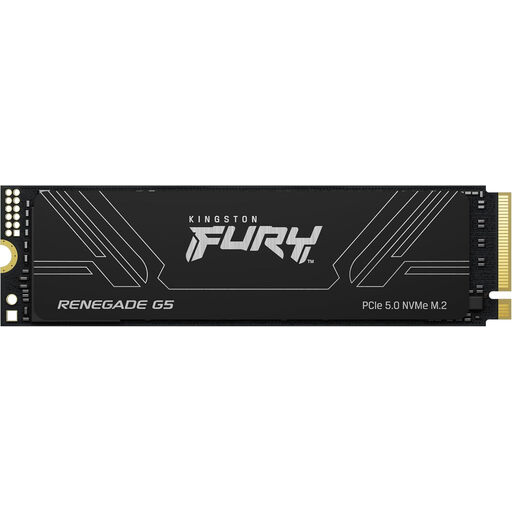
Why this product suits the profile: The 4 TB capacity is aimed at content creators, video editors, AI users and anyone with extensive local data collections.
The PCIe 5.0 connection is clearly stated, allowing buyers to compare it with their motherboard specifications instead of deciding solely on the basis of a speed figure.
The stated figures are read speeds of up to 14.800 MB/s and write speeds of up to 14.000 MB/s, with 3D TLC NAND and an SM2508 controller with DDR4 cache.
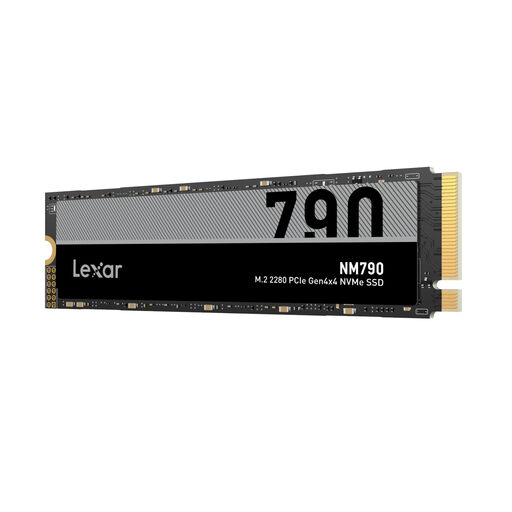
Why this product suits the profile: With 2 TB of storage and stated PS5 compatibility, this model is an interesting option for gaming PCs and console storage expansions.
The interface is clearly specified as PCIe Gen4 x4. For use with a PS5, you must also fit a suitable heatsink and check the available installation space.
The manufacturer states read speeds of up to 7.400 MB/s, write speeds of up to 6.500 MB/s and the M.2 2280 form factor.
We have put together a complete, regularly updated list of products that fully meet these strict selection criteria and the safety regulations applicable in the EU.
Before installation, shut down the PC completely and disconnect it from the mains. With a laptop, the battery should also be disabled in accordance with the manufacturer’s instructions. Do not touch the SSD contacts and, where possible, use an earthed workspace to prevent electrostatic discharge.
After installation, the SSD can be initialised and partitioned in Disk Management. If it is to be used as a boot drive, it may need to be configured in the UEFI, with the operating system transferred or freshly installed. Firmware and driver updates should be carried out using the relevant manufacturer’s software.
An SSD heatsink must not be installed in a way that puts pressure on the case, laptop lid or console cover. With PCIe 5.0 models, good airflow and the motherboard’s existing cooler are particularly important.
Its lifespan depends on the write volume, temperature, NAND technology and usage. The TBW value provides guidance on the specified write volume. Regular backups are still essential, as no SSD can guarantee protection against failure.
For the PS5, you need a compatible M.2 NVMe SSD with the right form factor and sufficient speed. A heatsink is generally required. Before buying, check the requirements of your console software and the dimensions of the heatsink.
Power consumption depends on the controller, NAND, cache and workload. PCIe 5.0 models can generate more heat and use more energy under sustained load than many PCIe 4.0 SSDs. Laptop users should therefore also consider temperature and power consumption specifications.