
Lieferung heute & morgen

Qualitätsgarantie

Willkommens-Angebote freischalten: KOSTENLOSE Lieferung | Bis zu 80 % RABATT | Kostenlose 30-Tage-JoyPlus-Testphase
App herunterladen
An M.2 NVMe SSD can make your system noticeably more responsive. However, not every “fast SSD” advertised automatically delivers a noticeable benefit. The key factors are the right slot, capacity, cooling and the level of performance you actually need.
If you focus solely on maximum MB/s, you risk making the wrong purchase. Three common marketing pitfalls are particularly likely to cause problems.
A PCIe 5.0 SSD can achieve considerably higher transfer rates than a PCIe 4.0 SSD. However, this only applies if your motherboard, laptop or mini PC also has a compatible PCIe 5.0 M.2 slot. In a PCIe 4.0 slot, the SSD operates at the available generation and does not automatically reach the manufacturer’s stated speed.
For gaming, office software and many everyday tasks, a good PCIe 4.0 SSD is sufficient. PCIe 5.0 is mainly worthwhile for large volumes of data, demanding video editing, 3D projects, AI applications or frequent file transfers.
Read and write figures such as 7.400 MB/s or 14.000 MB/s generally refer to sequential operations under defined conditions. When starting Windows, opening small programmes or loading many individual files, random access, cache behaviour and the system configuration also play a role.
An M.2 2280 SSD with high peak performance is therefore not automatically a better choice for every user than a more affordable model with a well-balanced performance profile.
During extended write operations or intensive gaming, an NVMe SSD can generate heat. If the temperature limit is reached, the controller may reduce the speed. An SSD with heatsink, or an existing M.2 heatsink on the motherboard, can then be worthwhile.
With laptops and the PS5, the height must be checked particularly carefully. A large heatsink may prevent installation. For the PS5, you must also observe the official requirements for format, speed and cooling.
Most desktop PCs, laptops and mini PCs use the M.2 2280 format. This designation refers to a width of 22 mm and a length of 80 mm. However, this alone does not guarantee compatibility: the slot must support NVMe over PCIe. An M.2 SATA slot is not compatible with every NVMe SSD.
Before buying, check the following:
An NVMe SSD 1 TB is suitable as a system drive for programmes and several games. If you regularly store large video files, 3D data or extensive game libraries, an NVMe SSD 2 TB is often more practical. An NVMe SSD 4 TB is appealing if you want to avoid using several drives or need large project files to remain permanently available.
After formatting and system management, the usable capacity is slightly below the advertised raw capacity. An SSD is also no substitute for a separate backup of important work data.
The specification TBW stands for “Total Bytes Written” and describes the write volume stated by the manufacturer over the intended service life. It is a comparison figure, not a guarantee of a specific failure time. For normal office and gaming use, other factors such as capacity, cooling and price per terabyte are often more important.
For an SSD for video editing, 3D rendering or AI workloads, you should also consider TBW, the cache design and suitable cooling. Firmware updates and monitoring software can make management easier.
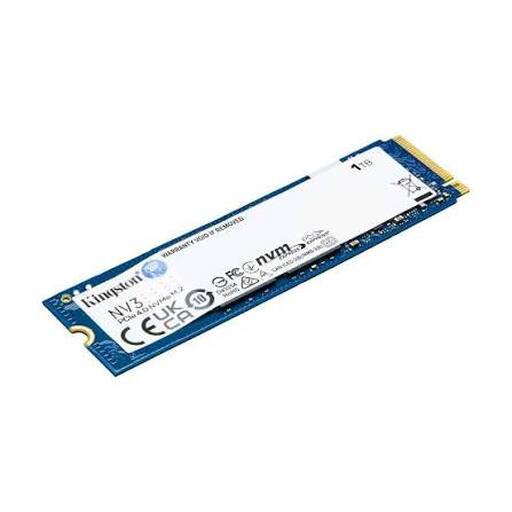
Why this product suits this profile: This internal SSD offers PCIe 4.0 x4, NVMe and the widely used M.2 2280 format for compatible PCs and laptops. With 1 TB of storage, it is a manageable upgrade for your system, programmes and games.
The product details clearly specify the interface, format and compatibility. This allows you to check whether your existing M.2 slot is suitable before buying, rather than comparing speed figures alone.
PCIe 4.0 x4, M.2 2280, 1 TB capacity and a stated read speed of up to 6.000 MB/s.

Why this product suits this profile: This PCIe 4.0 NVMe SSD combines 2 TB of storage with an integrated heatsink. It is aimed at users who want to store PC or console games as well as large media projects on a single drive.
The heatsink is already integrated. This reduces the risk of choosing a separate cooler with an unsuitable height. The console requirements must still be checked for the PS5.
Read speeds of up to 7.450 MB/s, write speeds of up to 6.900 MB/s, M.2 2280 and an integrated, nickel-plated heatsink.
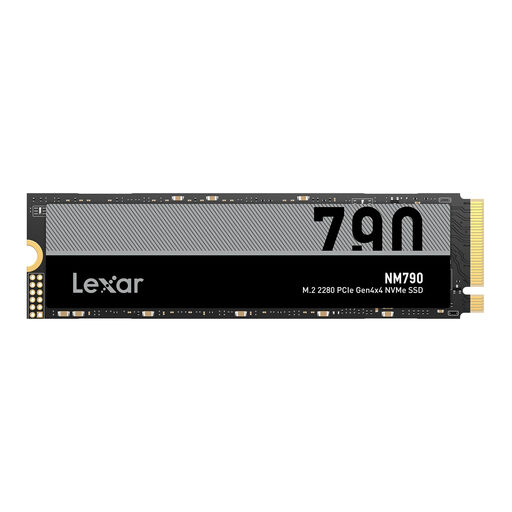
Why this product suits this profile: The 4 TB capacity is aimed at gamers, content creators and users with large video, 3D or AI files. The model is specified for PC, laptop and PS5; suitable cooling is required for the PS5.
The high capacity means large projects do not have to be constantly distributed across several smaller drives. Before installation, you should still check the slot, height and cooling requirements.
4 TB, read speeds of up to 7.400 MB/s, write speeds of up to 6.500 MB/s and stated compatibility with PS5, PC and laptop.
We have put together a complete, regularly updated list of products that fully meet these strict selection criteria and the safety regulations applicable in the EU.
A PCIe 5.0 SSD can generate more heat during extended workloads than many PCIe 4.0 models. Good case ventilation is therefore more important than achieving the highest possible peak figure.
Service life depends on the write volume, temperature, power supply and model. Manufacturers state TBW figures and warranty conditions among other details. Regular backups remain essential, as even an SSD can fail without warning.
For the PS5, you need a compatible M.2 NVMe SSD in the correct format, with sufficient speed and suitable cooling. Check the latest Sony requirements before buying. Models without an integrated heatsink may require a suitable heatsink attachment.
Power consumption depends on the PCIe generation, controller, workload and power-saving state. Higher peak performance may require more energy and cooling under sustained load. For a laptop, it is therefore not just the maximum speed that matters, but also the performance profile.