
Lieferung heute & morgen

Qualitätsgarantie

Willkommens-Angebote freischalten: KOSTENLOSE Lieferung | Bis zu 80 % RABATT | Kostenlose 30-Tage-JoyPlus-Testphase
App herunterladen
An M.2 NVMe SSD can speed up system start-up, programme loading and large file transfers. However, an SSD with high MB/s figures is not automatically the right choice. The key factors are the device’s slot, PCIe generation, form factor and intended use.
This buying guide from the Joybuy Product Recommendation Officer explains what PC and laptop users, gamers, content creators and PlayStation 5 owners should look out for.
According to product specifications, a PCIe 5.0 SSD can achieve sequential read speeds of more than 10,000 MB/s. However, this speed cannot be fully utilised in a computer with a PCIe 4.0 or PCIe 3.0 slot. The SSD will then be limited by the capabilities of the existing interface.
Before buying, you should therefore check the motherboard manual, the laptop’s technical specifications or the console manufacturer’s information. It is not enough to check whether an M.2 slot is present; you also need to confirm that it supports NVMe over PCIe. An M.2 slot for SATA is not automatically compatible with a PCIe NVMe SSD.
“M.2” initially describes the form factor, not necessarily the length or data transfer protocol. The widely used M.2 2280 SSD measures approximately 22 × 80 mm. This format is supported by many desktop PCs and notebooks, but some compact devices require shorter versions.
You should also check the drive’s height. An integrated heatsink can cause problems in a laptop or beneath a motherboard cover. Installation also requires a suitable mounting screw or retention mechanism.
Figures such as “up to 7,400 MB/s” usually refer to sequential read or write operations under specific conditions. When starting Windows, opening lots of small files or loading games, random access performance, cache behaviour, temperature and the processor also play a part.
During long write operations, speed can change once the dynamic cache is exhausted. For video editors, AI users and professional users, write speed, TBW rating, cooling and warranty conditions are therefore just as important as read speed.
A PCIe NVMe SSD uses multiple PCIe lanes to transfer data. PCIe 4.0 x4 offers a balanced combination of speed, heat generation and device compatibility for many gaming PCs, laptops and workstations. A PCIe 5.0 SSD requires a compatible PCIe 5.0 slot and may generate more heat during prolonged workloads.
Backward compatibility depends on the model and should be confirmed in the manufacturer’s specifications. A modern SSD may work in an older PCIe 3.0 system, but its transfer speeds will be lower.
A 1 TB NVMe SSD is suitable as a system drive for office applications, programmes and a modest game library. However, free space can quickly become limited when storing large games, RAW photos, 4K video files or local AI models.
A 2 TB NVMe SSD provides more room for gaming, media projects and multiple operating systems or work environments. A 4 TB NVMe SSD makes sense if you want to store extensive libraries locally or regularly work on large projects. The actual usable capacity is lower than the advertised nominal capacity because of formatting and system reserves.
PCIe 4.0 drives, and particularly PCIe 5.0 drives, can become hot during longer transfers. An existing M.2 heatsink on the motherboard or a compatible cooling solution can help prevent temperature-related throttling. For an SSD for PS5, the heatsink must fit within the dimensions of the expansion bay.
Shut down your PC, laptop or console completely and disconnect it from the power supply. Insert the SSD into the slot at an angle, carefully press it down and secure it without applying excessive force. Regular data backups are still essential, regardless of which SSD you choose.
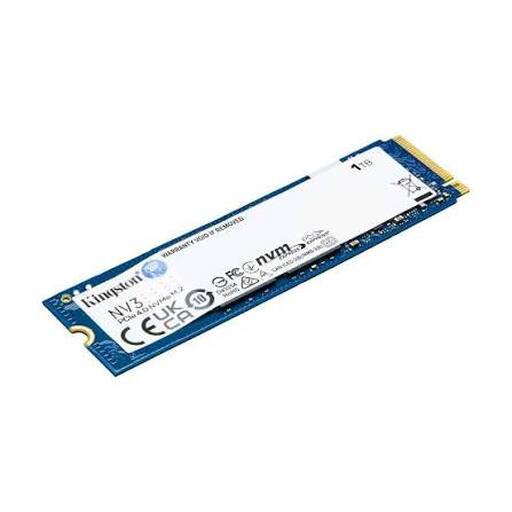
Why this product suits this profile: This internal SSD offers 1 TB, PCIe 4.0 and the M.2 2280 format for compatible PCs and laptops.
The product specifications clearly state the interface, form factor and capacity. This makes it easier to check compatibility before installation.
According to the product specifications, up to 6,000 MB/s read and 4,000 MB/s write speeds; 3D NAND and 22 × 80 mm.
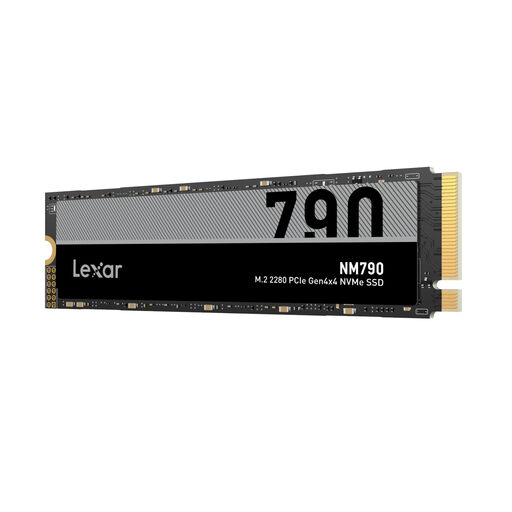
Why this product suits this profile: 2 TB and PCIe 4.0 x4 combine ample storage with high specified transfer speeds.
The specifications indicate PCIe Gen4x4, NVMe 1.4 and M.2 2280. A suitable heatsink is required for use with the PS5.
According to the product specifications, up to 7,400 MB/s read and 6,500 MB/s write speeds with 2 TB capacity.
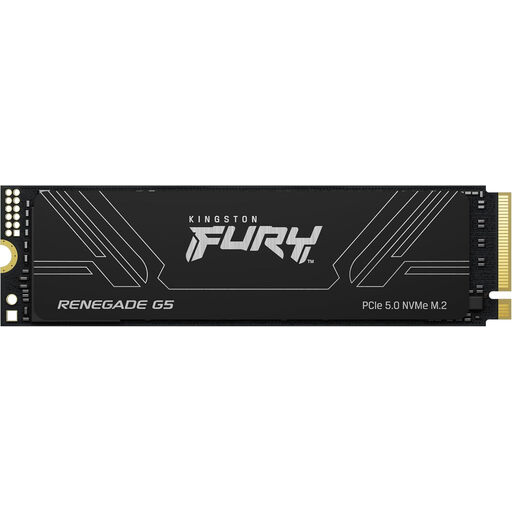
Why this product suits this profile: The 4 TB version is designed for workstations, video editors and users with extensive amounts of local data.
The PCIe 5.0 interface is clearly stated. Buyers can therefore check in advance whether their motherboard, cooling and case are suitable for use.
According to the product specifications, up to 14,800 MB/s read and 14,000 MB/s write speeds, 3D TLC NAND and a 5-year limited warranty.
We have put together a complete, regularly updated list of products that fully meet these strict selection criteria and the safety regulations applicable in the EU.
No. Check the slot type, supported PCIe generation, length and permitted height. For example, a laptop may only support M.2 SATA, PCIe 3.0 or a shorter format.
Service life depends on the memory technology, amount of data written, temperature and usage. Manufacturers often specify a TBW rating, meaning the stated total amount of data that can be written. Regular backups are still essential, as a storage device can fail without warning.
For use as PS5 expansion storage, the M.2 NVMe SSD must meet the console’s size and performance requirements. A suitable heatsink is generally required. Before installation, check Sony’s current requirements as well as the specifications for the particular SSD model.