
Lieferung heute & morgen

Qualitätsgarantie

Willkommens-Angebote freischalten: KOSTENLOSE Lieferung | Bis zu 80 % RABATT | Kostenlose 30-Tage-JoyPlus-Testphase
App herunterladen
Deciding to buy a new 16-inch MacBook Pro with the M5 Pro chip is a significant investment in your professional toolkit. However, with a multitude of configuration options, it's easy to fall into common traps that lead to either unnecessary expenses or a device that fails to meet your needs. This guide focuses on the objective criteria that will help you make an informed decision and find the right configuration for your specific use cases.
When selecting a high-end device like the Apple MacBook Pro M5 Pro 2026, there are two common sources of error that can lead to dissatisfaction.
To avoid these pitfalls, you should base your decision on an analysis of the following core parameters. These technical specifications directly determine how well the notebook is suited for your daily work.
The Apple M5 Pro chip is the heart of the system, designed for demanding professional workflows. Configurations include a high number of CPU cores (performance and efficiency cores) and GPU cores.
The right balance between RAM and SSD is fundamental.
The 16-inch Liquid Retina XDR Display offers high brightness and extreme contrast, which is essential for color-critical work. The ports are equally important. The 2026 MacBook Pro is a Thunderbolt 5 notebook, bringing a significant boost in data transfer rates and options for connecting external displays. If you plan a multi-monitor setup, carefully check how many external monitors, at what resolution and refresh rate, are supported by the M5 Pro chip compared to the M5 Max chip. All models mentioned here feature a German QWERTZ keyboard.
Here are some configurations tailored to typical professional requirement profiles.
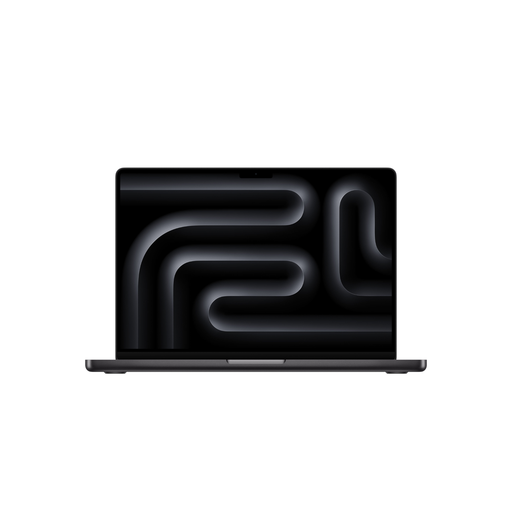
Why This Fits Their Persona: Ideal for developers who work on multiple projects in parallel, run Docker containers and virtual machines, or handle large datasets for machine learning. The high RAM capacity is the decisive factor here.
This configuration avoids the bottleneck caused by insufficient memory, which quickly occurs in complex development environments. At the same time, it forgoes the more expensive M5 Max, whose additional GPU power is often unnecessary for this use case.
The 48GB of RAM allows for smooth multitasking with memory-intensive applications. The 18-core CPU provides high compilation speeds.
Why This Fits Their Persona: Designed for professional users who work with 8K video editing, 3D rendering, and visual effects. The high GPU performance and large, fast SSD are optimized for these workflows.
This configuration avoids the mistake of choosing an underpowered system for graphics-intensive tasks. The M5 Max chip is a deliberate choice here for maximum graphics performance, preventing long render times and choppy previews.
The 32-core GPU and high memory bandwidth of the M5 Max significantly accelerate rendering and export processes. The 2TB SSD offers plenty of space for large project files.
Why This Fits Their Persona: A balanced choice for photographers, UI/UX designers, and other creatives who need a powerful system with a large, color-accurate display but don't require the extreme GPU performance of the M5 Max for their daily work.
This model prevents unnecessary spending on an M5 Max chip or excessive RAM. It offers very high performance that is more than sufficient for most creative applications without overstretching the budget.
Offers excellent value for professional creative work. 24GB of RAM is sufficient for editing high-resolution photos and complex designs, and the M5 Pro chip ensures consistently smooth performance.
We have compiled a complete, up-to-date list of products that meet these strict selection criteria.
Yes, in many scenarios, the M5 Pro chip is sufficient for editing 8K video footage, especially when working with optimized codecs like ProRes. The integrated media engine accelerates decoding and encoding. However, for very complex projects with numerous effect layers, intensive color grading, or 3D elements, the M5 Max chip offers more performance headroom and shorter export times due to its higher GPU core count and doubled memory bandwidth.
The amount of RAM you need depends directly on your workflow.
Thunderbolt 5 represents a significant evolution from Thunderbolt 4. The bandwidth increases from 40 Gbps to up to 80 Gbps symmetrically, and can even reach up to 120 Gbps in certain modes. In practice, this means you can run multiple high-resolution displays (e.g., 8K monitors or 4K displays with high refresh rates) simultaneously and transfer data from external high-speed SSDs even faster. This is a major advantage for professionals who work with very large files.