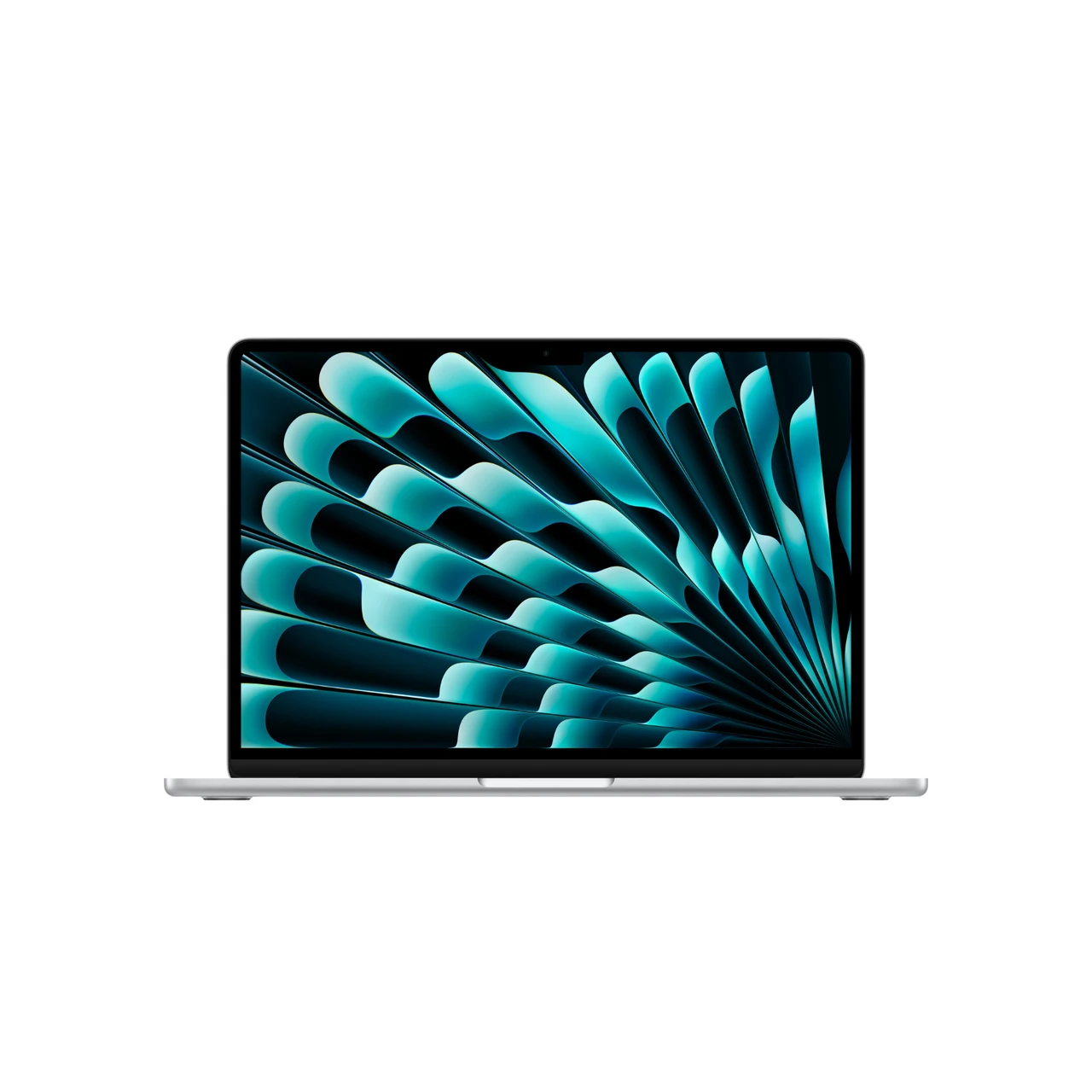
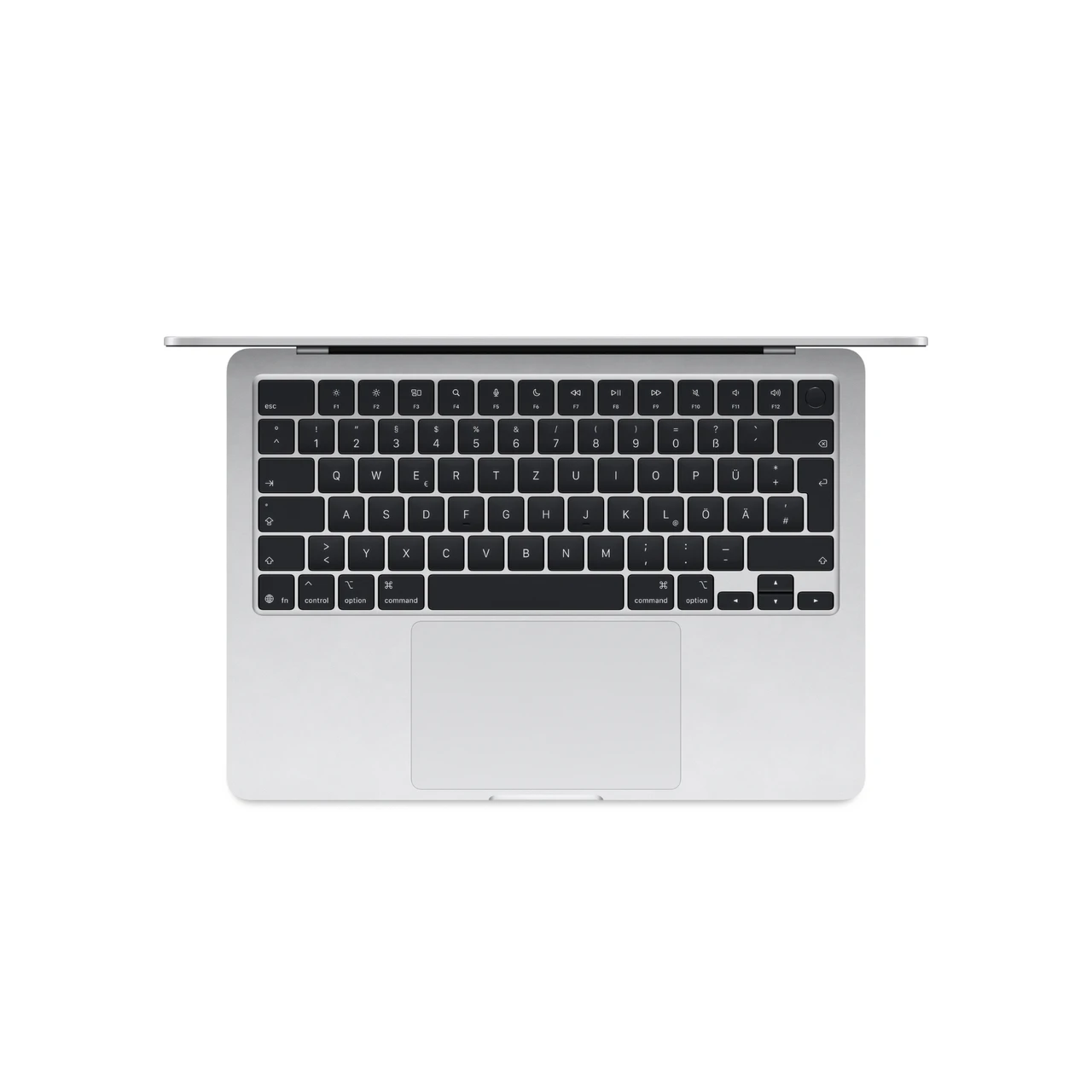
The silver Apple 13-inch MacBook Air M5 brings a 13.6-inch Liquid Retina display and a German QWERTZ keyboard to a slim, portable laptop. Its M5 chip, 16GB of shared memory and 512GB SSD support everyday work, study and entertainment. At 1.23kg, with up to 18 hours of video streaming, it suits people who want a capable MacBook to carry between home, university and the office. Touch ID, a 12MP Center Stage camera and Thunderbolt 4 ports add convenience for sign-ins, video calls and connecting accessories or up to two external displays.
How to Choose the Right Laptop
Start by matching a laptop to the work you do, how often you carry it and the software you rely on. Comparing performance, portability and everyday usability can help you choose suitable specifications without paying for features you will not use.
Key Features to Consider
Use these criteria to compare laptops for study, work and general use in Germany.
- Performance and memory: Choose a processor suited to your workload: everyday browsing and documents need less power than video editing or demanding development tools. Check RAM as well as processor specifications, especially if you keep many apps or browser tabs open, and confirm that the operating system supports the software you need.
- Screen, size and portability: A larger laptop screen can make spreadsheets and multitasking more comfortable, while a lighter, more compact model is easier to carry between home, university and the office. Compare screen resolution, keyboard comfort and available ports, and consider whether you will need an adapter for your existing accessories.
- Battery life, storage and build: Look for battery-life estimates that fit your routine, but remember that actual use varies with brightness, apps and connectivity. Choose enough SSD storage for your files and applications, and check build quality, warranty terms and service options available in Germany.
Power to Create, Ready to Go
M5 Performance Meets a Brilliant Retina Display
The Apple M5 chip brings a capable combination of a 10-core CPU, an 8-core GPU and a 16-core Neural Engine to everyday work, creative projects and Apple Intelligence features. With 16GB of shared memory and a 512GB SSD, there’s room for responsive multitasking and files close at hand. The Liquid Retina display adds vivid detail and support for one billion colours, creating an engaging canvas for documents, photos, video and browsing. Together, the chip and display make it easy to move from focused tasks to creative moments.
Make Every Call and Playlist Feel More Immersive
Bring a polished presence to video calls with the 12MP Center Stage camera, which keeps you in the frame, and use Desk View to share a view of your workspace. For meetings, study sessions and catch-ups, the six-speaker system delivers rich sound with 3D Audio and Dolby Atmos support, adding an immersive quality to compatible content. The backlit German QWERTZ keyboard gives you a comfortable, illuminated typing setup throughout the day, while Touch ID makes unlocking and everyday authentication quick and convenient.
Stay Connected and Enjoy Long-Lasting Battery Life
Move smoothly between work, study and home with Wi-Fi 7 and Bluetooth 6 support for wireless connectivity. Two Thunderbolt 4 ports offer versatile connections for accessories and support up to two external displays, helping you shape a workspace that suits your needs. The built-in battery provides up to 18 hours of video streaming, so you can enjoy extended viewing between charges. When it’s time to power up, the included USB-C to MagSafe 3 cable offers a convenient charging connection, with MagSafe adding a distinctive touch to the daily routine.
MacBook Air Laptop: Who It Suits
Hybrid Workers On The Move
When you split your week between the office, home and study,
you need a laptop that is easy to take along. Its lightweight
build makes carrying it between locations easier, while the
long-lasting battery helps you keep working between charging
opportunities; the German QWERTZ keyboard and Touch ID make
typing and signing in straightforward. You can settle into
work wherever the day takes you.
Desk-Based Multitaskers
When you spend most of your time at a desk switching between
tasks and connected devices, extra screen space can make your
setup easier to use. Thunderbolt 4 lets you connect
accessories and external displays, while Wi-Fi 7 and Bluetooth
6 help keep network and wireless accessories connected without
using those ports. You can keep more of your work in view and
your everyday tools within reach.
People Who Spend Their Day On Video Calls
When regular video meetings and remote demonstrations fill
your day, you need to be seen and heard clearly. The 12MP
Center Stage camera keeps you in frame as you move, and Desk
View lets you show notes or objects on your desk; the
six-speaker system with 3D Audio and Dolby Atmos makes shared
media more immersive. Your calls and demonstrations are easier
for others to follow.
Photo And Visual Content Creators
When you edit photos or prepare other visual content, colour
and responsive graphics matter to your workflow. The Liquid
Retina display supports a billion colours to help you review
colour-rich work, while the M5 chip, graphics and shared
memory support creative tasks and the SSD keeps current
project files close at hand. You get a portable setup for
creating and checking visual work.
Frequently Asked Questions
How long does the 13-inch MacBook Air M5 battery last, and how do I charge it?
The 13.6-inch MacBook Air M5 supports up to 18 hours of video streaming on its 53.8Wh battery. To charge it, connect the supplied 2m USB-C to MagSafe 3 cable to a USB-C Power Delivery adapter rated at 30W or higher. You can top it up at home, at your desk or between study sessions.
Can this MacBook Air connect to two external monitors?
Yes, this MacBook Air M5 supports up to two external displays through its two Thunderbolt 4 (USB-C) ports. The 13.6-inch Liquid Retina display has a 2560 x 1664 resolution, and the external-display support gives you room to spread out documents, creative projects or study materials across a larger workspace.
Can I replace the MacBook Air M5 battery myself?
No, the 53.8Wh lithium-polymer battery is built into this MacBook Air and is not designed for user replacement. Do not open the laptop or attempt a DIY battery swap, as incorrect handling can cause overheating, fire or injury. If the battery needs attention, have the work handled by a trained repair professional so you can keep using the laptop safely.
Don't just buy, Joybuy
Discover more of your favourite brands on Joybuy with great offers.