
Lieferung heute & morgen

Qualitätsgarantie

Willkommens-Angebote freischalten: KOSTENLOSE Lieferung | Bis zu 80 % RABATT | Kostenlose 30-Tage-JoyPlus-Testphase
App herunterladen
If you’re looking for an Apple MacBook with a German QWERTZ keyboard, there’s more to consider than just the chip name, colour or storage capacity. What really matters is whether the keyboard layout, RAM, SSD, screen size and what’s included in the box actually suit your daily needs. With imported or differently configured devices, you can easily end up with unnecessary extra costs.
Setting macOS to German doesn’t turn an international keyboard into a German one. For umlauts, the “Z” in the right place and special characters like “€”, the physical QWERTZ keyboard is what counts. With the devices featured here, the German keyboard layout is explicitly stated in the product details.
The MacBook models listed include a USB-C charging cable, but the matching power adapter needs to be bought separately. For the MacBook Neo, you’ll need a USB-C power source of at least 20 W. For MacBook Pro models, depending on the configuration, USB-PD power adapters from 70 W or 140 W are required.
If you already have a suitable USB-C power adapter, you can continue to use it, provided the power output and USB-PD compatibility are correct. Otherwise, factor the adapter into your total cost.
A 2 TB SSD gives you plenty of space for projects, photos or video files. However, it doesn’t automatically boost performance when you have lots of applications open at once. For simple office work, 8 GB of RAM can be enough. For development, virtual machines, large image files or AI workloads, 24 GB, 36 GB or 48 GB are far more suitable.
Apple Silicon combines the processor, graphics and shared memory on a single chip. The MacBook Neo A18 Pro features a 6-core processor, a 5-core graphics unit and a 16-core Neural Engine. It’s designed for everyday tasks like research, word processing, video calls, spreadsheets and light photo editing.
The MacBook Pro with M5 Pro chip offers 15 or 18 CPU cores depending on the model, along with a significantly larger GPU. It’s ideal for more demanding photo and video editing, programming, 3D applications and working with multiple external monitors.
The M5 Max chip is aimed at particularly compute-intensive tasks. Depending on the variant, it includes up to 40 GPU cores, 36 or 48 GB of unified memory and high memory bandwidth. The extra power is mainly worthwhile if you need it regularly. For emails, Office and streaming, it’s not essential.
A 14-inch MacBook weighs around 1.6 kg in Pro configurations, making it relatively easy to carry for commuting, lectures and changing workstations. The 14.2-inch Liquid Retina XDR display offers a resolution of 3024 × 1964 pixels, up to 1,000 nits sustained brightness and up to 1,600 nits peak brightness for HDR content, according to the product specifications.
A 16-inch MacBook provides more space for timelines, source code and multiple windows with its 16.2-inch screen and 3456 × 2234 pixel resolution. The weight for the Pro Max configurations mentioned is around 2.15 kg. That’s worth considering for daily transport; at a fixed desk, the larger display can be more practical.
256 GB SSD is enough for a lean system with mostly cloud-based files. 512 GB SSD offers more flexibility for study and office use. If you store local photo or video libraries, you should plan for 1 TB or 2 TB SSD.
MacBook Pro models feature Thunderbolt ports, HDMI and an SDXC card slot, among others. This reduces the need for adapters in photo and video workflows. The MacBook Neo has two USB-C ports with different transfer speeds and supports one external display up to 4K at 60 Hz.

Why this product fits the profile: The compact 13-inch model is designed for study, office work, web research and video calls. According to the product specifications, it weighs 1.23 kg.
The German QWERTZ version is specified. Additionally, the missing power adapter is already noted in the product information.
A18 Pro chip, 13-inch display, 256 GB SSD, two USB-C ports and up to 16 hours of video playback according to Apple’s product specifications.
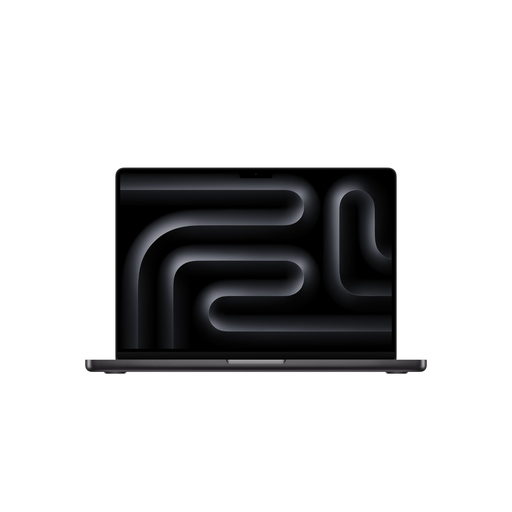
Why this product fits the profile: The combination of 24 GB RAM, 1 TB SSD and Liquid Retina XDR display suits professionals, creatives and developers who regularly use demanding applications.
The specification avoids a basic configuration that would be too limited for memory-intensive tasks. The separate power adapter remains visible as an additional cost.
15-core CPU, 16-core GPU, 24 GB unified memory, 1 TB SSD and support for up to three external displays according to the product specifications.
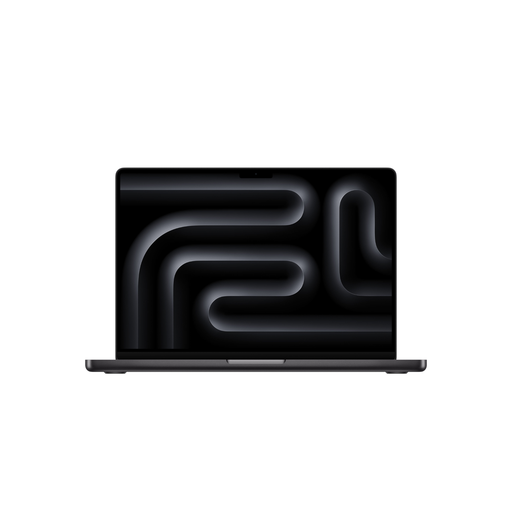
Why this product fits the profile: The large workspace and generous memory configuration are aimed at content creators, developers and users working on local AI, video or 3D projects.
48 GB RAM and a 2 TB SSD reduce the need for external storage on large projects. The weight of around 2.15 kg should be considered for mobile use.
18-core CPU, 40-core GPU, 48 GB unified memory, 2 TB SSD and support for up to four external displays according to the product specifications.
We’ve put together a full, regularly updated list of products that fully meet these strict selection criteria and the safety regulations in force in the EU.
No, that depends on the specific product variant. The description must explicitly state “German QWERTZ Keyboard” or “deutsche QWERTZ-Tastatur”. A German language setting alone is not enough.
Battery life depends on screen brightness, applications, network connection and battery condition. According to Apple’s product specifications, the MacBook Neo models mentioned achieve up to 16 hours of video playback. MacBook Pro variants are quoted as offering up to 22 or 24 hours of video playback. These figures are manufacturer estimates and not a fixed runtime in everyday use.
In addition to the purchase price, you’ll first need to buy a compatible USB-C power adapter. For the MacBook Neo, a USB-PD power source of at least 20 W is sufficient according to the product specifications. For MacBook Pro models, you should check the required power for your specific configuration. The ongoing electricity consumption then depends on usage, brightness and charge level.