
Lieferung heute & morgen

Qualitätsgarantie

Willkommens-Angebote freischalten: KOSTENLOSE Lieferung | Bis zu 80 % RABATT | Kostenlose 30-Tage-JoyPlus-Testphase
App herunterladen
By: Joybuy Product Recommendation OfficerDate: July 28, 2026
Deciding to purchase a professional notebook like the Apple MacBook Pro 14-inch 2026 is a significant investment. The market is flooded with technical specifications and marketing terms that make the choice difficult. Many users invest in over-specced configurations or overlook critical details that will slow down their workflows in the future. This guide will help you understand the technical facts and make an informed decision tailored to your actual needs.
Before we dive into configurations, it's important to clarify three common misconceptions that can lead to buyer's remorse:
To make the right decision, you should carefully examine three technical aspects. These determine the performance and longevity of your device.
The M5 Pro chip is the heart of the system, and its architecture is crucial for performance. It combines Performance-Cores for intensive tasks with Efficiency-Cores for background processes to optimise battery life.
The MacBook Pro's unified memory is shared by the CPU, GPU, and Neural Engine. This allows for extremely fast data transfer between components but requires a careful choice of size at the time of purchase, as it cannot be upgraded later.
For professional users working with large files, multiple applications simultaneously, or AI functions, a configuration with 24GB of unified memory represents a solid and future-proof foundation. Models with 16GB can already hit their limits under intensive use. A configuration like the MacBook Pro 24GB 1TB offers a balanced combination of fast storage and sufficient memory for most professional workflows.
The Liquid Retina XDR display offers high peak brightness (up to 1600 nits for HDR content, according to Apple) and high contrast, which is crucial for colour correction in video production and photo editing. Equally important are the ports: the integration of Thunderbolt 5 enables data transfer rates of up to 120 Gb/s and the ability to drive multiple high-resolution external monitors, which is essential for a professional workstation.
We have identified several configurations of the Apple MacBook Pro 14-inch 2026 and other professional notebooks that are tailored to different user profiles.
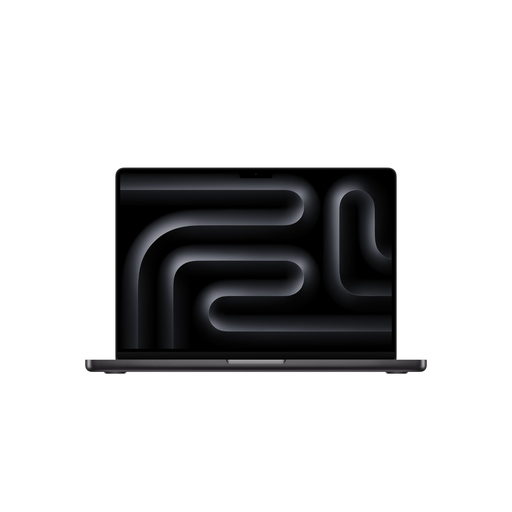
Why This Fits Their Persona: This configuration offers balanced performance for 4K video editing, graphic design, and photography. The 16-core GPU handles demanding visual tasks, while 24GB of RAM enables smooth operation in programs like Final Cut Pro or the Adobe Creative Suite.
Avoids the "more-cores trap" by providing a core count sufficient for most creative workflows without needing to invest in the more expensive M5 Max chip.
Balanced price-to-performance ratio for professional creative work. The 24GB of RAM provides a future-proof foundation for upcoming software requirements.
Why This Fits Their Persona: The higher CPU core count accelerates compiling large codebases and running virtual machines. The 2TB SSD provides ample space for extensive projects and datasets, while the 24GB of RAM allows for training smaller local AI models.
Addresses the memory bottleneck by providing a solid 24GB foundation for Apple Intelligence and memory-intensive development environments.
High CPU performance for compute-intensive tasks. The large and fast SSD storage significantly reduces load times when working with large datasets.
Why This Fits Their Persona: For users working with 3D rendering, simulations, or editing 8K RAW video footage. The 32-core GPU and high memory bandwidth of the M5 Max chip (460 GB/s, according to Apple) are designed for these extreme workloads. 36GB of RAM provides the necessary buffer for very large scenes and textures.
Solves the "chip confusion" by demonstrating a clear use case for the M5 Max chip. This level of performance is overkill for standard tasks but essential for specialised professionals.
Maximum GPU performance in a portable form factor. The ability to drive up to four external displays creates a powerful workstation environment.
We have compiled a complete, up-to-date list of products that fully meet these strict selection criteria and local regulations.
For most professional use cases in the creative and software development fields, the configuration with 24GB of unified memory and a 1TB SSD provides a very good foundation for the coming years. It allows for smooth multitasking and offers sufficient capacity for increasingly memory-intensive AI functions and operating system updates. However, users who regularly work with extremely large video files (8K) or extensive virtual machines might consider a 2TB SSD.
On a professional Apple notebook with an M5 Pro chip, Apple Intelligence can perform complex tasks directly on the device without relying on cloud servers. According to Apple, this increases data privacy and speed. Practical benefits include context-aware actions in apps, creating summaries of long documents or emails, and advanced writing tools that are available system-wide. The performance of the M5 Pro chip ensures that these processes run seamlessly in the background.
Yes, according to Apple's product information, the MacBook Pro 14 (2026) comes with a USB-C to MagSafe 3 Cable, but the power adapter is sold separately. To use the fast-charging feature, a USB-PD power adapter of 96 watts or more is required. The minimum power to charge the device is 70 watts. This gives users the flexibility to use an existing USB-C power adapter or purchase a suitable model separately.