
Lieferung heute & morgen

Qualitätsgarantie

Willkommens-Angebote freischalten: KOSTENLOSE Lieferung | Bis zu 80 % RABATT | Kostenlose 30-Tage-JoyPlus-Testphase
App herunterladen
Deciding to buy a new 16-inch MacBook Pro is a significant investment, especially with the 2026 models featuring the powerful Apple M5 Pro chip. The market is flooded with configurations, and marketing jargon can make the choice difficult. Many buyers end up investing in features they don't need or choosing a configuration that falls short of their professional demands. This guide focuses on the objective facts to help you make the right decision and sidestep common purchasing pitfalls.
Before you make a decision, be aware of three common misconceptions:
MacBook Pro M5 Pro price is only part of the equation. With the 2026 models, the power adapter is sold separately. Additional costs for necessary adapters or software should also be factored into your budget planning.To find the right configuration, it's crucial to evaluate the technical specs in the context of your individual workflow. Focus on the following three core areas.
The central decision lies between the M5 Pro and M5 Max chips. Both offer enormous performance and dedicated MacBook Pro with AI features thanks to the enhanced Neural Engine. The difference lies in their scaling.
Ask yourself if your daily workflow regularly pushes the GPU to its limits. If not, the M5 Pro is the more economical yet still future-proof choice.
Apple's unified memory allows the CPU and GPU to access the same pool of memory at extremely high speeds. This boosts efficiency, but it also means the amount you choose cannot be upgraded later.
laptop for professional video editing, multi-layered photo editing, and most development environments. A MacBook Pro 16 24GB RAM 1TB SSD is a very well-balanced configuration.The efficiency of Apple silicon chips results in remarkable battery life. According to Apple, the 16-inch model with M5 Pro offers a MacBook Pro M5 Pro battery life of up to 24 hours of video playback. This enables a full workday without needing a power adapter.
Connectivity has also been improved. The 2026 models feature:
Here are three configurations tailored to different professional needs, designed to avoid the pitfalls mentioned earlier.
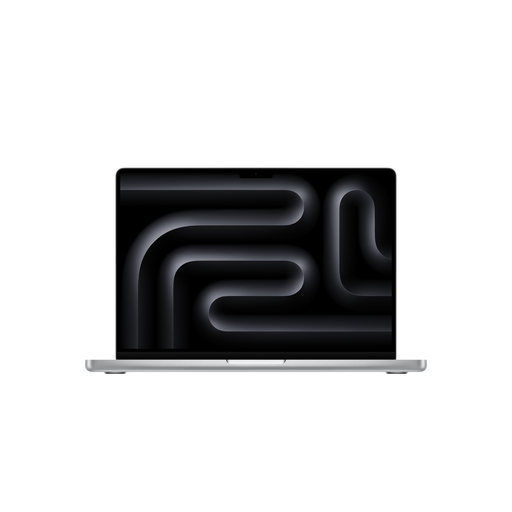
Why This Fits Their Persona: Ideal for video producers, photographers, and developers who need high performance for daily tasks but don't consistently generate extreme GPU loads. This configuration offers an excellent balance of performance and price.
Avoids the extra expense of the M5 Max chip, whose full graphics power is rarely utilized in this use case. The 24 GB of RAM is the optimal compromise between performance and cost.
Strong CPU and GPU performance for all common creative applications. The 1 TB SSD provides ample fast storage for active projects.
Why This Fits Their Persona: Designed for users whose work depends on maximum GPU performance, such as 3D artists, AI developers, and engineers. Here, every second of render time is critical.
For this profile, skimping on the chip would be a mistake. Investing in the M5 Max and 48 GB of RAM prevents performance bottlenecks that would slow down workflows and thus incur costs.
Maximum graphics performance from the 40-core GPU and enormous 614 GB/s memory bandwidth. Supports up to four external displays for complex setups.
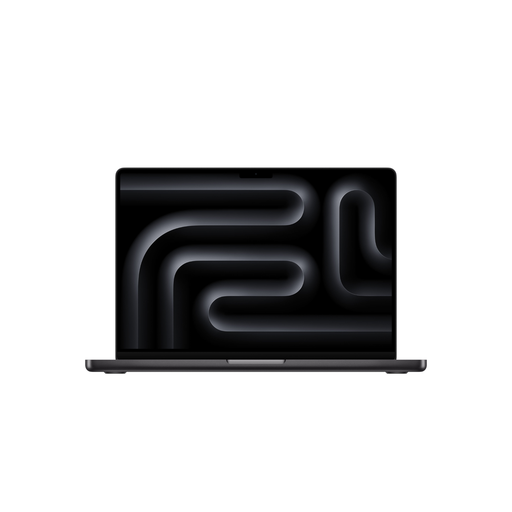
Why This Fits Their Persona: For professionals who are often on the go but refuse to compromise on performance. The 14-inch model offers the core power of the M5 Pro in a lighter, more compact package.
Prevents buying a larger, heavier device when mobility is a top priority. It demonstrates that professional performance isn't exclusively tied to the 16-inch form factor.
High performance in a portable format (1.60 kg). The Liquid Retina XDR display is identical in quality to the larger model's, just more compact.
We have compiled a complete, real-time updated list of products that fully meet these strict selection criteria and relevant safety regulations.
Is the M5 Pro chip sufficient for 8K video editing? Yes, the M5 Pro chip is designed to handle 8K ProRes video footage. The hardware acceleration for ProRes and the powerful Media Engine enable a smooth workflow. However, for projects with multiple 8K streams, complex effects, and color grading, the M5 Max chip can offer advantages with its higher GPU performance and memory bandwidth.
Is the power adapter included with the 16-inch MacBook Pro (2026)? No, according to the product specifications for the 2026 models, the power adapter is sold separately. A USB-C to MagSafe 3 Cable (2 m) is included in the box. For the 16-inch model, a minimum of 140W is recommended for charging and to utilize the fast-charging feature.
How does unified memory differ from traditional RAM? Unified memory is a single pool of memory that both the CPU and GPU can access directly. In traditional architectures, data must be copied between system memory (RAM) and dedicated graphics memory (VRAM), which creates latency. This shared access eliminates those copy operations, significantly boosting the overall performance and efficiency of the system, especially in graphics- and data-intensive tasks.