Layout and image designers
If you create pitch pages using images and typography, check the requirements for the layout and image-editing software you actually use. Adobe publishes requirements for each programme and version.


Choose a desktop for your magazine pitch based on the software you actually use, the screen you already have and the connections you need – not simply on the basis of getting the biggest graphics card possible. If you regularly work on layouts and edit images, check the requirements for the specific software version, the memory and the available SSD space. Mini PCs and all-in-ones save desk space, while a tower may offer more room for future internal upgrades.
If you create pitch pages using images and typography, check the requirements for the layout and image-editing software you actually use. Adobe publishes requirements for each programme and version.
If your work is mainly research and writing, followed by submitting a digital draft, look for software that suits your needs, a screen that's comfortable to work on and connections for your existing devices. Adobe also outlines checks you can make on PDF files.
If you're setting up a new workspace, decide whether to keep using your existing monitor or choose a computer with a built-in screen. ASUS describes mini PCs designed for use with a separate monitor, while HP also offers all-in-one models.
A good fit if: you already have a suitable screen or want to choose one separately, and desk space is limited.
Trade-off: a screen isn't automatically included; features and upgrade options depend on the specific model.
A good fit if: you want to buy the computer and screen together rather than choosing the display separately.
Trade-off: screen size and display features are tied to the model you choose. For example, HP offers an OmniStudio model with an integrated 24-inch display.
A good fit if: you want to keep using a separate monitor or prioritise connections and future internal upgrades.
Trade-off: a tower takes up more desk space. F.A.Z. Kaufkompass described the Lenovo ThinkCentre M90t Gen 6 as a more upgradeable alternative to the Dell Pro Slim Plus QBS1250. This is an assessment of those specific models, not a general comparison of all towers and slim desktops.
| Buying priority | What to check | Who is this important for? |
|---|---|---|
| Layout and image-editing software | Check the programme version, operating system, memory, available SSD space and, where relevant, GPU requirements. For InDesign 21.3 and later on Windows, Adobe specifies at least 8 GB and recommends 16 GB of RAM; for Photoshop 27.x, Adobe recommends 16 GB or more. | If I'm editing layouts and images, I want to choose a computer that suits the software I actually use. Around 33% of consumers are likely to consider layout and image-editing software their top buying priority. |
| Text and PDF submissions | Decide which programmes and file formats you need, then check the monitor, connections and input devices. Before submitting a PDF, check image links, fonts and overset text, among other things. | If writing, reviewing and preparing a submission-ready PDF are my main priorities, a suitable workflow matters more to me than an unsubstantiated performance reserve. Around 27% of consumers are likely to prioritise text and PDF work. |
| Space and screen | Consider the space on your desk, the connections on any monitor you already have and what's included with the version you're considering. | If my desk is short on space or I want to use a screen I already own, the form factor will affect my choice. Around 20% of consumers are likely to prioritise space requirements and screen choice. |
| Upgrades and data backup | Check the upgrade options for the exact configuration and plan to keep regular, separate backups of your pitch files. | If I might want to upgrade the computer internally later and keep my text and images safe, I'll check both before buying. For around 20% of consumers, upgrades and file backups are likely to be the main priority. |
Configurable desktop ranges and different versions of the same basic model can vary in their specifications and suitability for the software you use.
Compare the full model number and the configuration on offer with the requirements of your programmes.
A mini PC or slim desktop may need extra equipment to make a complete workstation. Details about what's included may also apply only to a particular version.
Before buying, check what's included with the exact version and ask the retailer to clarify anything that's unclear.
If your work files and supposed backup copies are all stored on the same computer, they could be lost together if the device fails.
Keep copies separately from your work device and check that you can restore the files. The German Federal Office for Information Security recommends backing up data to protect against data loss.
The Pro Slim Plus QBS1250 is a slim desktop designed for a permanent workstation.
The ThinkCentre M90t Gen 6 is a tower range with configurable specifications.
The OmniDesk Slim S03 is a standalone desktop, while the OmniStudio range includes all-in-one models with integrated screens.
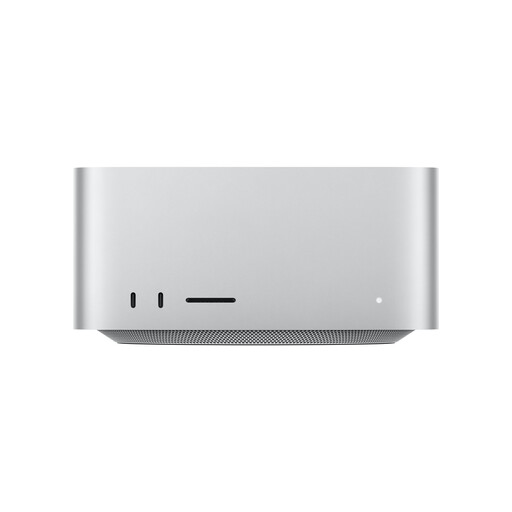
The Mac mini is a compact macOS desktop for buyers whose software and existing devices are compatible with macOS.
The NUC 15 Pro+ range is designed for use with a separate monitor and a workspace with limited desk space.
This selection includes desktop PCs for a work-from-home pitch setup. Depending on the model, check software compatibility and connections for your screen.
 No image available
An option for a desktop workstation, provided the software you use is compatible with the Windows configuration on offer.
16 GB DDR5 RAM; 512 GB SSD; RTX 5060; Windows 11 Home.
 No image available
The tower form factor is one option for a workstation with a separate monitor. Check the exact configuration for suitable connections and software compatibility.
32 GB DDR5 RAM at 5600 MHz; Core Ultra 7 265 with 20 cores; Intel Graphics; Windows 11 Pro; DisplayPort outputs.
 No image available
A slim desktop option for a workstation with a separate screen. Check that its connections work with your monitor and software.
Intel Core Ultra 7 265; 32 GB DDR5 RAM; 512 GB NVMe SSD; Intel Graphics; Windows 11 Pro; DisplayPort outputs.
 No image available
For a workstation with a separately chosen screen. Before buying, check that your pitch software and existing devices work with macOS.
18-core CPU; 36 GB unified memory; 512 GB SSD; Thunderbolt 5; HDMI; macOS.
 No image available
A mini PC option for a workstation with a separate monitor. Make sure the video outputs and software compatibility suit your particular setup.
AMD Ryzen 7 7735HS; 24 GB LPDDR5; 512 GB NVMe SSD; HDMI, DisplayPort and USB-C; Windows 11 Pro.
Not necessarily. Check the requirements for the programmes and versions you actually use. Adobe specifies particular GPU requirements for Photoshop 27.x. That doesn't mean every pitch needs a separate graphics card, or that every integrated graphics solution will be suitable.
Make backup copies of your text, images and drafts, and check that you can restore them. The German Federal Office for Information Security recommends backing up data to protect against data loss; this does not establish any legal requirement to buy particular hardware.
No. A warranty is an additional promise made by the warrantor. For an ordinary purchase of goods, claims for defects specified in § 438 BGB generally become time-barred two years after delivery. Specific claims and exceptions depend on the purchase and the applicable legal requirements. If you bought the product for professional or commercial use, check the contract terms separately.
Products covered by relevant EU harmonisation legislation must carry the CE marking, as explained by the German Federal Network Agency. Check that the specific product listing shows the correct marking and product identity. The marking alone is not an independent quality test.
Not necessarily. Before exporting, Adobe recommends checking for missing image links, fonts and overset text, among other things. Also ask the recipient whether they need a PDF for viewing or for print. This is workflow advice, not a minimum hardware requirement.