
Lieferung heute & morgen

Qualitätsgarantie

Willkommens-Angebote freischalten: KOSTENLOSE Lieferung | Bis zu 80 % RABATT | Kostenlose 30-Tage-JoyPlus-Testphase
App herunterladen
By Joybuy Product Recommendation Officer, August 28, 2026
Recording 4K ProRes video with an iPhone 15 or 16 Pro is a game-changer for content creators. However, the massive storage requirements can quickly max out your internal memory. An external SSD is the obvious solution, but the market is flooded with products making exaggerated marketing claims. This guide will help you understand the technical details and make an informed decision that genuinely enhances your workflow.
Many users invest in an external SSD only to be disappointed when its performance fails to meet expectations. Here are two common problems that can lead to buyer's remorse.
To avoid the pitfalls mentioned above, you should closely examine three technical specifications. These define the true performance and usability of an external SSD for demanding tasks.
An SSD's speed is largely determined by its interface. Pay close attention to the naming convention:
Not every external SSD is suitable for direct video recording with the iPhone 15/16 Pro. The drive must maintain a sustained high write speed to process the data streams generated by Apple ProRes without interruption. Check if the manufacturer explicitly states compatibility for direct recording with the external SSD for iPhone 15 Pro.
A shock-resistant external SSD is essential for mobile use. Models with an aluminum alloy casing not only offer better protection against drops (often specified by shock resistance in Gs, e.g., 1500G) but also act as a passive heatsink. This is crucial for preventing overheating and the associated performance throttling during long file transfers or video recordings.
Based on the criteria above, we have identified products suitable for different user profiles.
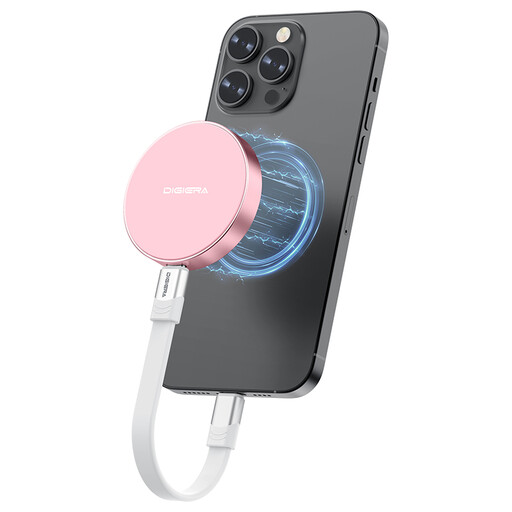
Why This Fits Their Persona: Ideal for videographers who film directly with their iPhone. The SSD attaches magnetically to the device, creating a stable, cable-free recording setup without extra rigging. Its light weight of just 46 grams (1.62 oz) barely affects the iPhone's handling.
Solves the impractical handling issue with its magnetic attachment. Explicit support for direct ProRes recording and a high write speed of up to 1800 MB/s prevent recording interruptions.
USB 3.2 Gen 2x2 interface for transfer rates up to 2000 MB/s. Supports direct 4K 60fps ProRes recording on the iPhone 15 Pro and 4K 120fps on the iPhone 16 Pro.
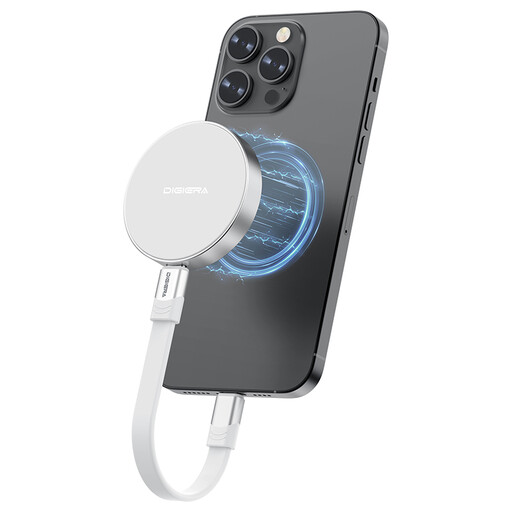
Why This Fits Their Persona: Perfect for users who need an extremely fast and versatile 1TB portable SSD for various devices. The high speed accelerates workflows for photographers and designers and serves as fast external storage for PS5 to offload games.
The rugged aluminum alloy casing is shock-resistant up to 1500G and efficiently dissipates heat, minimizing the risk of performance throttling during intensive use. The USB 3.2 Gen 2x2 interface ensures that the advertised speeds can actually be achieved.
Universal USB-C compatibility with laptops, tablets, cameras, and consoles. The combination of high speed, 1TB capacity, and rugged build makes it a reliable tool.
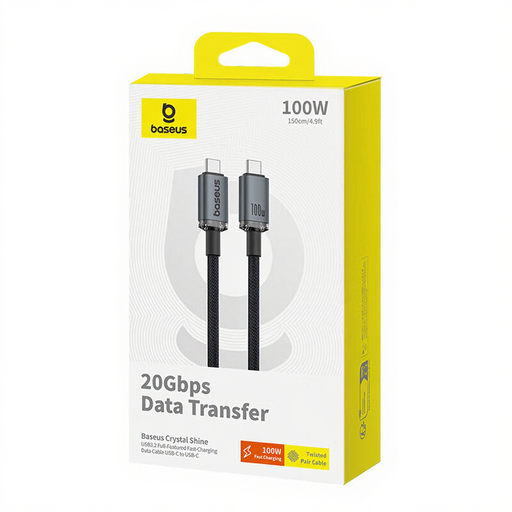
Why This Fits Their Persona: A high-performance cable isn't an optional accessory; it's a necessity to unlock the full potential of a fast SSD. This cable is designed for users who want to ensure no link in their chain is slowing down performance.
Prevents the bottleneck effect. Many users buy an expensive SSD but use an inadequate cable, then wonder about slow transfer rates. This cable is explicitly specified for 20 Gbps (USB 3.2 Gen 2x2).
Supports data transfers up to 20 Gbps and Power Delivery up to 100W. The durable nylon braiding ensures longevity for mobile use.
We've compiled a complete, up-to-date list of products that fully meet these strict selection criteria.
1. Do I need a special case to attach a magnetic SSD to my iPhone? For an optimal and secure attachment, using a MagSafe-compatible case or no case at all is recommended. With thick, standard cases that lack magnetic components, the magnet's holding force can be noticeably reduced, compromising the stability of the connection.
2. Can I use a 2000MB/s SSD with any USB-C cable? No. To achieve the full speed of up to 2000 MB/s (20 Gbps), you need a cable that explicitly supports the USB 3.2 Gen 2x2 standard. A simple USB-C charging cable or a cable rated for USB 3.2 Gen 1 (5 Gbps) or Gen 2 (10 Gbps) will significantly limit the transfer rate.
3. Is an external SSD a good storage expansion for a PS5? Yes, a fast external storage for PS5 is a practical solution. You can store and play PS4 games directly from the external SSD. PS5 games can be archived on the external SSD to free up internal storage, but they must be moved back to the console's internal SSD to be played. A fast SSD significantly shortens these transfer times.