To back up a manuscript without using the cloud, choose a USB stick that’s compatible with your writing device and include it in a backup routine that keeps another copy separately. Check regularly that you can open a saved version: Germany’s Federal Office for Information Security points out that the lifespan of storage media cannot be predicted exactly. Encryption can be useful for confidential files, but it doesn’t replace an additional backup.
Who is a USB stick backup suitable for?
Writers working on ongoing drafts
If you work on your manuscript regularly, your backup routine should keep an older, genuinely readable version available. Germany’s Federal Office for Information Security recommends considering how you’ll restore a backup.
Writers with confidential files
If you store unpublished drafts or identifiable information, consider whether encryption could reduce the risk if your USB stick is lost. Make sure you also have a secure way to manage your password or unlock code.
Writers using multiple devices
If you switch between devices, check before buying whether you need USB-A, USB-C or both types of connection. The right connector makes it easier to back up and open your files later.
What should you consider when choosing one?
Choose a stick based on its connector and the size of your project, but plan for recovery and a separate second copy whatever model you choose.
| What matters |
What to check before buying |
Who should pay particular attention? |
| Restoring earlier versions |
Is there enough storage for multiple versions, and can you open a backed-up file? |
If you want to restore an earlier version of your manuscript, having a readable copy should matter more than simply adding another storage location. Around 36% of consumers would put recoverability first. |
| Keeping files confidential if the stick is lost |
Check whether you want to use hardware or software encryption, and how you’ll manage your password or code. |
Protecting files from unauthorised access can be especially important if you store unpublished drafts or personal information on the stick. Around 29% of consumers would prioritise keeping their files confidential. |
| A connector that fits your devices |
Check the ports on every device you’ll use to back up or open files. If you’re considering a dual-connector stick, check the exact version. |
If you work on devices with different types of connection, you’ll want to transfer manuscript files without having to find an adapter. Around 21% of consumers would consider device compatibility first. |
| Capacity and write speed |
Check the size of your project folder, including the versions you want to keep. For larger copies, compare write-speed figures, not just read speeds. |
If you’re backing up images, research material or lots of interim drafts as well as your text, capacity and copying time matter more. Around 14% of consumers would put these two factors first. |
Common manuscript backup mistakes
-
Relying on a single USB stick for your entire backup plan
A stick can fail or become unreadable, leaving you without the only backup stored on it. Germany’s Federal Office for Information Security points out that the lifespan of storage media cannot be predicted exactly.
Keep another copy separately and check from time to time that you can open a backed-up version.
-
Assuming read speed means fast backups
When copying files to a stick, write performance matters. In COMPUTER BILD’s test, the 128 GB models tested had different write speeds; the results apply to the specific versions tested.
If you regularly back up larger project folders, compare write-speed figures and independent test results for the exact model and capacity you’re considering.
-
Choosing encryption without a plan for your code and a second copy
For the 128 GB Verbatim Keypad Secure, the manufacturer says the drive must be reformatted after 20 incorrect code entries. If you forget the code, this could put access to your stored files at risk.
Keep your unlock code somewhere secure and maintain a separate backup of your manuscript.
Brands to consider
SanDisk
Tests of SanDisk models show why it’s important to check the exact model and capacity when choosing a stick.
- COMPUTER BILD rated the write speed of the 128 GB Extreme Pro it tested positively.
- COMPUTER BILD rated write speed as very slow on the 128 GB Ultra Dual Drive Luxe it tested. These results don’t apply to all SanDisk models.
Verbatim
The Keypad Secure is aimed at people looking for a USB-A stick with hardware encryption that unlocks using a keypad.
- Verbatim specifies 256-bit AES hardware encryption for model #49429 with 128 GB.
- Verbatim says the drive must be reformatted after 20 incorrect code entries. The 128 GB version tested failed COMPUTER BILD’s independent drop test.
Kingston
The DataTraveler Exodia is designed for straightforward USB-A use, while the IronKey Vault Privacy 50 series is aimed at people looking for hardware-encrypted storage.
- Kingston lists USB-A and capacities from 64 to 512 GB for the DataTraveler Exodia. For the IronKey VP50, Kingston specifies 256-bit XTS-AES hardware encryption.
- Check the exact connector type and how passwords are managed before choosing. Encryption specifications don’t indicate a general failure rate.
Samsung
The BAR Plus is a USB-A option if you need more capacity for project files.
- Samsung lists a capacity of 256 GB for the MUF-256BE3/APC and sequential read speeds of up to 400 MB/s under the stated test conditions.
- The quoted read speed isn’t a write speed for manuscript backups, nor does it prove that your data will be more secure. The capacity you can actually use may be lower than the stated figure.
Intenso
The High Speed Line features as a 128 GB USB-A option in COMPUTER BILD’s ranking.
- COMPUTER BILD reports high read speeds for the model it tested.
- For the 128 GB model it tested, COMPUTER BILD criticised its slow write speed and fragile build. This assessment doesn’t apply to the entire Intenso range.
Joybuy products for local manuscript copies
These Joybuy products are designed for keeping local copies of files and manuscripts on USB sticks. Before buying, check that the connector, capacity and, where applicable, password protection suit your device and backup plan.
 No image available
Kexin 2-in-1 USB flash drive, USB 2.0, USB-A and USB-C, 2 × 32 GB
The two connector types can make it easier to switch between devices with USB-A and USB-C.
USB 2.0; USB-A and USB-C; pack of 2, each with 32 GB.
View at Joybuy
 No image available
SanDisk SDCZ50-032G-B35 Cruzer Blade USB 2.0, 32 GB
This could work as a local copy of your manuscript files, provided the capacity and connector suit your device.
32 GB; USB 2.0. The usable storage space may be less than 32 GB.
View at Joybuy
 No image available
SanDisk 64GB CZ50 Cruzer Blade USB flash drive
You can use this to keep a local copy of your manuscript, as long as it has enough capacity for your project folder and the versions you want to save.
64 GB.
View at Joybuy
 No image available
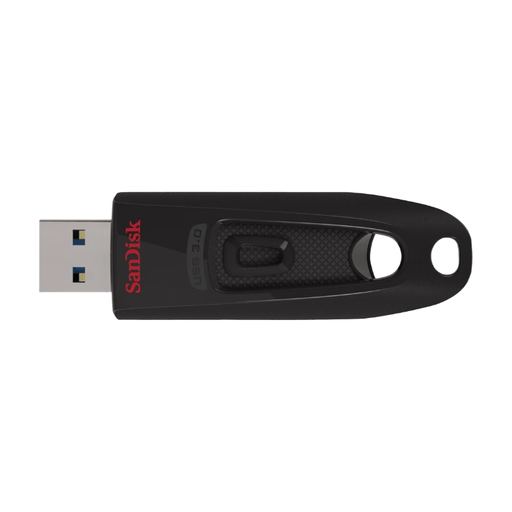
SanDisk Ultra USB flash drive, USB 3.0, 64 GB
The capacity could suit manuscript files and other project documents, provided it’s enough for the size of your backup.
64 GB; USB 3.0.
View at Joybuy
 No image available
SanDisk Ultra Flair USB flash drive, USB 3.0, 128 GB, password protection
If you want to keep larger project folders or multiple versions, check whether 128 GB is right for the amount of data you actually need to back up.
128 GB; USB 3.0; password protection as stated in the product name. Check how to set up protection and manage access before buying.
View at Joybuy
Frequently asked questions
Is it enough to move my manuscript to a USB stick?
No. Keep your working file and a separate backup, and check from time to time that you can open a saved version. Germany’s Federal Office for Information Security points out that the lifespan of storage media cannot be predicted exactly, and that you need to be able to restore your files.
How do I remove the stick without putting my backup at unnecessary risk?
Check the saved copy, then use the eject or safely remove function before unplugging the stick. Microsoft recommends safely removing USB storage devices to avoid data loss.
What should I know about the password for an encrypted USB stick?
Manage your password or unlock code so that you can regain access, and keep an additional copy of your manuscript separately. For the 128 GB Verbatim Keypad Secure, the manufacturer says the drive must be reformatted after 20 incorrect code entries.
What do statutory rights and guarantees mean when buying in Germany?
Statutory rights are set out by law and apply to the seller; a guarantee is an additional voluntary promise with its own terms. Germany’s consumer advice centre points out that they cover different entitlements. Neither a guarantee nor a replacement stick can restore lost manuscript files.


