What should you look for?
First, check that your map view and tools are easy to read at your usual text size. Then consider whether print colours, desk space or the connection to your laptop are also important for your work.
| What matters |
What to check before buying |
Who is this important to? |
| Map details and labels |
Arrange the map view, legend and tools on the intended screen size, using your usual text size. |
If I want to read small labels and use tools at the same time, I look for a suitable resolution and scaling setting; around 33% of consumers prioritise readable map details. |
| Colours for print output |
Set your output target, then match the colour mode, calibration options and available profiles to it. |
If I need to assess map colours for a specific print job, I consider the entire colour workflow; around 27% of consumers prioritise print colours. |
| Space and ergonomics |
Compare the available desk space with the monitor’s dimensions, including the stand, and check that it offers the height or tilt adjustment you need. |
If my desk has limited space, the dimensions and a suitable position matter more to me than extra pixels; around 20% of consumers prioritise how well a monitor fits their workspace. |
| Laptop connection |
Check the video output, monitor input, cable and required charging power for your specific device combination. |
If I want to connect my laptop to the monitor and possibly charge it at the same time, I check that all the components are compatible; around 20% of consumers prioritise a suitable laptop connection. |
Monitors for map work at Joybuy
The following Joybuy products include QHD and 4K monitors, as well as an extra-wide model for map views and home-working setups. For each device, check that the resolution, scaling, space requirements and connections suit your specific workflow.
 No image available
KTC H27T27 QHD monitor
A QHD workspace for maps, legends and labels. Check readability with your preferred scaling setting.
27 inches; 2560 × 1440 pixels; Fast IPS panel; 99% sRGB; tilt-adjustable stand.
Joybuy
 No image available
Gigabyte GS27QCA curved QHD monitor
A curved QHD screen for digital map work. Check that its shape and scaling suit your map view.
27 inches; 2560 × 1440 pixels; 180 Hz; 1 ms; 122% sRGB according to the product description.
The colour gamut figure alone doesn’t guarantee print-accurate colours.
Joybuy
 No image available
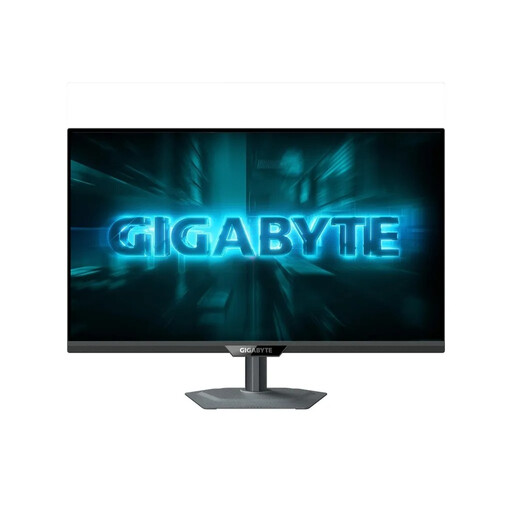
GIGABYTE G27Q2 QHD monitor
A QHD option for maps and labels if you want to adjust the screen to suit your seating position.
27 inches; 2560 × 1440 pixels; Fast IPS panel; height adjustment, pivot, swivel and tilt.
Joybuy
 No image available
INNOCN 40C1U ultrawide monitor
The 21:9 format gives you a wide workspace for maps and extra windows. Measure your available space before choosing.
40 inches; 5120 × 2160 pixels; IPS panel; USB-C with 65 W Power Delivery; height-adjustable stand. The stated width with the stand is 944,1 mm.
Check compatibility with your laptop, cable and power supply.
Joybuy
 No image available
INNOCN CB27U1 4K monitor
A 4K option for detailed map views. Adjust the scaling so labels and tools remain easy to read.
27 inches; 3840 × 2160 pixels; IPS panel; USB-C with 90 W Power Delivery; height adjustment, swivel and pivot.
Compare the video output and charging requirements with your laptop’s capabilities.
Joybuy
Frequently asked questions
Does a map prepared for print need to look exactly like the finished print on screen?
No. The monitor is just one part of the colour workflow. Set your output target and check the relevant profiles, settings and calibration. The QGIS documentation describes exporting print layouts in formats including PDF, SVG and image files.
Is USB-C on a monitor enough to run my laptop with a single cable?
Not necessarily. BenQ specifically lists DisplayPort Alt Mode and 65 W Power Delivery for the PD2705U; ASUS specifies 96 W Power Delivery for the PA279CRV. Check the video output, cable and required charging power against the specifications of your laptop.
How can I keep colours consistent for repeat print jobs?
Choose a colour mode that suits your output target and follow a calibration and profiling process that you can verify. EIZO describes the monitor as one possible source of error, alongside the operating system, software and printer. A single colour gamut figure isn’t enough.
What rights do I have when buying a monitor online as a private consumer?
According to the EU consumer portal Your Europe, distance sales generally come with a 14-day right to cancel from the date of delivery, subject to the stated exceptions. If goods are faulty, you’re entitled to a minimum two-year legal guarantee from the seller; this is separate from any additional manufacturer’s warranty. Check the specific seller’s terms, including any return postage costs.
Do the same rules apply to every home-working desk as to a designated teleworking workstation?
No. The official recommendation of the Committee for Workplaces distinguishes a teleworking workstation set up by an employer under specified conditions from other forms of mobile working. The term home working alone doesn’t determine the specific employment law classification; nor does it mean that a general minimum monitor resolution applies to private map design.


