What should you look for?
First decide which game you want to play on which console. Then you can match the controls, setup and set contents to your games room.
Joy-Con steering wheel attachment
A good fit if: You want to use your existing Joy-Con as steering controls for Mario Kart on the corresponding Switch generation.
Keep in mind: The attachment isn’t a standalone steering wheel with pedals. Joy-Con 2 and original Joy-Con aren’t interchangeable.
Standalone steering wheel with pedals
A good fit if: You want a wheel that can be secured to your setup, with pedals, rather than a controller shell for the original Switch.
Keep in mind: HORI lists the NSW-228U for the original Nintendo Switch. This doesn’t mean it supports Mario Kart World on Switch 2.
Force feedback set
A good fit if: You play other racing games as well as Kart games on a supported PC, PlayStation or Xbox version.
Keep in mind: Platform listings and force feedback don’t prove that a particular Kart game supports the steering wheel.
| What matters |
What to check before buying |
Who should consider this? |
| Console and game |
Check the console generation, full model name and support for the specific Kart game separately. |
If I mainly play Mario Kart, I want to be sure the steering wheel and game work together. Around 36% of consumers put compatibility with their console and game first. |
| Steering feel and pedals |
Check the type of controls you want, space for pedals and a suitable surface for mounting the wheel. |
If I want to use a standalone steering wheel and pedals at a dedicated gaming setup, I’ll compare those features with a simple controller attachment. Around 29% of consumers prioritise steering feel, pedals and mounting. |
| Multiplayer racing |
Consider which controllers you already own and what’s actually included in the set. |
If several people are going to play together, I want to know which controllers we already have and how many steering wheel attachments come with the set. Around 21% of consumers prioritise multiplayer Kart sessions and the controllers they already own. |
| Set contents and extras |
Check the controllers, steering wheel attachments, pedals and mounting options against the setup you want. |
If I want to avoid buying extras I don’t need, I’ll check carefully whether controllers are actually included. Around 14% of consumers put set contents and possible extra purchases first. |
Suitable products at Joybuy
This selection includes Joy-Con steering wheel accessories for the original Switch and Switch 2, as well as force feedback steering wheels for other racing games. Check the specific platform and game support for each model. The accessories don’t replace a standalone steering wheel with pedals.
 No image available
Logitech G923 SE Racing Wheel + Pedals Bundle
For a dedicated setup with a steering wheel and pedals, provided the specific version is supported by the game you want to play.
The product title lists PlayStation, Xbox, PC and Mac, as well as Direct Drive. Check the platform listing against your specific console and game.
View at Joybuy
 No image available
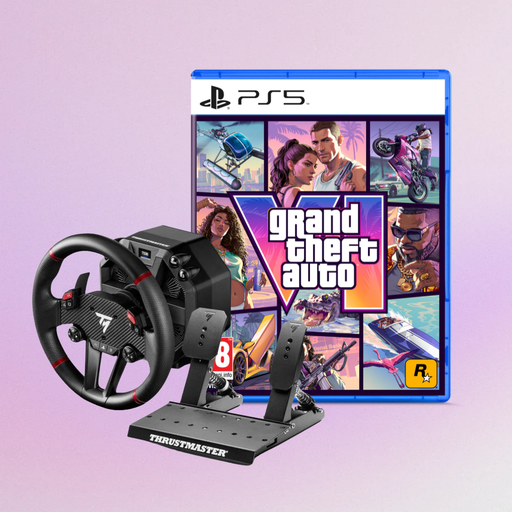
Thrustmaster T598-P Direct Axial Drive Force Feedback
An option for a dedicated racing wheel and pedal setup, provided your platform and specific game are supported.
The product title lists PS5, PS4 and PC. The product information specifies 5 Nm of torque and a metal pedal set; the bundle also includes a GTA VI PS5 edition.
View at Joybuy
 No image available
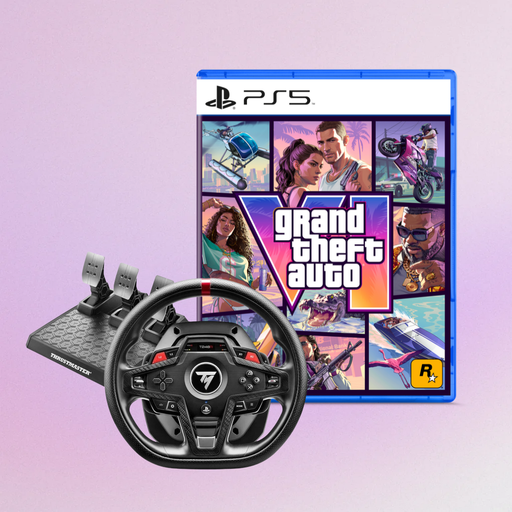
Thrustmaster T248R Racing Wheel (PS5/PS4/PC)
Could be suitable for a games room setup if the listed platform and specific game are compatible.
The product title also lists GTA VI for PS5 as a German code-in-a-box edition, with the Vice City Pack pre-order bonus. The platform listing doesn’t confirm support for a particular Kart game.
View at Joybuy
 No image available
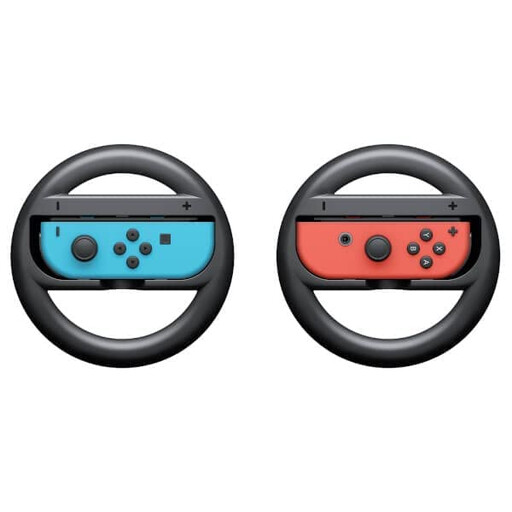
Nintendo Switch Joy-Con Steering Wheel Pair
For Mario Kart 8 Deluxe on the original Switch, if you want to use compatible Joy-Con you already own as steering controls.
The set includes two steering wheel attachments. It isn’t a standalone steering wheel with pedals; compatible Joy-Con are required.
View at Joybuy
 No image available
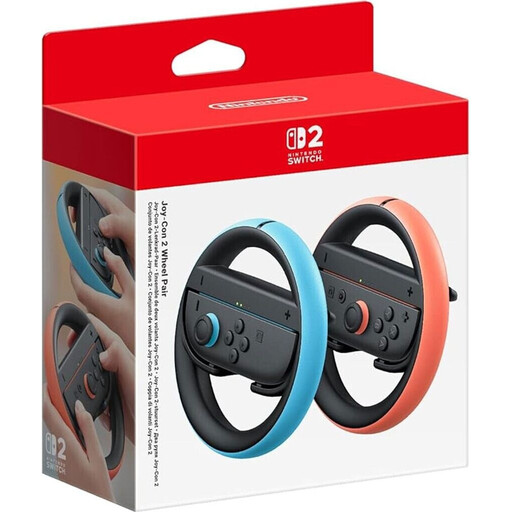
Nintendo Switch 2 Joy-Con 2 Steering Wheel Accessories (Light Blue/Light Red)
For Mario Kart World on Switch 2 if you want to use motion controls with compatible Joy-Con 2. Nintendo describes this as one way to use motion controls.
The two-piece set includes two steering wheel attachments, but no controllers. Nintendo says the accessories can only be used with Joy-Con 2; they aren’t a standalone steering wheel with pedals.
View at Joybuy
Frequently asked questions
How do I use the Joy-Con 2 steering wheel in Mario Kart World?
While the game is paused, open the control settings and turn on motion controls. Nintendo specifies a motion-control-compatible controller and recommends using a Joy-Con 2 in the Joy-Con 2 steering wheel.
Can I use the original Joy-Con steering wheel pair instead of the Joy-Con 2 set?
Not just because the names are similar: Nintendo describes the original pair for Joy-Con and games including Mario Kart 8 Deluxe, while the Joy-Con 2 set is only for Joy-Con 2. Check your controllers and console generation before buying.
What should I check about mounting and pedals?
Before playing, check that your chosen mount and the pedals are secure in their intended positions. HORI lists a clamp or suction cups for the NSW-228U; this doesn’t imply a set maintenance schedule.
What rights do I have when shopping online in Germany?
You generally have a right to cancel a distance contract. The standard cancellation period is 14 days, although statutory exceptions may apply. The Federal Ministry of Justice and Consumer Protection sets out the rules in §§ 312g and 355 of the German Civil Code (BGB). Statutory rights relating to faulty goods are separate from a voluntary guarantee.
Does a CE mark prove that a steering wheel supports my Kart game?
No. A CE mark relates to compliance with the relevant EU rules, where those rules require the product to be marked; it doesn’t confirm compatibility with a game. Check the specific product version and game instead.


