What should you look for when buying?
First, check the game, console and controller generation. Then decide whether you want to steer by tilting or use a standalone wheel with pedals, and check headphone compatibility separately.
Joy-Con steering wheel attachment
A good fit if: you want to steer by tilting a compatible Joy-Con you already own and need to save space.
Keep in mind: The attachment is not a substitute for a standalone wheel with pedals. Nintendo's wheel pairs do not include controllers, and the Joy-Con 2 model is only for Joy-Con 2.
Standalone Switch steering wheel with pedals
A good fit if: you have room for the wheel, pedals and mounting hardware, and want a model with game support specified by the manufacturer. HORI lists its Switch 2 Pro Mini and Pro Deluxe models as compatible with Mario Kart World.
Keep in mind: USB cables, pedals and mounting hardware need space. HORI says Button Hold is not compatible with Mario Kart World on the Switch 2 Pro Mini.
Sim-racing steering wheel for other platforms
A good fit if: you also play a specific racing game on a platform supported by the model, and have checked that the game supports the wheel.
Keep in mind: Force feedback or pedal specifications do not confirm support for Mario Kart on Switch. Logitech G and Thrustmaster list different platform variants.
| Buying priority |
What to check |
Who it matters most to |
| Game and controller compatibility |
Game version, console model and full steering wheel name; for attachments, check the controller generation. |
I want to be sure the steering wheel, controller and game will work together before I buy. Around 29% of shoppers put compatibility first. |
| Headphone audio in game mode |
Check the audio connection and multiplayer mode separately. Nintendo disables Bluetooth audio on Switch in wireless local mode and notes that audio may be delayed on Switch 2 depending on the device. |
If I use headphones while racing, the audio needs to work in my chosen mode. For around 23% of shoppers, headphone use is a key consideration. |
| Steering and controls |
Choose between motion steering and a standalone wheel with pedals; check button functions separately for each game. |
I want to choose between tilt steering and pedal controls. Around 18% of shoppers prioritise this decision. |
| Space and mounting |
Check the wheel size, table mounting, cable routing and space needed for the pedals against the specific model. |
If my table has limited space, I want to work out how it will fit beforehand. Around 18% of shoppers pay particular attention to space and mounting. |
| Playing together |
Count the compatible controllers you already have and distinguish between local play on one console and wireless play across connected consoles. |
For group karting sessions, I want to plan the number of controllers and audio mode together. Around 12% of shoppers put multiplayer needs first. |
Joy-Con steering wheel attachments at Joybuy
This Joybuy selection includes steering wheel attachments for existing Joy-Con or Joy-Con 2 controllers, not standalone wheels with pedals.
 No image available
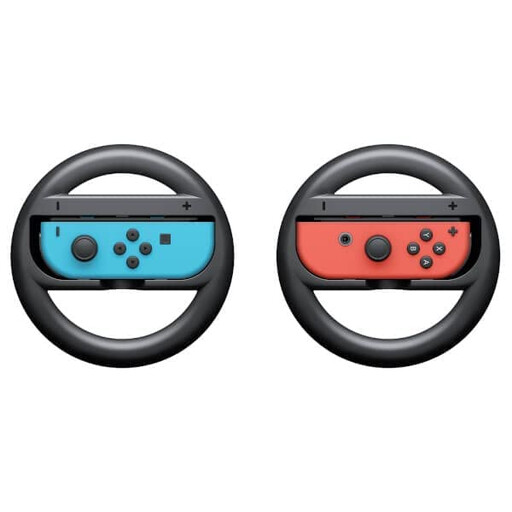
Nintendo Switch Joy-Con steering wheel attachments, 2-pack
A good choice if you want to use your existing Joy-Con with a steering wheel attachment for kart games on Nintendo Switch.
The set includes two steering wheel attachments. Nintendo gives Mario Kart 8 Deluxe as an example of a game that uses a Joy-Con with this accessory; compatible Joy-Con controllers are not included.
Joybuy
 No image available
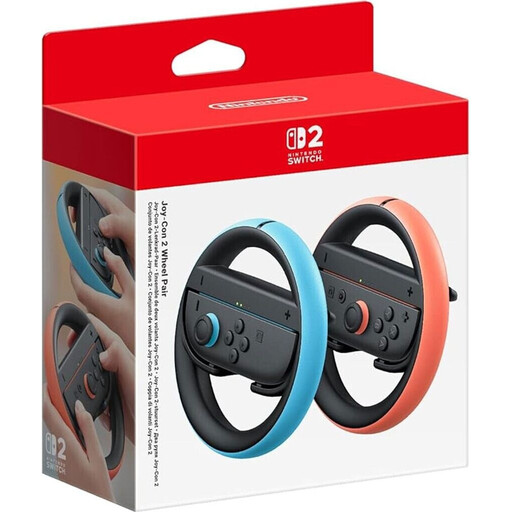
Nintendo Switch 2 Joy-Con 2 steering wheel attachments, 2-pack, light blue/light red
A good choice if you want to steer by tilting Joy-Con 2 on Switch 2. Motion controls must be enabled in Mario Kart World.
Nintendo specifies that the attachment is for Joy-Con 2 only. Controllers are not included.
Joybuy
Frequently asked questions
Do I need to buy a standalone steering wheel for Mario Kart World?
No, a standalone steering wheel is not essential. Nintendo describes both button and motion controls for Mario Kart World. To steer by tilting, you need a suitable controller and must enable motion controls in the game. If you want pedals, check for a model explicitly listed as compatible with the game.
How do I set up tilt controls and headphones?
Enable motion controls in Mario Kart World for a suitable controller, then connect Bluetooth headphones through the console's audio settings, not through the steering wheel attachment. Nintendo notes that playback may be delayed on Switch 2, depending on the Bluetooth device.
Do Bluetooth headphones work in wireless local multiplayer?
According to Nintendo, Bluetooth audio is disabled on Nintendo Switch when consoles are connected wirelessly in local mode. This is not necessarily the same as two people playing on a single console; check the mode you actually plan to use.
What extra costs and rights should I be aware of after buying?
Nintendo's Joy-Con steering wheel pairs do not include compatible controllers, so you may need to buy them separately. In Germany, consumers can generally assert their statutory warranty rights against the seller for a faulty new product within two years of delivery or receipt, as explained by the Verbraucherzentrale. Online purchases are generally covered by a 14-day right to cancel; this is separate from your rights if goods are faulty.


