
Lieferung heute & morgen

Qualitätsgarantie

Willkommens-Angebote freischalten: KOSTENLOSE Lieferung | Bis zu 80 % RABATT | Kostenlose 30-Tage-JoyPlus-Testphase
App herunterladen
For many gamers, a mechanical gaming keyboard is a crucial tool that can make all the difference in in-game precision and reaction speed. However, the selection is vast, and the technical specifications can be overwhelming. This guide is designed to help you understand how they work and their key features, so you can make an informed decision that suits your playstyle and needs. We provide objective information on various models and technologies.
The search for the right keyboard depends on personal preferences and the primary use case. Three key criteria will help guide your decision.
Mechanical switches are the heart of any keyboard and largely determine the typing feel. For gaming, linear switches have become the standard.
The size of the keyboard affects not only ergonomics but also the available space on your desk.
Modern wireless technologies have largely solved the latency issues of previous generations.
Here is a selection of models that cater to different needs and preferences. The descriptions are based on objective features and manufacturer specifications.
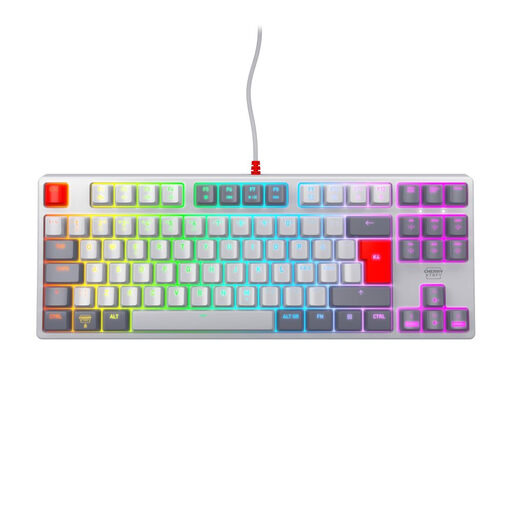
Why It Stands Out: The CHERRY XTRFY K4V2 TKL is engineered for pure performance and durability. Its design intentionally forgoes software, focusing instead on a robust construction with a metal plate. The built-in CHERRY MX2A Red switches offer a manufacturer-rated lifespan of over 100 million keystrokes and provide a fast, linear typing feel.
Pros:
Who Is It For? For competitive gamers seeking a reliable, no-frills TKL gaming keyboard for competition and who value durable, straightforward hardware.
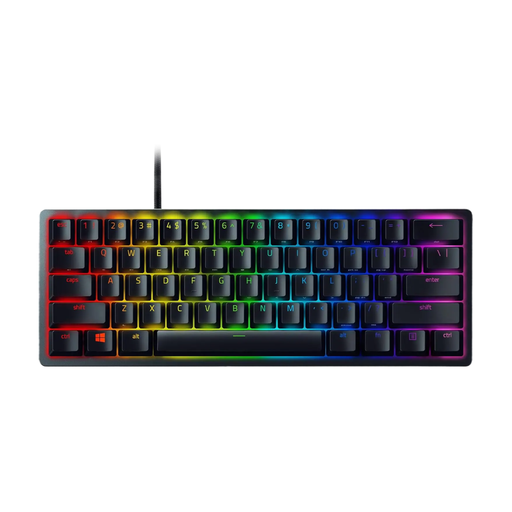
Why It Stands Out: The Razer Huntsman Mini is an extremely compact 60% keyboard designed for maximum speed and efficiency. It uses Razer's optical linear switches, which register inputs via a beam of light. According to Razer, this allows for exceptionally fast actuation. The doubleshot PBT keycaps are known for their high resistance to wear.
Pros:
Who Is It For? For gamers who prefer an extremely fast gaming keyboard in a minimalist and portable form factor. This Razer keyboard is an excellent choice for setups with limited space.
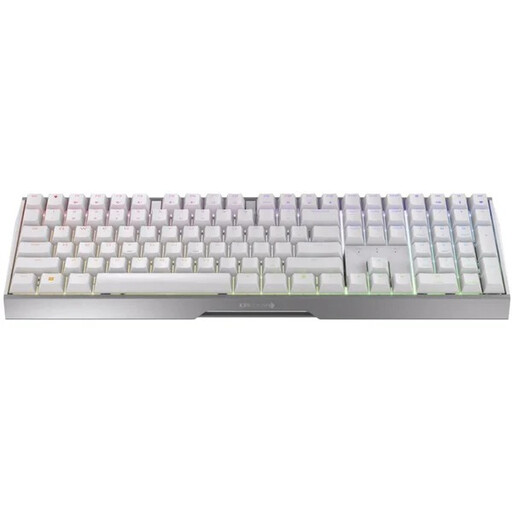
Why It Stands Out: The CHERRY MX 3.0S Wireless combines the performance of a gaming keyboard with the flexibility of a wireless gaming keyboard. It offers three connection modes: a low-latency 2.4 GHz mode (<1 ms), Bluetooth 5.2, and a wired USB-C connection. The solid aluminum frame gives it a premium feel and stability.
Pros:
Who Is It For? For users looking for a versatile full-size keyboard for both gaming and everyday tasks. It offers the freedom of a wireless setup without compromising on performance in gaming mode.
The models featured here already cover a broad spectrum. However, if you are specifically looking for more keyboards with a linear feel, you can find a wider selection in our category.
? Discover More Red Switch Keyboard Models Here
A fast gaming keyboard is defined by several technical features: a short actuation distance for the switches, low actuation force (typical of linear switches), a high polling rate (e.g., 1000 Hz) to ensure keystrokes are sent to the PC at rapid intervals, and N-Key Rollover, which allows any number of keys to be pressed simultaneously without losing any inputs.
Yes, red linear switches are considered an excellent choice for gaming. Their smooth and resistance-free keystroke allows for the rapid, repeated key presses required in many game genres. Since there is no tactile bump to overcome, actions can be performed fluidly and without interruption.
For many gamers, a keyboard without a numpad (TKL or smaller) is a practical choice. Omitting the number pad creates significantly more space on the right side of the desk. This extra room can be used for wide mouse movements, which can improve aiming accuracy, especially in shooters at low DPI settings.