
Lieferung heute & morgen

Qualitätsgarantie

Willkommens-Angebote freischalten: KOSTENLOSE Lieferung | Bis zu 80 % RABATT | Kostenlose 30-Tage-JoyPlus-Testphase
App herunterladen
The search for the right mechanical gaming keyboard can quickly become overwhelming. The market is flooded with technical jargon, marketing hype, and a vast array of models. Many users invest in a device only to find out after a short time that it doesn't meet their needs. This guide will help you identify the crucial features and avoid common pitfalls.
As a Joybuy Product Recommendation Officer, my job is to filter market information and provide you with objective, practical advice so you can make an informed decision.
Before we dive into the technical details, it's important to understand three common issues that often lead to disappointment:
To avoid buyer's remorse, you should carefully examine three core aspects. These define the performance, durability, and versatility of your future keyboard.
The connection type directly impacts flexibility and performance.
The ability to tailor a keyboard to your personal preferences is a key feature of modern mechanical keyboards.
The case material affects not only the feel and aesthetics but also the keyboard's acoustics and stability.
Here are some recommendations tailored to specific user profiles that meet the criteria mentioned above.
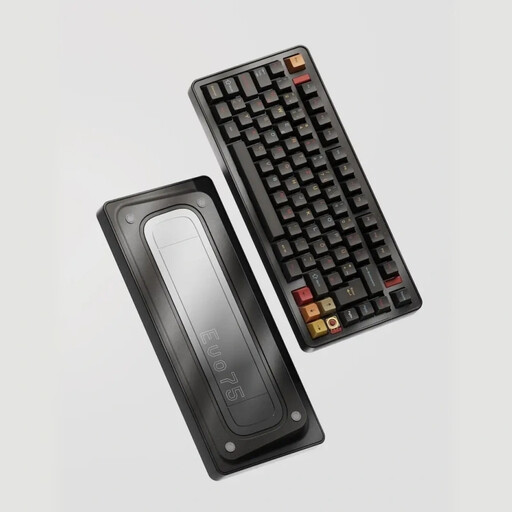
Why This Fits Their Persona: Ideal for users in the DE region who refuse to compromise. The correct ISO-DE Layout, solid Aluminium chassis, and flexible Tri-Mode connectivity meet all the demands of a premium setup for both gaming and productivity.
This model bypasses the layout trap with an explicit QWERTZ ISO-DE layout. Its Hot-Swap capability and leaf-spring mount offer genuine, deep customisation options that go far beyond a simple "custom" label.
Full aluminium case for superior feel and acoustics; Tri-Mode connectivity with an 8000 mAh battery; true ISO-DE layout.
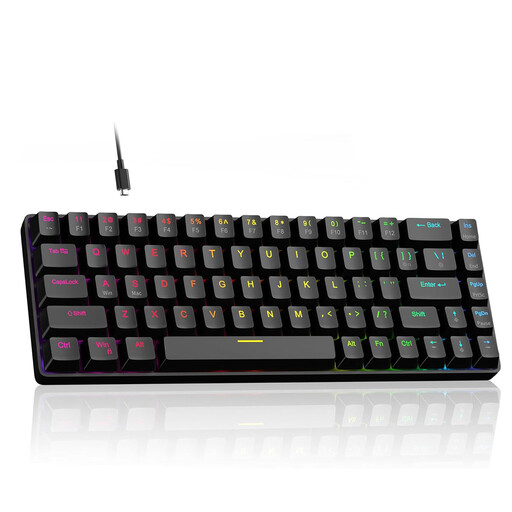
Why This Fits Their Persona: Engineered for gamers where every millisecond counts. The Hall Effect magnetic switches with an adjustable actuation point and the ultra-high 8000 Hz polling rate are designed for maximum response speed. The compact 60% layout creates more space for wide mouse sweeps.
This model goes far beyond a simple "Gaming" label by using specialised technology (Hall Effect switches) not found in standard keyboards. Here, performance is defined by measurable technical specs like the polling rate and adjustable actuation point.
Hall Effect switches with Rapid Trigger and adjustable actuation (0.1 mm - 4.0 mm); 8000 Hz polling rate for minimal latency.
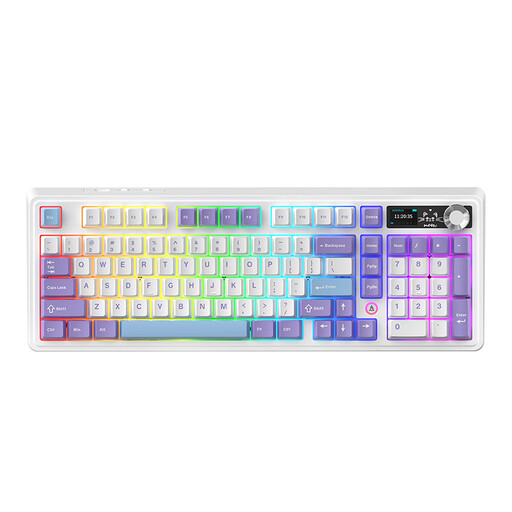
Why This Fits Their Persona: Perfect for power users who both game and work productively. The 98% layout retains the essential numpad while being more compact than a full-size keyboard. Features like the rotary knob, TFT display, and Tri-Mode connectivity offer high comfort and functionality.
This model offers a thoughtful balance of form and function, avoiding the trap of impractical compact layouts. It is also fully hot-swappable and features a very large 10,000 mAh battery, making it a reliable wireless option.
Space-saving 98% layout with numpad; integrated volume knob and TFT display; very large battery capacity for extended wireless use.
We've compiled a complete, up-to-date list of products that fully meet these strict selection criteria.
The QWERTZ layout is standard in Germany and Eastern Europe. It differs from the American QWERTY layout mainly in the swapped positions of the Y and Z keys, as well as additional keys for umlauts (?, ?, ?) and the ?. For users who regularly type in German, a QWERTZ layout is essential.
Battery life heavily depends on the battery's capacity (measured in mAh) and the use of RGB lighting. Models with large batteries (e.g., 8,000 mAh or 10,000 mAh) can last for several weeks or even months with the lighting turned off. With lighting activated, the runtime is reduced to several days to a week, depending on the brightness level.
Yes, absolutely. A hot-swappable keyboard is ideal for beginners. It allows you to try out different switch types to find your preferred typing feel without any technical knowledge or tools like a soldering iron. It also simplifies repairs, as a faulty switch can be easily replaced instead of having to replace the entire keyboard.