
Lieferung heute & morgen

Qualitätsgarantie

Willkommens-Angebote freischalten: KOSTENLOSE Lieferung | Bis zu 80 % RABATT | Kostenlose 30-Tage-JoyPlus-Testphase
App herunterladen
A mechanical gaming keyboard should provide precise inputs while gaming and perform reliably in everyday use. In practice, however, poor purchasing decisions are often caused not by a lack of RGB lighting, but by an unsuitable layout, the wrong switches or unclear connectivity specifications.
This buying guide explains which features really matter to PC and console gamers in Germany and what you should look out for before buying.
Not every keyboard with a mechanical feel uses genuine mechanical switches. For example, the MageGee TS91 is described as a keyboard with “Mechanical Feel” and uses membrane technology. If you are looking for the characteristic switch feel, replaceable switches or a defined actuation force, you should specifically look for mechanical switches and check the exact switch type.
For users in Germany, a German QWERTZ keyboard with the “Ä”, “Ö” and “Ü” keys and a suitable Enter key is generally more convenient for everyday use. A US QWERTY keyboard can be useful for certain games, programming environments or international workplaces, but it changes the positions of some keys.
Before buying, check the following:
“Wireless” can mean Bluetooth or a 2.4 GHz wireless connection. For gaming, a USB receiver is often preferred, while Bluetooth makes it easier to switch between a laptop, tablet and smartphone. A tri-mode keyboard generally combines 2.4 GHz, Bluetooth and USB-C. You should also check the battery capacity, charging time, whether the receiver is included and whether the keyboard can be used via cable while charging.
A Rapid Trigger keyboard can register key presses again more quickly depending on the direction of movement. This is particularly interesting for competitive gaming, but it is no substitute for good ergonomics, a stable connection and a suitable key layout.
The design affects both desk space and ease of use:
A number pad is useful for spreadsheets, data entry and office work. A smaller format may be more suitable for a minimalist desk setup or for giving your mouse more room.
A hot-swap keyboard allows you to replace compatible switches without soldering. Check whether it supports 3-pin or 5-pin switches and whether they are conventional mechanical or magnetic switches. With Hall Effect models, only compatible magnetic switches can be used.
An RGB gaming keyboard usually offers per-key or zone lighting. Its practical usefulness depends on whether brightness, profiles and effects can be adjusted using software or directly via key combinations. A gaming keyboard with macros should also clearly state which keys are programmable and whether Windows software is required.
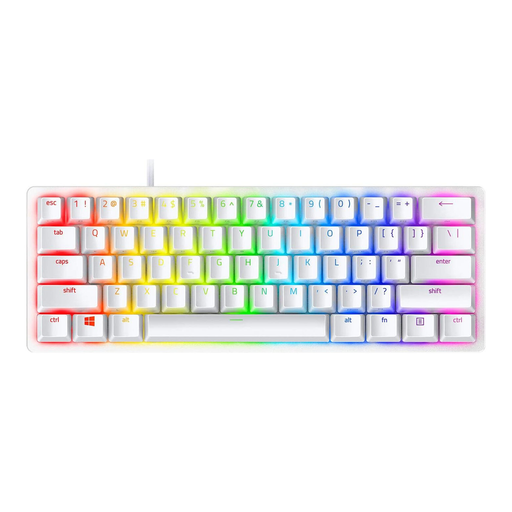
Why this product suits the profile: This wired 60% model is designed for a space-saving setup with a PC or laptop and has a US QWERTY layout.
The product details specify optical switches, a detachable USB-C connection and 61 keys. This makes the technology clearer than on keyboards that merely offer a mechanical typing feel.
60% format, RGB lighting, double-shot PBT keycaps and up to five saved profiles according to the product description.
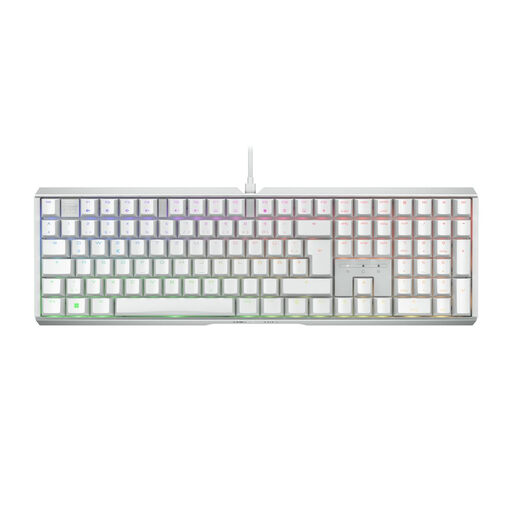
Why this product suits the profile: This full-size keyboard with a German QWERTZ layout is aimed at users who combine gaming, typing and office work.
The German layout is explicitly specified. The switch type, actuation force, USB connection and size are also listed in the technical details.
CHERRY MX2A Brown, per-key and side RGB lighting, programmable media keys, plus full N-key rollover and anti-ghosting according to the product details.
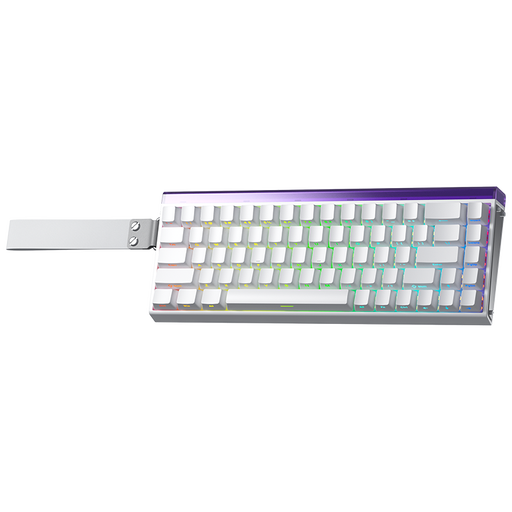
Why this product suits the profile: Hall Effect switches, adjustable actuation and Rapid Trigger are designed for users who want to fine-tune their input behaviour.
The product name explicitly indicates magnetic switches. Conventional mechanical switches should not be used; check compatibility before making any modifications.
0.01-mm adjustable actuation specification, Rapid Trigger mode, 8,000-Hz polling rate and 60% layout according to the product description.
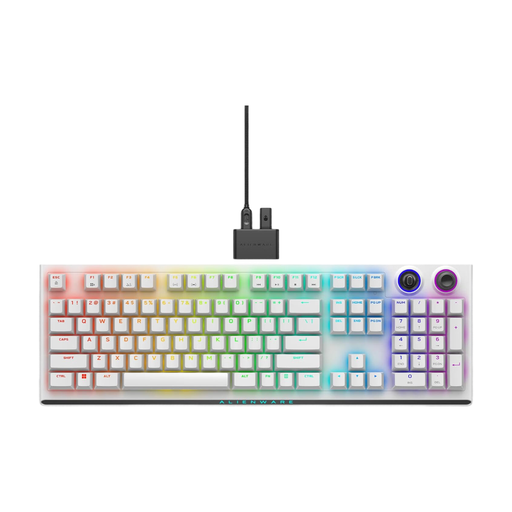
Why this product suits the profile: Tri-mode connectivity is ideal for users who switch between a gaming PC, notebook and other devices.
2.4 GHz, Bluetooth 5.1 and USB-C are listed separately. The details about use with up to five saved connections and battery life are also clearly specified.
CHERRY MX Red, PBT keycaps, programmable rotary dial, RGB lighting and up to 42 hours of battery life with RGB at 50%, according to the product information.
We have put together a complete, regularly updated list of products that fully meet these strict selection criteria and the safety regulations applicable in the EU.
Before ordering a mechanical gaming keyboard, compare the following points:
Yes, provided the switches, noise level and layout suit your workspace. Tactile switches can provide noticeable feedback, while linear models actuate more smoothly. For a shared office, look for dampened or quieter variants.
Its lifespan depends on the switches, keycaps, electronics and how it is used. Manufacturers often quote several million keystrokes, but this does not guarantee the lifespan of every component. Regular cleaning, a dry environment and careful transport can help extend its usable life.
A wireless mechanical keyboard with a 2.4 GHz receiver can be suitable for gaming if the technical specifications indicate a stable wireless connection and low latency. Bluetooth is particularly convenient for use with multiple devices, but its performance may differ depending on whether gaming or office work is prioritised. For maximum peace of mind, USB-C remains the simplest wired option.