
Lieferung heute & morgen

Qualitätsgarantie

Willkommens-Angebote freischalten: KOSTENLOSE Lieferung | Bis zu 80 % RABATT | Kostenlose 30-Tage-JoyPlus-Testphase
App herunterladen
A mechanical gaming keyboard should deliver precise input while gaming, work reliably in a home office and ideally adapt to your own workspace. However, there are clear differences between compact 60% models, wireless tri-mode keyboards and full-size versions with a number pad.
Anyone who focuses only on RGB lighting or a high polling rate can overlook important details. Three common buying misconceptions particularly often lead to the wrong choice:
The layout determines which keys are immediately accessible and how much room is left for your mouse:
Also pay attention to the actual keyboard layout. A US layout differs from a German ISO-DE layout in both labelling and key arrangement. The product description should therefore be checked carefully before purchase.
Linear switches offer a smooth key travel without a noticeable tactile bump. Tactile switches provide physical feedback when actuated. Some users prefer short actuation points for fast-paced games, while frequent typists often opt for a clearly defined typing feel.
A hot-swap keyboard allows compatible switches to be replaced without soldering. Three details are important:
With a Hall-effect keyboard, magnetic sensors measure the position of the switch. A rapid-trigger keyboard can dynamically detect actuation as the key moves back up. This is particularly useful for competitive gaming, but requires suitable software and compatible switches. The AULA WIN60HE is explicitly designed for magnetic Hall-effect switches only.
A tri-mode keyboard normally combines USB-C, 2.4 GHz wireless and Bluetooth. This combination makes sense if you want to switch between a gaming PC, laptop, tablet and smartphone. For a fixed setup, however, a wired mechanical keyboard remains straightforward and does not require battery maintenance.
With an RGB gaming keyboard, buyers should check whether the lighting can only be controlled using key combinations or also via software. South-facing LEDs can improve the illumination of certain keycaps, although the effect depends on the keycap profile and lettering.
PBT keycaps are more resistant to developing a glossy finish through wear than ABS keycaps on many models. A gasket-mount keyboard uses flexible mounts between the plate and the case. Multiple foam or silicone layers can affect the typing sound, but they cannot replace good acoustics in the workspace. Details about lifespan, battery capacity, polling rate and operating system compatibility should come directly from the technical specifications.
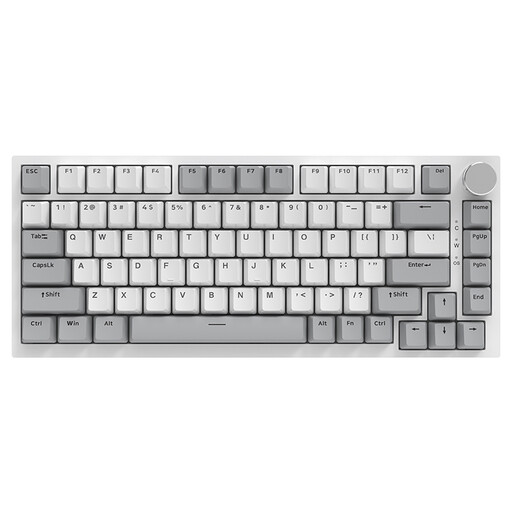
Why this product suits the profile: The compact 75% layout offers arrow and function keys, remains wired and does not need charging.
The specifications clearly list USB-C, hot-swap support for 3- and 5-pin switches, and compatibility with Windows and macOS.
Gasket-mount construction, PBT keycaps, volume knob and white backlighting.
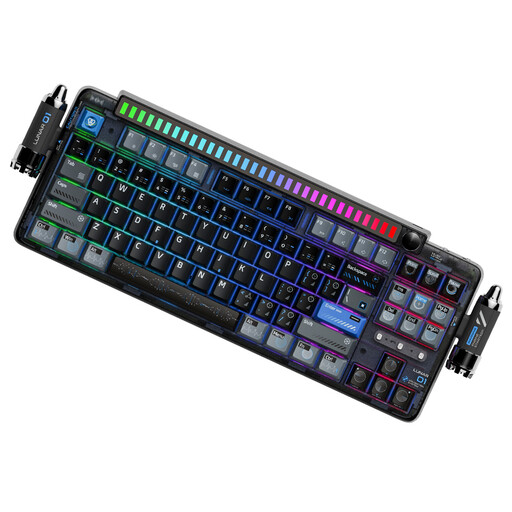
Why this product suits the profile: The 87-key layout, programmable dial and three connection options make it suitable for gaming, office work and multiple devices.
Full 5-pin hot-swap support and the software features are clearly specified.
Gasket-mount construction, PBT dye-sublimated keycaps, 4,000-mAh battery and detachable rhythm light.
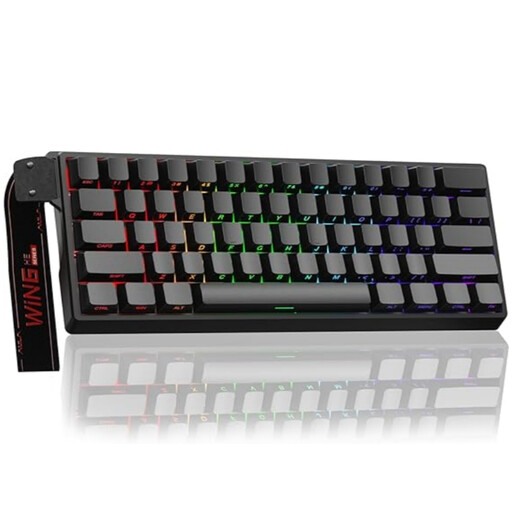
Why this product suits the profile: This wired 60% keyboard is designed for users looking for a compact model with an adjustable actuation point and rapid-trigger mode.
The product warning explicitly states that only magnetic Hall-effect switches are compatible.
Adjustable actuation, rapid-trigger function, RGB lighting and a stated polling rate of 8,000 Hz.
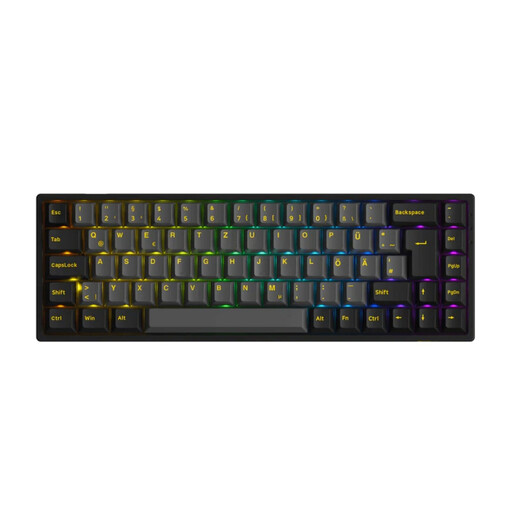
Why this product suits the profile: The 65% ISO-DE layout can connect to Windows, macOS, iOS and Android via Bluetooth, 2.4 GHz or USB-C.
The connection options, 1,800-mAh battery and support for 3- and 5-pin switches are clearly specified.
PBT keycaps, RGB lighting, N-key rollover and a stated polling rate of 1,000 Hz in wired and 2.4 GHz modes.
We have put together a complete, regularly updated list of products that fully meet these strict selection criteria and the safety regulations applicable in the EU.
A 65% or 75% keyboard offers a good balance between saving space and having direct access to the arrow and function keys. For extensive numerical input, a full-size keyboard with a number pad is more practical. If you need as much room as possible for your mouse, you can choose a 60% keyboard, but you should bear the missing keys in mind.
Lifespan depends on the switches, keycaps, hot-swap sockets, cable and maintenance. Manufacturer claims such as a specified number of keystrokes are technical specifications, not a guarantee for every usage scenario. Dust, liquid and replacement switches inserted at an angle can shorten the lifespan.
A wireless mechanical keyboard makes sense if you want to connect multiple devices or keep your desk free of cables. For permanent, stationary gaming, USB-C is easier to plan around. A tri-mode keyboard offers greater flexibility, but usually requires more attention to the battery level, wireless receiver and software.