
Lieferung heute & morgen

Qualitätsgarantie

Willkommens-Angebote freischalten: KOSTENLOSE Lieferung | Bis zu 80 % RABATT | Kostenlose 30-Tage-JoyPlus-Testphase
App herunterladen
A mechanical gaming keyboard is a precision input device whose performance is directly dependent on its internal components. Unlike conventional membrane keyboards, each key registers a press via a physical mechanism. This results in defined tactile feedback, greater durability, and lower latency. Selecting the right model is based on an analysis of technical specifications such as switch type, form factor, connectivity, and customisation options.
The decision to purchase a mechanical gaming keyboard should be based on an evaluation of objective features that support your individual use case.
The switches are the core component of any mechanical keyboard. Their characteristics determine the typing feel and response speed.
The size of the keyboard affects ergonomics and the available space on your desk.
The connection type is a factor for latency and flexibility.
Modern gaming keyboards offer extensive options for personalisation.
The following models stand out for their specific technical features, making them attractive for different user profiles.
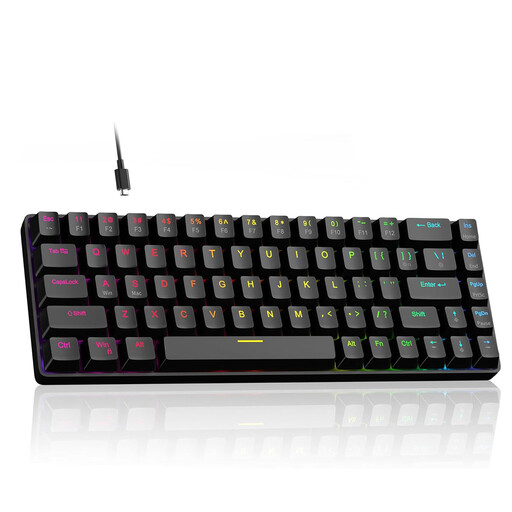
Why We Recommend It: This model combines advanced Hall Effect switch technology with an extremely high 8000 Hz polling rate. The ability to precisely adjust the actuation point of each key between 0.1 mm and 4.0 mm and activate the Rapid Trigger mode offers a high degree of control for competitive players. Despite the compact 60% format, dedicated arrow keys are retained, which enhances everyday usability.
Pros:
Who It's For: Esports athletes and serious players of FPS and rhythm games who require maximum responsiveness and precise customisation in a compact form factor.
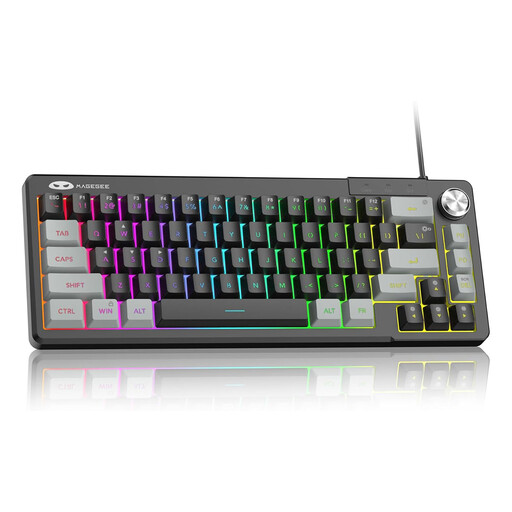
Why We Recommend It: The MageGee Mini 60% is a functional entry-level model that bundles essential gaming features into a very compact frame. It uses membrane technology with a mechanical-like feel, representing a cost-effective alternative. Practical features like the rotary knob for volume control, the splash-resistant PCB (IPX4), and broad compatibility (for PC/Mac/PS4/Xbox) make it a versatile option.
Pros:
Who It's For: Beginners, casual gamers, and users with a limited budget or space who are looking for a compact keyboard with essential gaming features and multimedia controls.
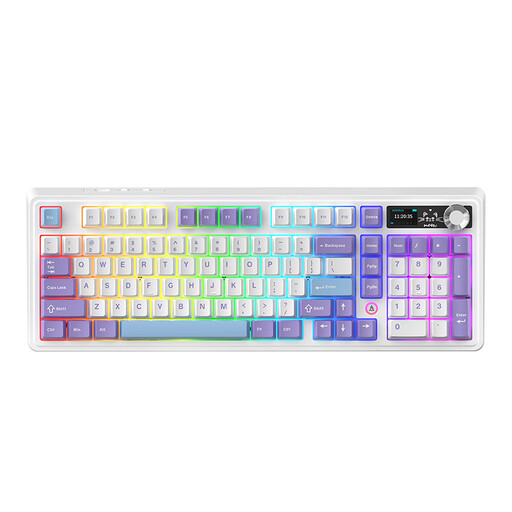
Why We Recommend It: The AJAZZ AK980 V2 is a feature-rich wireless gaming keyboard for enthusiasts. It offers tri-mode connectivity (2.4G, Bluetooth, USB-C) and a large 10,000 mAh battery. The 98% layout is a compromise that integrates a number pad into a space-saving design. Special features include the customisable TFT screen for displaying system info or GIFs and its hot-swap capability, which allows for full switch personalisation.
Pros:
Who It's For: Keyboard enthusiasts, power users, and gamers who value high flexibility through wireless connections, extensive customisation options, and premium features like a display and a high-quality case construction.
If the models presented here don't exactly meet your requirements, the market offers a wide variety of other configurations, switch types, and form factors. You can find a broader selection of peripherals tailored to different needs and budgets in our PC Gaming Accessories category.
1. What is the advantage of a mechanical keyboard over a membrane keyboard? The main advantage lies in precision and durability. Each key on a mechanical keyboard has its own switch that provides clear tactile and/or audible feedback. This allows for faster and more accurate inputs. Furthermore, mechanical switches are rated for a significantly higher number of keystrokes (often 50 million or more) than the rubber domes of membrane keyboards.
2. What does "Rapid Trigger" mean on a gaming keyboard? Rapid Trigger is a feature found primarily on keyboards with Hall Effect switches. It allows a key to be triggered again without having to fully return to its initial position. The actuation point is dynamically reset as soon as the key begins to move upward. This enables extremely fast, repeated keystrokes, which can be an advantage in games that require quick reactions (e.g., FPS or rhythm games).