
Lieferung heute & morgen

Qualitätsgarantie

Willkommens-Angebote freischalten: KOSTENLOSE Lieferung | Bis zu 80 % RABATT | Kostenlose 30-Tage-JoyPlus-Testphase
App herunterladen
A mechanical gaming keyboard is a cornerstone of any PC gamer's setup, promising precision, speed, and a satisfying typing experience. But the market is flooded with models whose marketing promises often create more confusion than clarity. Before you make a decision, it's crucial to understand the most common pitfalls that can lead to buyer's remorse.
The selection can be overwhelming. Many buyers focus on aesthetics while overlooking crucial technical details. Here are three common mistakes you should avoid:
Enter key and key placement. Similarly, buying a keyboard with a non-English layout (like QWERTZ or AZERTY) by mistake means common punctuation will be in the wrong place, leading to constant frustration.To make an informed decision, you should focus on three core technical aspects. These are the primary factors that determine the performance, comfort, and longevity of your keyboard.
Mechanical switches are responsible for the typing feel and response speed. They are mainly divided into three types:
The size of the keyboard affects ergonomics and the amount of available desk space. You should also always ensure you get the correct regional gaming keyboard QWERTY layout.
Two technical features are particularly relevant for competitive gamers:
Based on the criteria mentioned, we have identified a few models suitable for different needs and budgets.
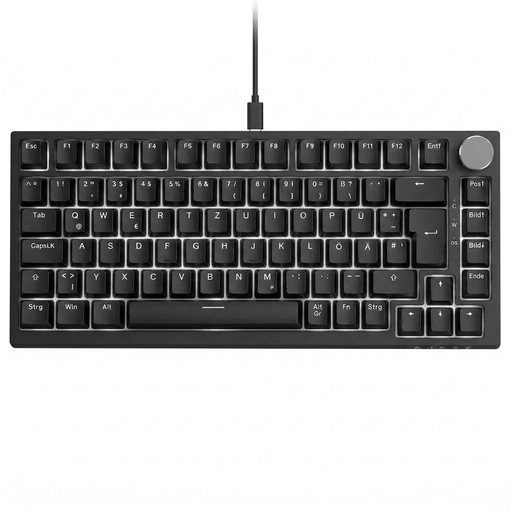
Why This Fits Their Persona: This model is ideal for users seeking a balance between gaming performance and everyday functionality. The 75% layout is compact but retains the arrow and function keys. The rotary knob for volume control is a practical extra for daily use.
With its correct QWERTZ layout and hot-swap capability, it bypasses two central pitfalls. You can adapt the switches to your preferences and aren't stuck with a layout designed for the US market.
The combination of hot-swap sockets, linear red switches, and a dedicated volume knob offers a high degree of flexibility and comfort for both gaming and productivity.
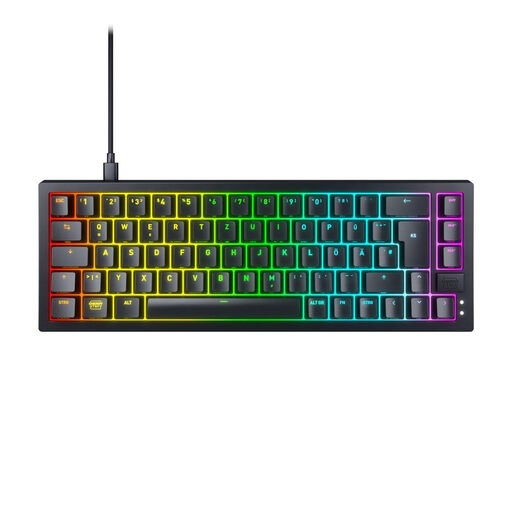
Why This Fits Their Persona: For competitive players, every millimetre on the mousepad counts. The ultra-compact 65% format maximises space for the mouse. Its technology is designed for minimal latency and maximum response speed.
This model focuses on pure performance rather than gimmicks. Its fast Super-Scan technology (according to the manufacturer) and high-quality CHERRY MX2A RED switches prioritise function over mere aesthetics.
The combination of hot-swappable MX2A switches, an extremely fast key-scanning rate, and the compact 65% QWERTZ layout makes it a tool for demanding gamers.
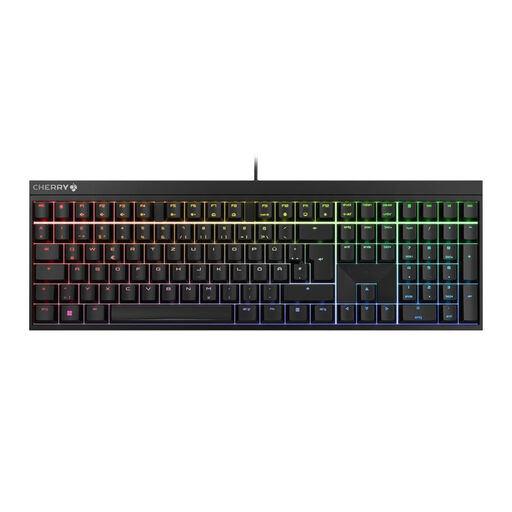
Why This Fits Their Persona: For users looking for a reliable, durable keyboard in a classic full-size format without superfluous extras. It's ideal for the home office where both work and gaming take place, and proven quality is valued.
This model relies on the manufacturer's core competency: durable mechanical switches. It avoids the pitfall of trying to stand out with short-lived trends or bloated software, offering a solid foundation instead.
Equipped with proven CHERRY MX2A Red switches and a full-size QWERTZ layout, it is a reliable work and gaming device with a long lifespan.
We have compiled a complete, real-time list of products that fully satisfy these strict selection criteria and UK safety regulations.
The main difference lies in the typing feel and sound profile. Red switches are linear and quiet, ideal for fast-paced gaming. Brown switches are tactile, offering a noticeable actuation point without a click, which makes them great all-rounders. Blue switches are both tactile and produce a loud click, providing very distinct feedback but can be disruptive.
A TKL (Tenkeyless) keyboard is a great choice if you rarely use the number pad and want more desk space for mouse movements. This can improve ergonomics, as your arms remain in a more natural position. However, if you frequently input numbers, a full-size model with a numpad is more practical.
The lifespan of a mechanical keyboard is often rated by the number of keystrokes per switch. Many manufacturers specify ratings from 50 to over 100 million keystrokes. With normal use, a high-quality mechanical keyboard can last for many years. Models with a hot-swap feature can be even more durable, as individual switches can be easily replaced if they fail.