
Lieferung heute & morgen

Qualitätsgarantie

Willkommens-Angebote freischalten: KOSTENLOSE Lieferung | Bis zu 80 % RABATT | Kostenlose 30-Tage-JoyPlus-Testphase
App herunterladen
A new mechanical keyboard can fundamentally change your experience at your desk—whether for gaming, programming, or daily office work. But the market is saturated with marketing buzzwords and seemingly endless options. Many buyers invest in a model that looks great at first glance, only to find it impractical or unsuitable for their needs after just a few weeks. As your Joybuy Product Recommendation Officer, I'll help you identify the crucial features and make an informed choice.
Before we dive into the important specifications, let's look at two common marketing traps that often lead to disappointment:
To make the right choice, you should focus on three objective criteria that directly impact the typing feel, functionality, and ergonomics.
The mechanical switch beneath each keycap determines how a keystroke feels and sounds. The three basic types are:
The size of the keyboard has a major impact on ergonomics and the available space on your desk. Common form factors include:
A hot-swap keyboard allows you to change the mechanical switches without any soldering. This offers two key advantages: you can adapt the typing feel of your keyboard to new preferences at any time by trying out different switch types, and faulty switches can be replaced easily and affordably, significantly extending the keyboard's lifespan.
Here are some recommendations tailored to specific user profiles that avoid the pitfalls mentioned above.
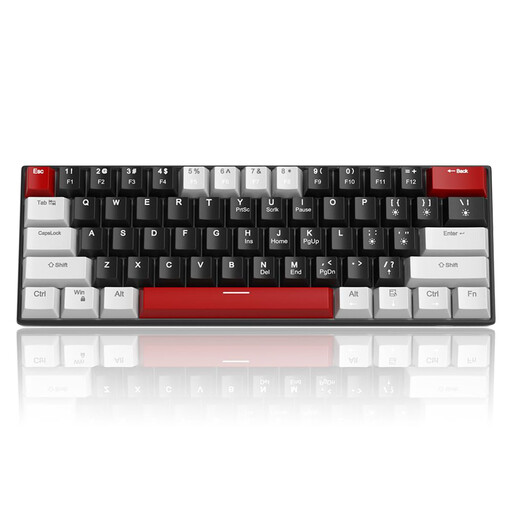
Why This Fits Their Persona: Ideal for users who want to enter the world of mechanical keyboards without a large investment. The compact 60% format saves maximum desk space and is highly portable thanks to its detachable cable.
Offers a true mechanical typing experience with a choice of switches (Red or Blue) and anti-ghosting, rather than just advertising a "gaming" aesthetic. Note that this model features a US QWERTY layout.
Excellent value for money; compact and portable design; detachable USB-C cable.
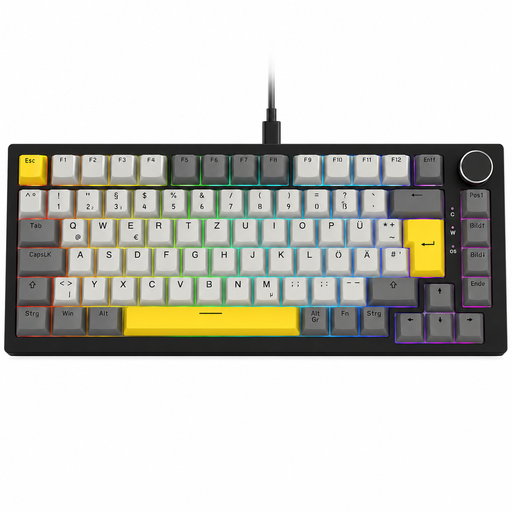
Why This Fits Their Persona: Perfect for users seeking a high-performance, compact keyboard for both gaming and work. The 75% layout retains arrow and function keys, while the convenient volume knob simplifies media control.
It solves the layout problem by providing the correct layout for its target market (this specific model is a German QWERTZ keyboard). It also offers genuine technical advantages like hot-swap and a gasket-mount structure, not just an RGB show.
Available in correct regional layouts; hot-swappable for easy customisation; gasket-mount for a softer typing feel.
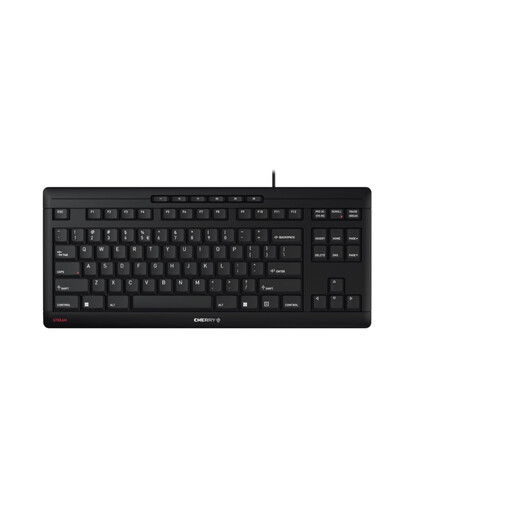
Why This Fits Their Persona: An excellent choice for professional environments where low noise and reliability are critical. The TKL format promotes an ergonomic posture, while the SX scissor technology enables precise and very quiet typing.
Focuses on the essentials for office use: a whisper-quiet keystroke and high durability. It deliberately avoids loud switches and flashy lighting.
Extremely quiet and precise keystroke thanks to CHERRY SX scissor technology; awarded the "Blue Angel" eco-label and GS mark for certified safety.
We have compiled a complete, real-time list of products that fully satisfy these strict selection criteria and UK safety regulations.
1. What is the main difference between a mechanical and a regular keyboard? The key difference lies in the technology under the keycaps. Regular keyboards (rubber dome) use a rubber membrane to register a keystroke. A mechanical keyboard has an individual switch for each key. This results in a more precise typing feel, significantly higher durability (often 50 million keystrokes or more), and a wide range of customisation options, though it also makes them more expensive.
2. How long does a mechanical keyboard last? The lifespan is typically rated in millions of keystrokes per switch. Figures between 50 and 100 million are common, which translates to many years of intensive use. With a hot-swap keyboard, the lifespan can be theoretically unlimited, as individual faulty switches can be easily replaced.
3. Is it important to get the right regional keyboard layout (e.g., UK vs. US)? Yes, for a smooth typing and work experience, getting the correct regional layout is highly recommended. Only the right layout ensures that important symbols for your region, like the ? sign in the UK or specific accented characters, are in their familiar positions. Using the wrong layout will inevitably lead to typos and an inefficient workflow.