
Lieferung heute & morgen

Qualitätsgarantie

Willkommens-Angebote freischalten: KOSTENLOSE Lieferung | Bis zu 80 % RABATT | Kostenlose 30-Tage-JoyPlus-Testphase
App herunterladen
The search for the right mechanical gaming keyboard can quickly become overwhelming. The market is flooded with technical jargon, various switch types, and a multitude of form factors. Many users invest in a model only to discover after a few months that it doesn't suit their habits. This guide will help you understand the key features and avoid common purchasing traps.
As your Joybuy Product Recommendation Officer, I will filter the relevant information for you, enabling you to make an informed decision based on facts, not marketing hype.
Before we dive into the technical details, let's look at the three most common reasons why buyers later regret their decision.
To avoid these pitfalls, you should evaluate three core aspects before buying. These define the typing feel, functionality, and longevity of your future keyboard.
Mechanical switches determine how every keystroke feels and sounds. The three main categories are:
The size of the keyboard affects ergonomics and desk space. Common form factors include:
Modern keyboards offer more than just keys. Look out for the following features:
Here are some models tailored to specific user profiles that take the aforementioned criteria into account.
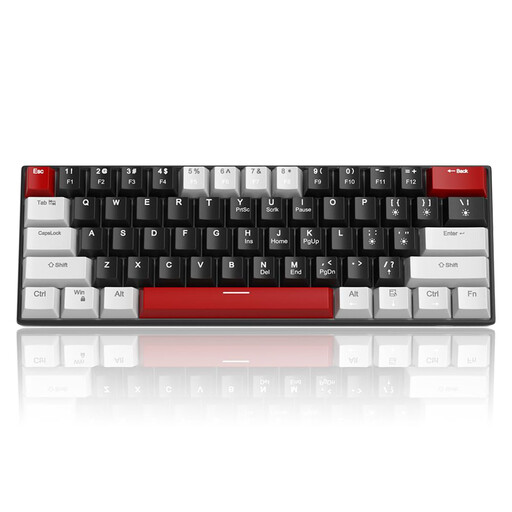
Why This Fits Their Persona: This model offers a cost-effective entry into the world of mechanical keyboards. The compact 60% layout saves space, and the linear red switches are well-suited for gaming without being too loud.
By offering a clear choice between common switch types (red or blue) at a low price point, it minimises the risk of an expensive first-time mistake. The compact layout is optimised for gaming setups.
Compact 60% form factor for maximum mouse space. Detachable USB-C cable for easy transport.

Why This Fits Their Persona: For users who value feel, durability, and maximum flexibility. The aluminium case provides stability, while the tri-mode connectivity (wired, Bluetooth, 2.4G) and hot-swappability leave nothing to be desired.
The hot-swappable capability completely solves the problem of being locked into one switch type. You can try and install new switches at any time without having to replace the keyboard. This makes the device future-proof.
High-quality aluminium case. Tri-mode connectivity for flexible use across different devices.
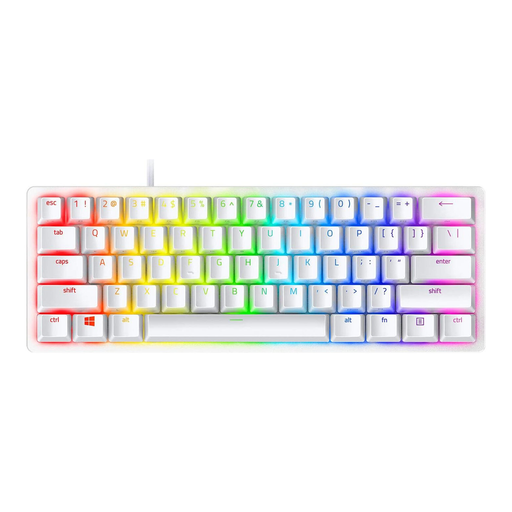
Why This Fits Their Persona: This model is strictly designed for speed and a minimal footprint. Razer's optical switches actuate faster than traditional mechanical variants, and the 60% form factor is ideal for tournaments and LAN parties.
It avoids the pitfall of an unsuitable form factor by specifically targeting gamers who find a large, bulky keyboard to be an obstacle. The choice here is deliberately focused on maximum performance and gaming ergonomics.
Linear optical switches for extremely fast actuation. Durable PBT keycaps that won't wear down even with intensive use.
We have compiled a complete, up-to-date list of products that fully meet these strict selection criteria.
The lifespan of a mechanical keyboard is largely determined by the quality of its switches. Most manufacturers specify a lifespan of 50 to 100 million keystrokes per switch. With average use, a well-built mechanical keyboard can last for many years. Models with a sturdy case (e.g., made of aluminium) and hot-swappability tend to be even more durable, as individual components can be replaced if needed.
Yes, Red Switches are among the most popular switch types for gaming. Their linear, resistance-free keystroke allows for very fast and repeated inputs, which is advantageous in fast-paced games. Since they provide no tactile or audible feedback, keys can be actuated with minimal force, potentially reducing reaction time.
Hot-swap means that the mechanical switches are not soldered directly onto the printed circuit board (PCB) but are instead fitted into special sockets. This allows the user to easily pull out the switches with a specialised tool and replace them with other compatible switches (usually 3-pin or 5-pin). This feature offers a high degree of customisability and simplifies maintenance.