
Lieferung heute & morgen

Qualitätsgarantie

Willkommens-Angebote freischalten: KOSTENLOSE Lieferung | Bis zu 80 % RABATT | Kostenlose 30-Tage-JoyPlus-Testphase
App herunterladen
Finding the right keyboard can be a challenge. Whether for precise gaming, hours of programming, or drafting long texts—the demands on an input device are high. Compared to traditional membrane keyboards, a mechanical keyboard often offers greater durability, better tactile feedback, and faster response times.
This article serves as a practical guide. It explains the key features to look for and presents a selection of different models to help you make an informed decision.
To find the right model, it's helpful to understand the basic properties and differences. Three aspects are particularly relevant: switches, size, and extra features.
Mechanical switches are the mechanisms under each individual key. They largely determine the typing feel and acoustics. A popular option is Blue switches, known for their clicky sound and distinct tactile feedback. They provide clear confirmation with every keystroke, making them a favorite among prolific typists.
Other common types include:
The size of the keyboard affects ergonomics and the amount of space it takes up on your desk. Common form factors include:
Also, pay attention to the QWERTY layout, which is standard on many internationally sold keyboards and differs from the QWERTZ layout common in Germany.
Modern keyboards offer various connection options and practical extra features.
Here is a selection of models that cater to different needs and use cases.
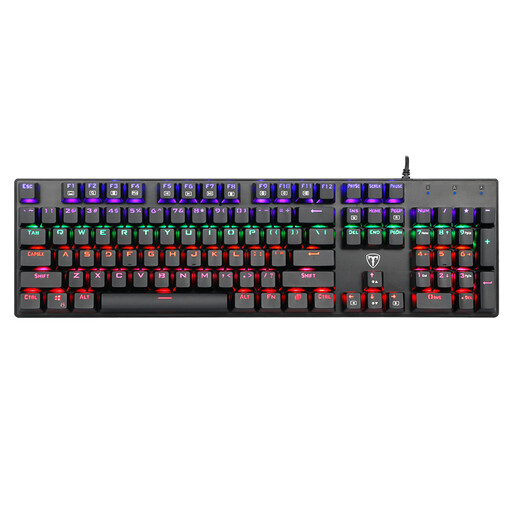
This model is a full-size wired keyboard with 104 keys and a QWERTY US layout. It is equipped with clicky Blue switches that deliver precise and audibly distinct feedback. The rainbow LED backlighting, with nine different modes and adjustable brightness, ensures good visibility in the dark.
This model is a great choice for PC gamers and office users looking for a reliable, full-featured wired keyboard with the signature feel of Blue switches.
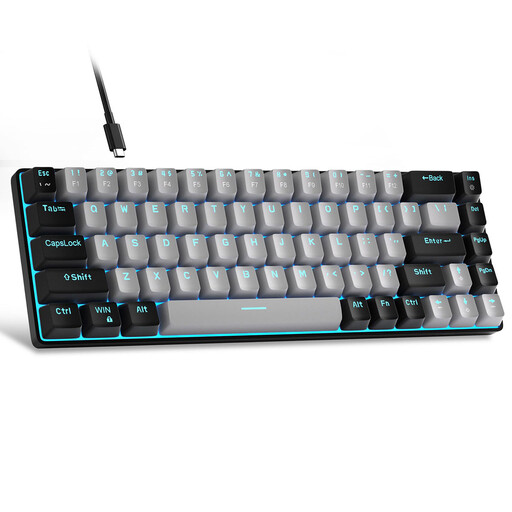
The MageGee MK-Box is a compact keyboard in a 60% form factor with 68 keys. Its minimalist design frees up significant desk space for sweeping mouse movements. It also uses Blue switches for a tactile and clicky typing experience and connects via a detachable USB-C cable.
This keyboard is aimed at gamers and users who prefer a minimalist setup and want a portable, wired solution with the feedback of Blue switches.
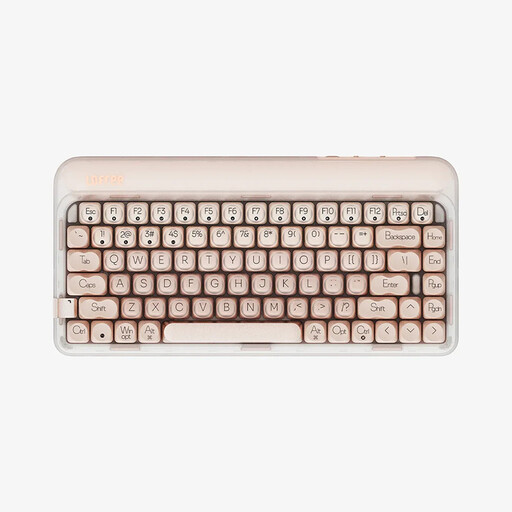
The Lofree OE914 is a versatile wireless keyboard in a 75% layout (84 keys). It offers three connection modes (USB-C, Bluetooth 5.3, 2.4G) and is fully hot-swappable. The factory-lubed linear Gateron switches and a multi-layer sound-dampening structure provide a smoother and quieter typing sound.
This model is designed for keyboard enthusiasts, programmers, and gamers who value customization, a wireless keyboard, and a quieter, linear typing feel.
All the featured models include integrated lighting. If you are specifically looking for more options with customizable lighting effects, you can find a wider selection in our category. Discover more keyboards with LED backlighting here.
The main advantage lies in its durability, precision, and tactile feedback. Each key has its own mechanical switch rated for millions of keystrokes. This results in a consistent and reliable typing experience that many users appreciate during long typing or gaming sessions.
A hot-swappable keyboard allows you to easily exchange the mechanical switches without having to desolder the keyboard. Using a special tool, the switches can be pulled out and replaced with others. This offers a high degree of customization, as you can try out different switch types (e.g., linear, tactile, clicky).
No, the volume depends entirely on the type of switch used. Blue switches are intentionally designed to produce a loud clicky sound. In contrast, linear switches (e.g., Reds) and special "silent" switches are significantly quieter and produce hardly any more noise than a standard membrane keyboard.