What should you look for when buying?
For writing an essay at a small desk, start by checking the space available and which keys you need. Then consider the layout and typing feel, followed by connectivity and customisation options. RTINGS and product information from Keychron, Logitech and CHERRY can help you assess these factors.
| What matters when buying |
What to check |
Who may find it especially important |
| Desk space and keys |
Measure the available space and check that the arrow, navigation and function keys are within reach in the layout you want. |
If I need room for a mouse or notes beside my screen, I compare the keyboard’s size with the keys I use when writing; around 36% of consumers prioritise this. |
| Typing feel and layout |
Make sure you select DE-ISO or German QWERTZ specifically, and check which switch is fitted to the exact configuration. |
If familiar letter and punctuation positions, along with a typing feel that suits me, matter when I write for longer periods, I check the layout and switch together; around 29% of consumers prioritise this combination. |
| Typing noise |
If possible, assess the complete keyboard with your chosen switch option in a comparable environment. |
If I write in a shared space, I want to agree on an acceptable typing sound with others; around 21% of consumers prioritise this. |
| Connectivity and customisation |
Check which connection types you need. For hot-swap models, check that replacement switches are compatible with the exact configuration. |
If I want to switch the keyboard between devices or customise it later, I check the connections and compatible replacement parts; around 14% of consumers prioritise this flexibility. |
Joybuy products for small writing spaces
This selection includes compact mechanical keyboards with 65% or 75% layouts, some with a German layout and several connection options. Check the exact configuration and make sure the key arrangement suits the way you write.
 No image available
Akko 3084B Plus, 75%, ISO-DE, V3 Pro Cream Blue Switch, Black & Gold
The 75% layout and ISO-DE configuration suit a compact writing space if this is the layout you’re looking for.
Listed features include Bluetooth, 2.4 GHz and USB-C, as well as hot-swap. This configuration is listed with V3 Pro Cream Blue Switch.
View at Joybuy
 No image available
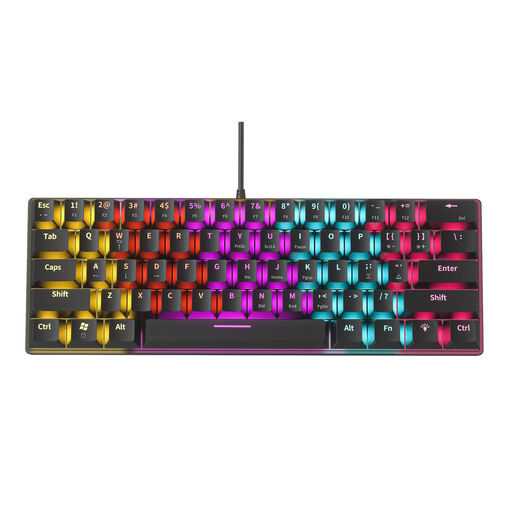
NAXSIR Mini, mechanical keyboard with 61 keys
The 61-key mini format may suit you if desk space is particularly limited and you’re comfortable with a reduced key arrangement.
The product name lists 12 RGB lighting effects. Before buying, check that the navigation and function keys you need are accessible in this layout; the blue switch option is described as clicky.
View at Joybuy
 No image available
CHERRY MX-LP 2.1, 65%, German QWERTZ, white
The 65% layout with German QWERTZ is an option if desk space is limited and the reduced key arrangement suits the way you work.
Listed features include MX Speed Linear Switches, Bluetooth, 2.4 GHz and USB-C. Check that the navigation and function keys you need are within reach.
View at Joybuy
 No image available
Ticktype EVO75, 75%, ISO-DE, Creamy Rye Switches
The 75% layout with ISO-DE is an option if you’re looking for a compact keyboard with a German layout.
Product information lists 80 keys, hot-swap, Bluetooth, 2.4 GHz and USB-C. Check that the exact key arrangement meets your typing needs.
View at Joybuy
 No image available
Akko 3084B Plus, 75%, ISO-DE, V3 Pro Cream Yellow Switch, Black & Gold
The 75% layout and ISO-DE configuration suit a compact writing space if this is the layout you’re looking for.
Listed features include Bluetooth, 2.4 GHz and USB-C, as well as hot-swap. This configuration is listed with V3 Pro Cream Yellow Switch.
View at Joybuy
Frequently asked questions
Should I choose 65% or 75% for writing an essay?
If you often need the arrow and function keys close at hand, start by looking at a 75% layout. If space is particularly limited, 65% may suit you; check the key arrangement and the shortcuts you use regularly.
How should I set up a separate keyboard at a small writing desk?
Position it so there’s room for the things you need to work on your text, and check that it connects to your computer. For extended notebook use at a quasi-permanent workstation, the German Federal Institute for Occupational Safety and Health considers separate input devices useful. This is guidance, not a requirement for writing an essay at home.
What should I check before changing switches?
First, check whether your exact keyboard configuration supports hot-swap and which switches are compatible. On the Keychron K3 Max, switch replacement is limited to compatible low-profile mechanical switches, not any switch you like.
What are my rights when buying online in Germany?
For a typical distance purchase by a consumer, you generally have a 14-day right to cancel from the date you receive the goods; exceptions may apply in individual cases. The Verbraucherzentrale explains this right. For a new movable item, statutory claims for defects generally expire two years after delivery (§ 438 BGB). The right to cancel and rights relating to defects are separate from a voluntary manufacturer’s warranty.
What does the CE marking tell me about a keyboard?
For products covered by relevant EU harmonisation legislation, the Bundesnetzagentur explains the CE marking requirements and the responsibilities of economic operators. Check the marking and any required accompanying documents for the specific keyboard. A CE mark is neither an independent test of typing comfort nor an indication that the product was made in the European Economic Area.


